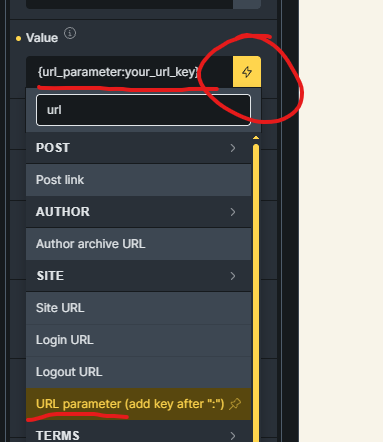
I have several forms in off-canvas elements, and I’d like to populate fields in those forms based on what’s clicked on the page. Let’s say I wanted to populate a field with the attribute name “service”, and ID is “hutjqb”. This is a select field. These are the options for the field:
ar:Appliance removal
f:Furniture
bi:Bulky items
sc:Storage cleanout
oc:Office cleanout
yd:Yard debris
tr:Trash removal
o:Other
Thank you @sinanisler! That is working. The way I have it set up, it is reloading the page each time the links in question are clicked in order to add the correct parameter. Sound correct?
However, I’m now not able to use my other buttons that were triggering the off-canvas without the need for field population b/c of the condition that looks for services in the url. Any suggestions to be able to use the same off-canvas but have the 2 separate triggers working?