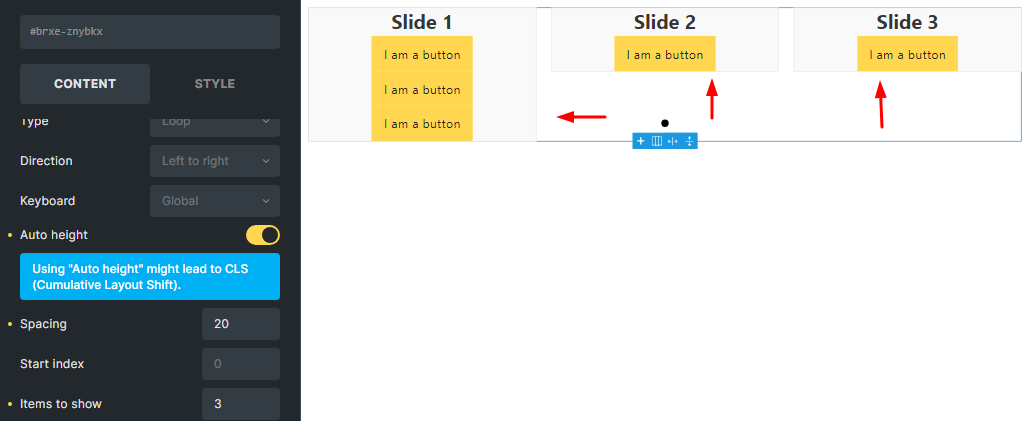
1- Doesn’t enabling the auto height option actually equalize the height of the slides? But enabling this option has the opposite effect. So what is the solution to make the slides equal in height?
No, it is not. Apart from the existing issue in 1.9.2 beta, both settings fulfill different tasks. With “height” you define a fixed height for each slide. You can use auto, min-content, max-content or whatever instead, but you will get different results.
The auto-height setting is based on the content of the single slide and works best with items to show: 1 (which answers issue #1). The difference to height: auto is that with height: auto the slider is oriented to the highest slide and does not vary the height per slide (auto height).
If you still want to use auto height and multiple slides at the same time:
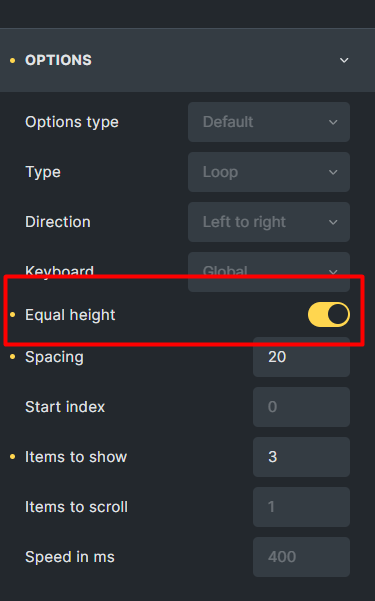
The code you shared worked fine. But isn’t it better to add a new option (equal height) so that by activating it, the height of the slides will be equal? This is a very useful and needed option.
By enabling this option, the auto height and height options will be hidden. I hope you agree with it.