Browser: Chrome 110 OS: macOS / Windows / Linux / etc. URL: Link to a page that illustrates this issue Video: Short screen recording that illustrates this issue (free tool: jam.dev)
Hi,
If the user is a guest, the dynamic data for the free shipping bar does not display a value, causing it to fail to work. However, most users add products to their cart before logging in and need to see the free shipping bar.
Could you please show in detail where and how you use the “shipping bar”? Alternatively, you’re also welcome to export the template where the issue occurs
I just added the Dynamic Fragment element to a page containing a product query and then generate the Free Shipping Progress. The product query loop includes an Add to Cart button. However, every time I add a product to the cart, the Free Shipping Progress bar fails to display any value. it only works correctly after I login.
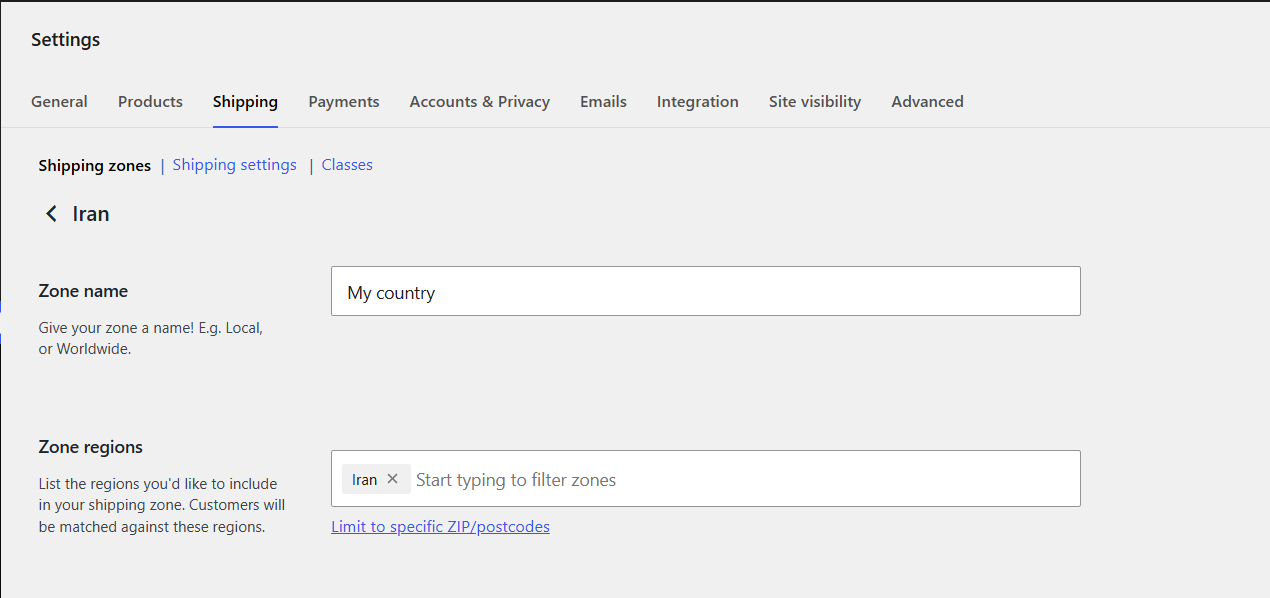
I’m not sure if this is a problem on Bricks’ side or not, But it seems to happen if the Everywhere option is not checked in WooCommerce Settings > Zone regions. For example, I only selected my country as in the screenshot below and the Free shipping progress bar doesn’t work at all if I’m not logged in.
In your case, if you select your desired country in WooCommerce General Settings > Shipping location(s) (if you only ship to a specific country) and then check the Everywhere option in Zone regions, the problem will be solved.