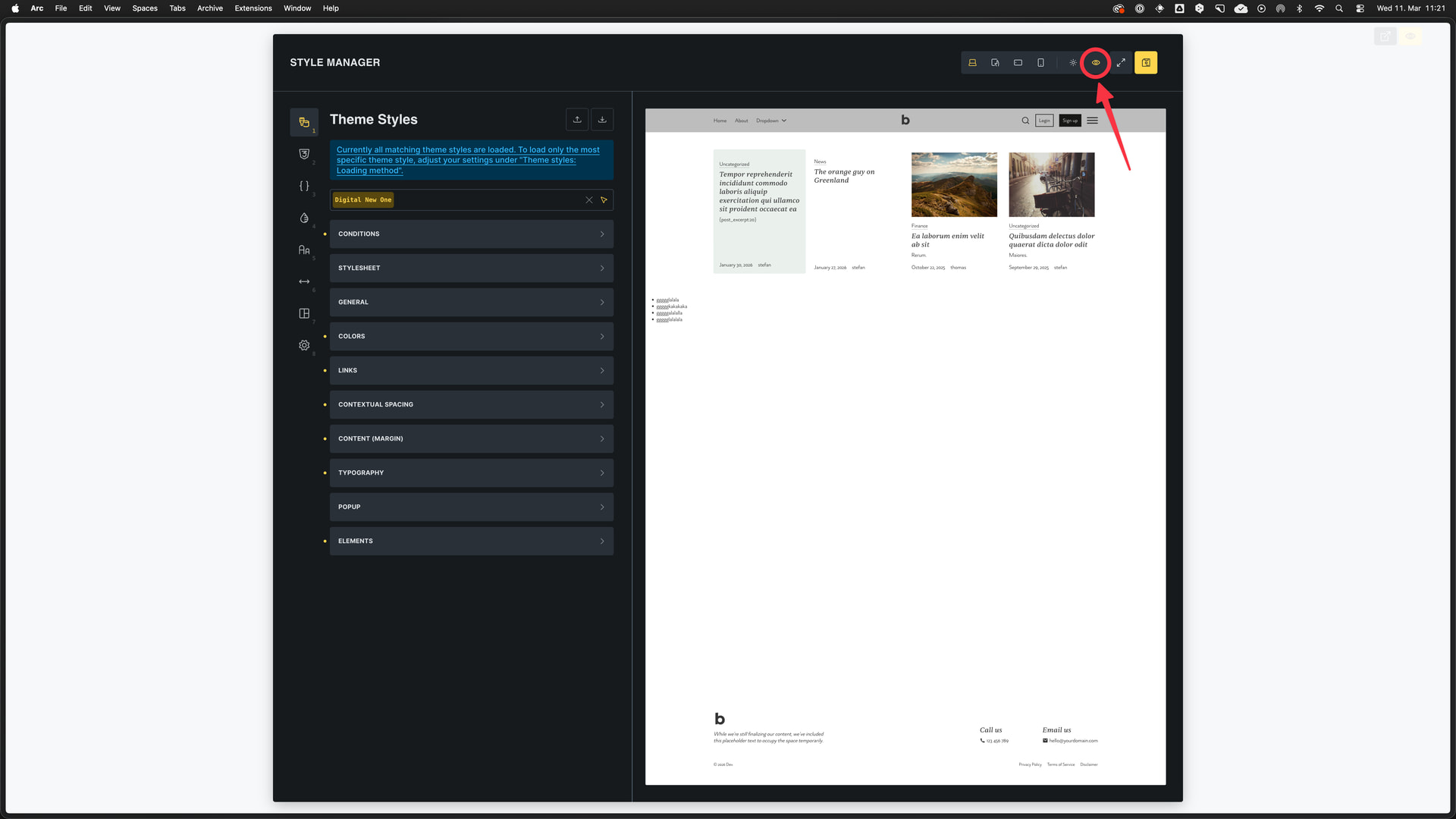
Looking at the videos in academy think Style Manager is not supposed to open wide 100% but in sidebar like everything else.
This is hard to use like this as I cant see any changes.
Or am I doing something wrong?
**
Browser**: Chrome 110 OS: macOS / Windows / Linux / etc. URL: Link to a page that illustrates this issue Video: Short screen recording that illustrates this issue (free tool: jam.dev)
[Please describe this bug in as much detail as possible so we can replicate & debug this bug]
Hi yaschan,
Thanks so much for your report, and welcome to the forum!
The style manager was only recently introduced – what you see in the Academy (videos and screenshots) is probably just the theme styles, which are now also located in the style manager. We are already working on an Academy relaunch, during which we will also update the screenshots and videos.
Regarding the width: Click the eye icon to activate the canvas preview. This minimizes the settings panel and gives you the added benefit of a live preview.
If you have specific suggestions on how we can reorganize all panels in a meaningful way, please let us know here: