Browser: Chrome 157.0.8103.79
OS: Windows
Hi,
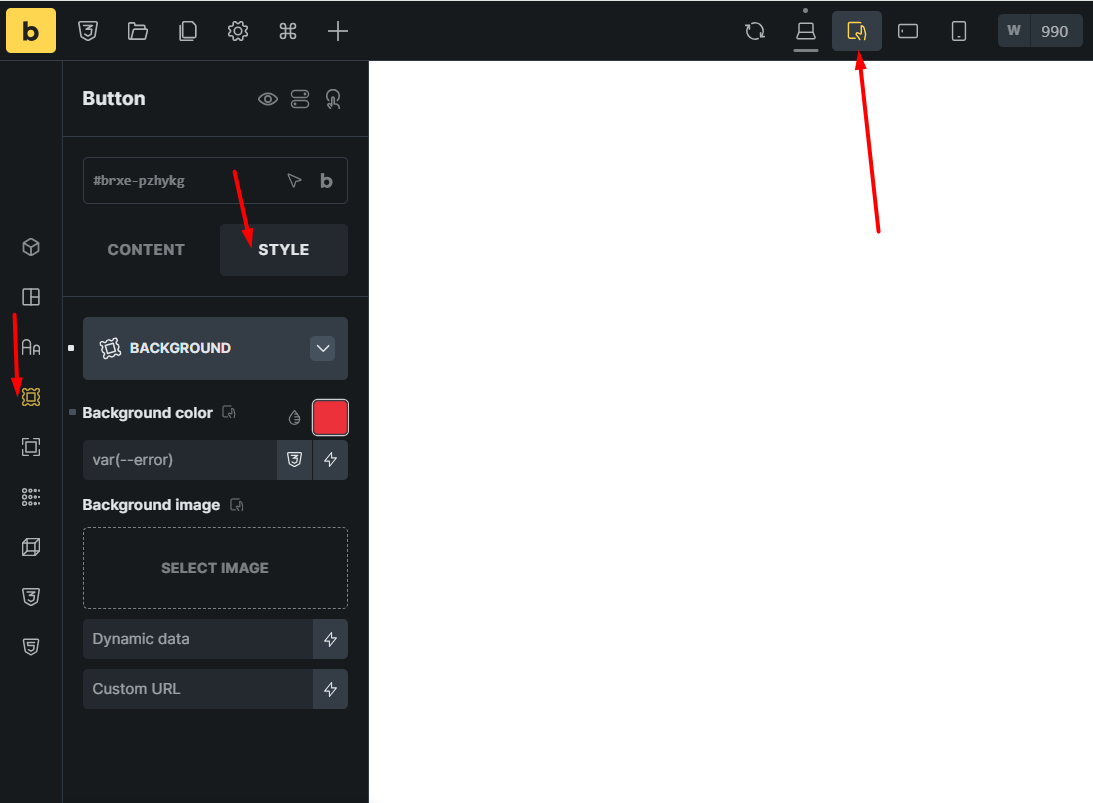
If you look at the simple structure below. On desktop breakpoint there is a background color for the button. If you go to lower breakpoints like mobile landscape, the Style indicator is not displayed in the quick access bar and the style tab.
{"content":[{"id":"ofioak","name":"section","parent":0,"children":["zczjzw"],"settings":[]},{"id":"zczjzw","name":"container","parent":"ofioak","children":["pzhykg"],"settings":{"_display":"grid","_gridTemplateColumns":"1fr 1fr 1fr 1fr","_gridGap":"20px","_gridTemplateRows":"1fr","_cssGlobalClasses":[]},"selectors":[]},{"id":"pzhykg","name":"button","parent":"zczjzw","children":[],"settings":{"text":"I am a button","style":"primary","_background":{"color":{"id":"vgzyry","raw":"var(--error)","light":"#ed313a"}}}}],"source":"bricksCopiedElements","sourceUrl":"https://avangtheme.ir","version":"2.4.5"}