I am trying to use the slider for year, using an MB taxonomy field. For values between 2023-2026. Every value is a numerical value, but I think because it sees it as still a string, it is showing the stored value. Is this a bug? Or can the slider just not work with taxonomies?
In your query, have you tried the Taxonomy Query to where you can then filter based on the Custom Taxonomy?
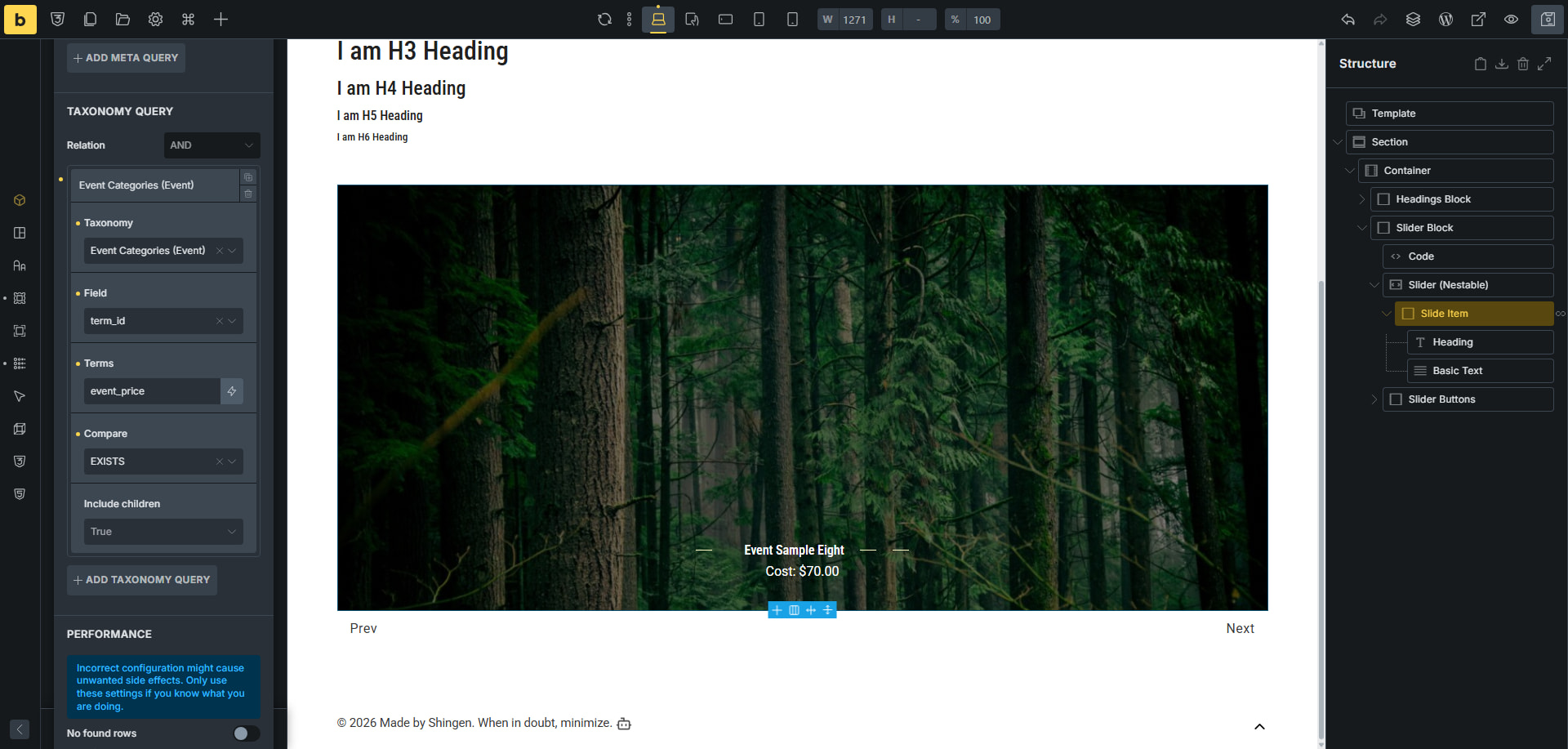
In my example I am calling the custom field of cost, which is a numerical value.
Yes I tried both. As a custom field and as a taxonomy.
But I think I wasn’t clear, as in your example, you’re showing a slider. But I totally meant the slider in the query filters!
Are you talking about the Filter: Range Element? IF so, I am using it with MB and tax based on the price. Have a see.
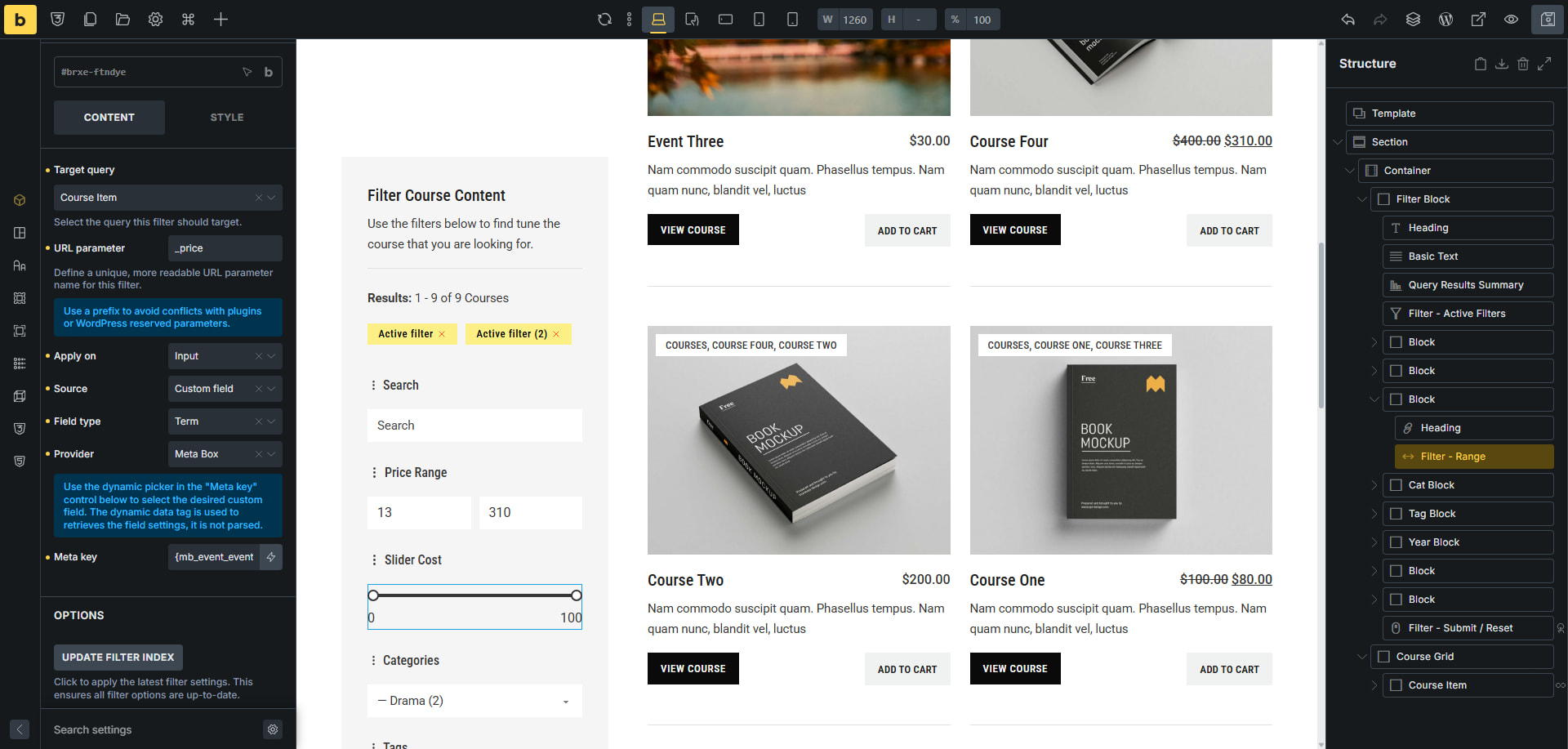
Firstly - you have a very good looking filter section 
Second - yes that was exactly what I meant. I had made up the Range elements name haha.
But last - when it is set as “Term“, I also see the 0 - 100 range. Which is not the correct one. Also not for you as I see the costs go above 100. For me, it is the same as frontend.
When I set as post, then the string is converted:
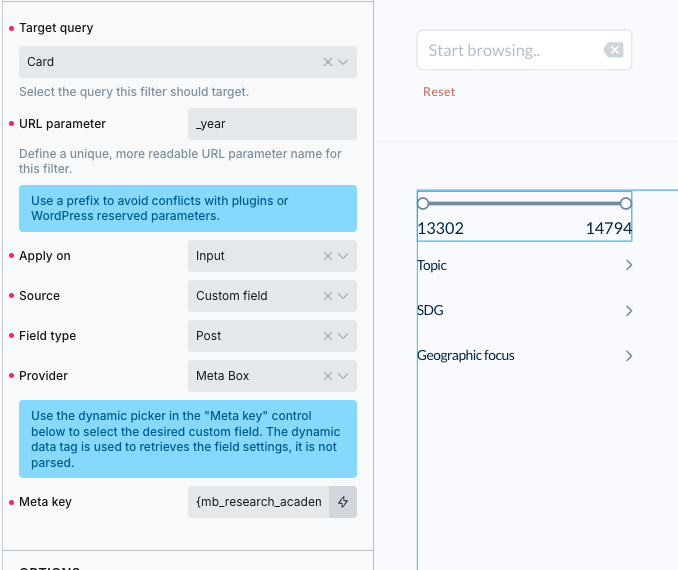
Oh yes, good catch, I forgot to mention that post in the field type you want to use, as you are just putting from a custom field.
Hi @yasmine
The Filter - Range is designed to work with numeric values (e.g. custom fields / meta values).
It won’t work as expected with taxonomy, because taxonomy values are stored as term IDs, not the actual numeric value (e.g. 2023-2026) you’re seeing.
If you need a range slider for years, you would need to store the year as a numeric custom field instead of a taxonomy.
Hope this helps 
Regards,
Jenn