Hey. I saw that this got fixed in the changelog and in some earlier reports, but it still doesn’t work for me. Am I doing something wrong?
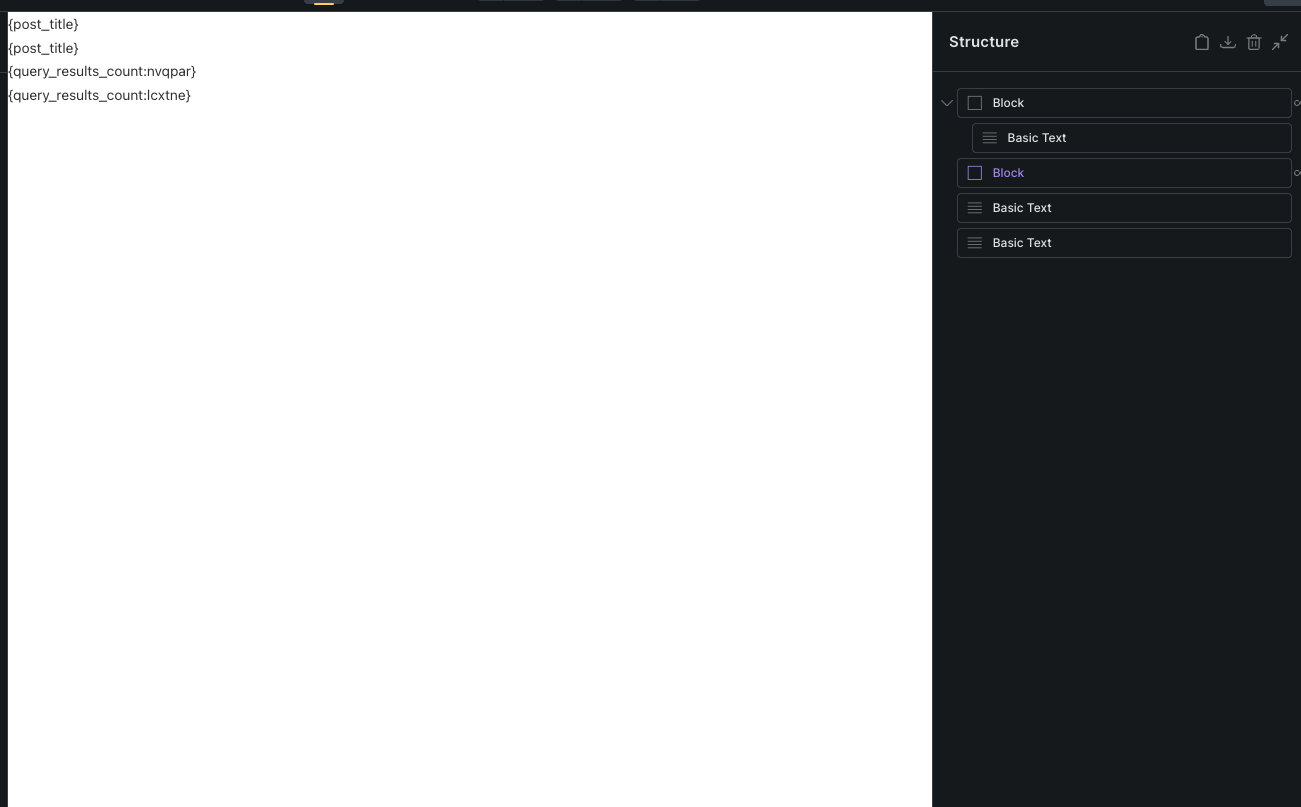
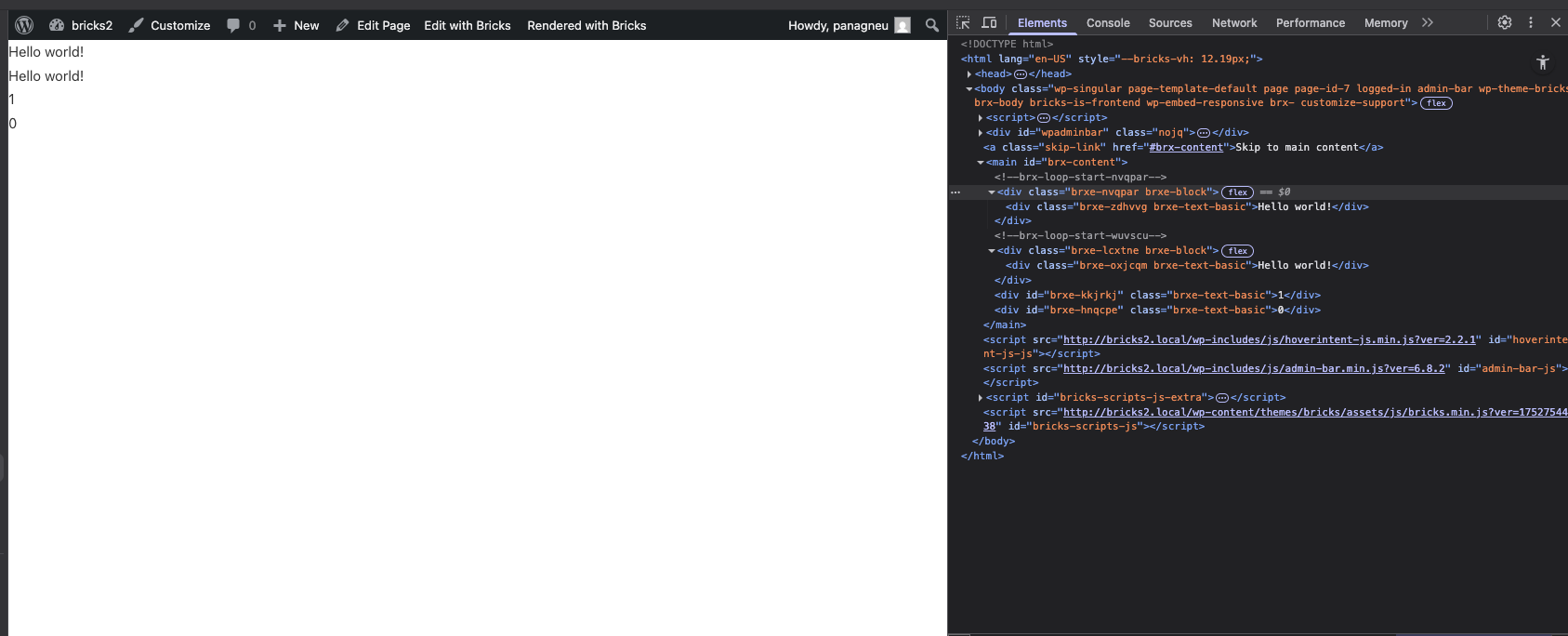
Accessing data from inside a component, I have never seen this fixed. Wpuld be surprised if it works.
This is still unavailable in v2.0.2. Will it be fixed or should we combine components and templates to achieve this results?
Hi @FilWi,
when you copy-paste the ID, you have to copy Query ID. Can you test this:
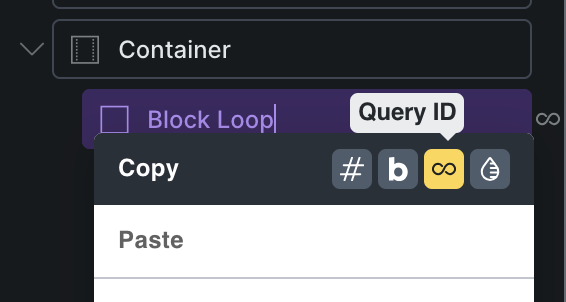
Best regards,
Matej
I must have misunderstood the original post then; what I encountered was an inability to adress the query inside the component from outside the component.
Basically, I tried to the query_results_count of a query in a component in a condition for an element outside the component. I tried both copying the id of the query, and the second id string that appears in the query info block in the rendered page source. None of those worked.
Hmm, not sure if I understand correctly. Having query_results_count outside of the component, but targeting the query loop inside the component should work. The result should be something like {query_results_count:aepgux-lynwqj}, where you have an instance ID and element with loop ID.
If that’s not true in your case, can you please record a video on how to replicate it?
Thank you,
Matej
Not working for me either Matej in components. Works 100% when I remove it.
Why do you have 2 IDs in that query? I’ve only ever referenced the ID of the element with the query? It works as before outside the component 
Same for me - it’s definitely a bug inside the component
Hi @robp,
you should copy “Query ID”, then you will get 2 IDs. One is the component instance ID, and the other one query ID itself.
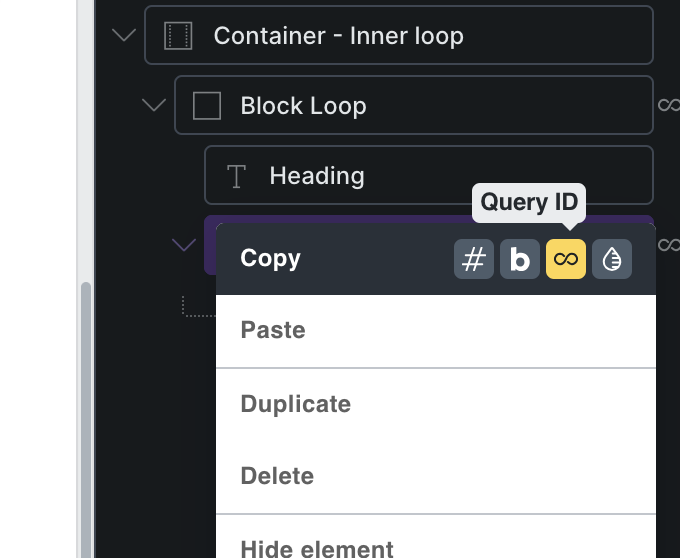
Can you check it this way, but if it’s not working, can you record a video of your setup?
Thank you,
Matej
Hopefully this helps mate:
Are you saying there’s a separate ID then just in components? Sorry I didn’t realise that.
@Matej I think I have done it correctly going back through your notes It’s just a bug?
Hey @robp,
Here is the video for my response. But, you have to click “Copy” → “Query ID”, to get the correct reference (sorry for my accent and pronunciations).  )
)
Let me know if you have any more questions
Matej
Thanks so much this response is great. That seems to have worked! I don’t know why, when I clicked copy it didn’t seem to copy the correct ID before - but it’s working now
Any ideas how we could target an odd number in a Bricks query loop?
I never tried to use the compound id, only the parts themselves. Any way to access it from the builder? Right now, I can only grab it from the front end comment that starts the query loop.
Did you watch @Matej 's video there? You just right click the element with the loop on it and copy component ID.
Could I use something like this for checking odd items? Just unsure how I would then use that in a Bricks Condition?
function is_query_results_count_odd($bricks_loop_id) {
    // Get the query results count for the given Bricks loop ID
    $count = do_shortcode('[bricks_query_result_count id="' . esc_attr($bricks_loop_id) . '"]');

    // Check if count is numeric and odd
    if (is_numeric($count) && ($count % 2 != 0)) {
        return 'true';
    }
    return 'false';
}

// Whitelist the function so Bricks can call it with parameters
add_filter('bricks/code/echo_function_names', function($functions) {
    $functions[] = 'is_query_results_count_odd';
    return $functions;
});
Something like?
{echo:is_query_results_count_odd(your_loop_id)}
Hey @robp,
you could probably just create a is_odd function and pass the query results count number as a parameter. Should work
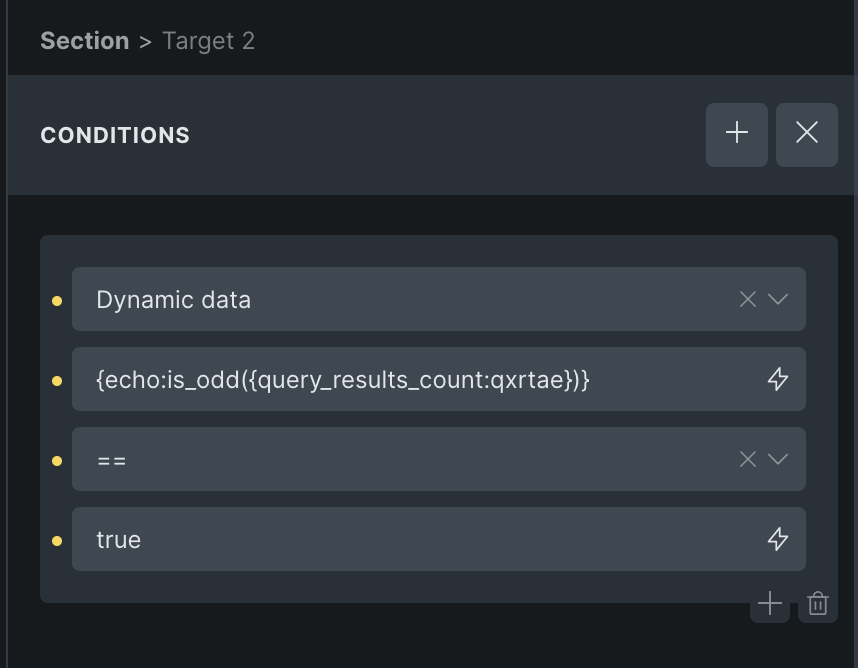
This should work for you I guess
Matej
function is_odd($count) {

    // Check if count is numeric and odd
    if (is_numeric($count) && ($count % 2 != 0)) {
        return 'true';
    }
    return 'false';
}
Thanks @Matej .
So you think just stick that into a function and whitelist in Bricks?
Yes, I’ve tested locally with
function is_odd($count){
    return $count % 2 !== 0;
}
…and it worked
Btw, in your function, your parameter is named $bricks_loop_id, but in the code you are using $count. This will produce an error.
Matej
Awesome, this works great. Thank you!