Browser: Chrome 110
OS: macOS / Windows / Linux / etc.
URL: Link to a page that illustrates this issue
Video: Short screen recording that illustrates this issue (free tool: jam.dev)
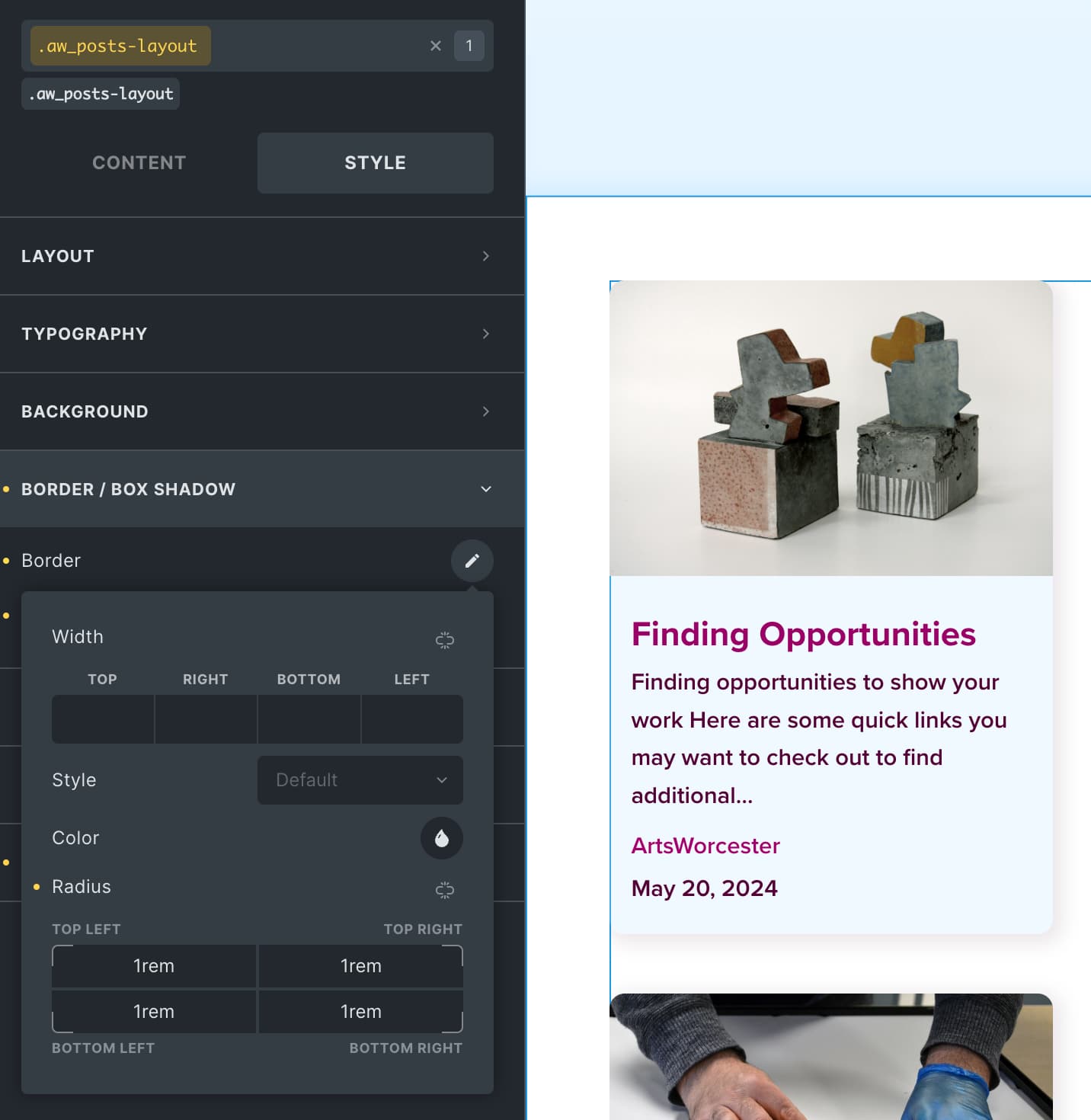
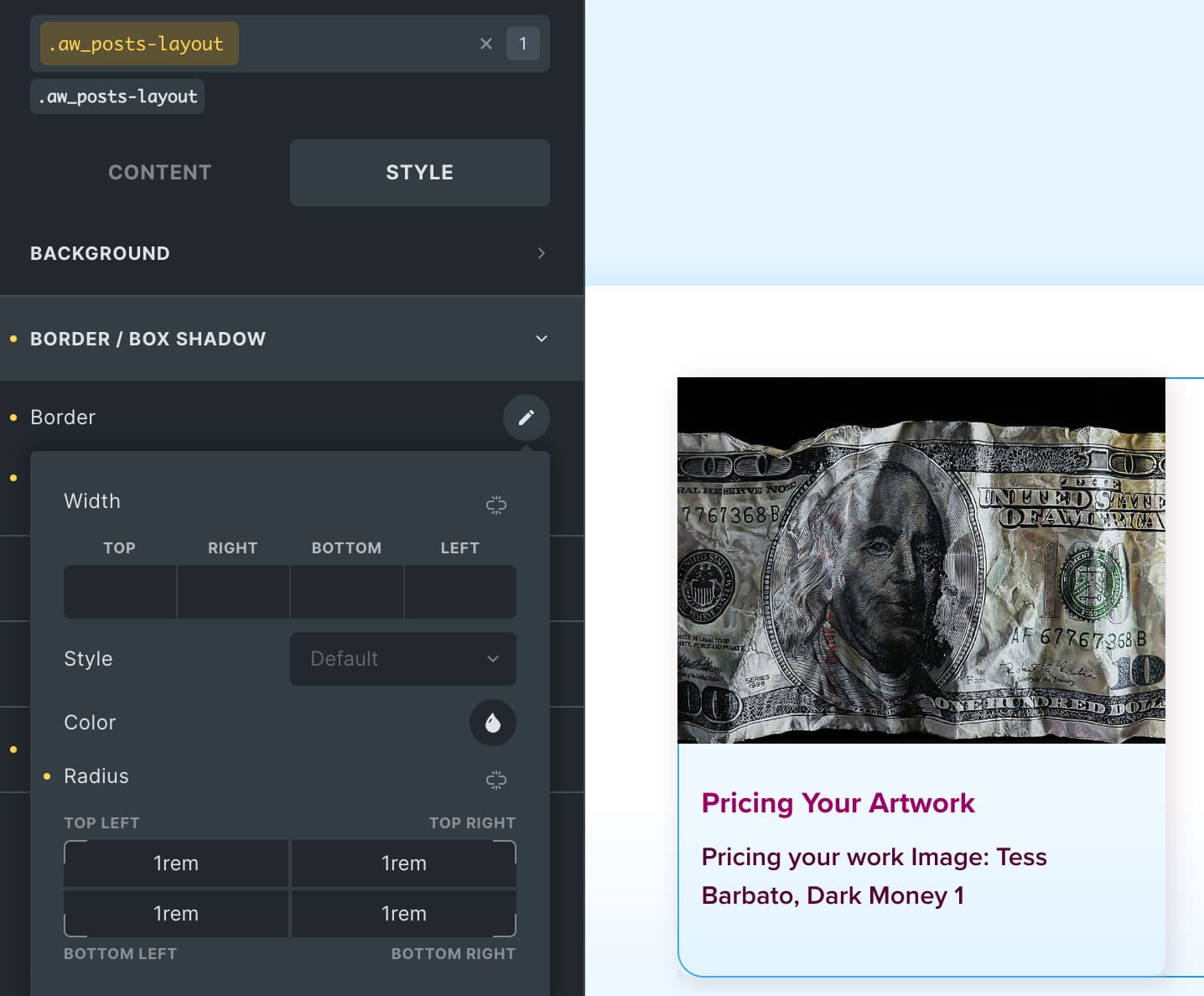
A custom class that includes rounded corners applied to Related Posts element displays differently than the Posts element. It appears as though the image is not contained within the li the same way. The corner radius in Related Posts is shown on the bottom two corners, but not on the top two corners. Whereas in the Posts element, all four corners are showing the correct corner radius.
I realize there are some other classes set for the Posts element…but in general, shouldn’t those be the same?
Related Posts element
Posts element