Browser: Chrome 110 OS: macOS / Windows / Linux / etc. URL: Link to a page that illustrates this issue Video: Short screen recording that illustrates this issue (free tool: jam.dev)
Hello. I’ve had this issue pop up for a couple of sites now and I have to find out the reason.
When I create a query loop and want to query ONLY a specific post or posts, I assume the “Include” field in loop options is exactly what is going to do that. For some reason it’s not doing it for me though.
Attached are two images that show my setup. I have multiple queries on the same page, disabled query merge on both of them. Also tried different options for order by and order… nothing helps. It just queries as many posts as is set in the “posts per page” field, with no regard to the inlclude field. If I select only one post in “Include” then it should only output that one post, right? For me it does not respect that include field at all and just outputs all the posts. Am I doing something wrong?
Even if you use the Include field in the query settings, it doesn’t always strictly respect that option. I don’t know why—maybe it’s always acted like that before, or maybe it’s a bug, not sure, I don’t really remember . Because I always use taxonomies instead. Someone else might have more insight on this.
A method I’ve used successfully in the past is:
Create a specific post tag in the backend, for example only-popup.
Assign that tag only to the post(s) you want to include.
In the query loop builder, use a Taxonomy Query:
Taxonomy: Tags (use the taxonomy field you created in the backend)
Term:only-popup (the ID of the tag you created- You can find it in the URL if you go to the tag)
Hey Binu. Thanks for taking the time to reply. Yup, I can see your solution would work… but since I’m looking for a very straightforward solution (so that client could do it easily themself) I wouldn’t want to make it as “complicated” to also add tags to the posts. Post include would be perfect.
I’m glad to hear I’m not alone experiencing this thing… so it’s not just me
Still would like a comment from support team about this.
Not sure why you think the solution I suggested is complicated
From the client’s perspective, it’s actually the easiest way—since they wouldn’t need to open the builder again and again to include or exclude posts. They’d just add or remove the tag from the post in the backend.
I think it’s the simplest method for a client.
But yeah, I get that it might be different for your client I’m sure the support team will also reply.
Hey mate, just to clarify… I know your solution isn’t actually complicated, thats why I added quotation marks But in this specific case I feel like it would complicate things for the client as opposed to just being able the use the post include field. The posts that I’m talking about are reviews, and these reviews are scattered around the page in different places. So one review at the top of the page, couple of them down the page, another 3 after those. Client will be making edits in the builder anyway so would be perfect to just be able to include specific posts at specific places right in the builder.
Unfortunately, I cannot reproduce the problem. Please send temporary login credentials and a link to this thread to help@bricksbuilder.io using the email address you used during the purchase.
Big thanks to the support team for taking a look. Turns out that I had a (forgotten) php script in my child theme that was messing with querys. Removed this and everything works as expected. A bit embarrasing that I didn’t think about changing the theme myself… but I’ll learn.
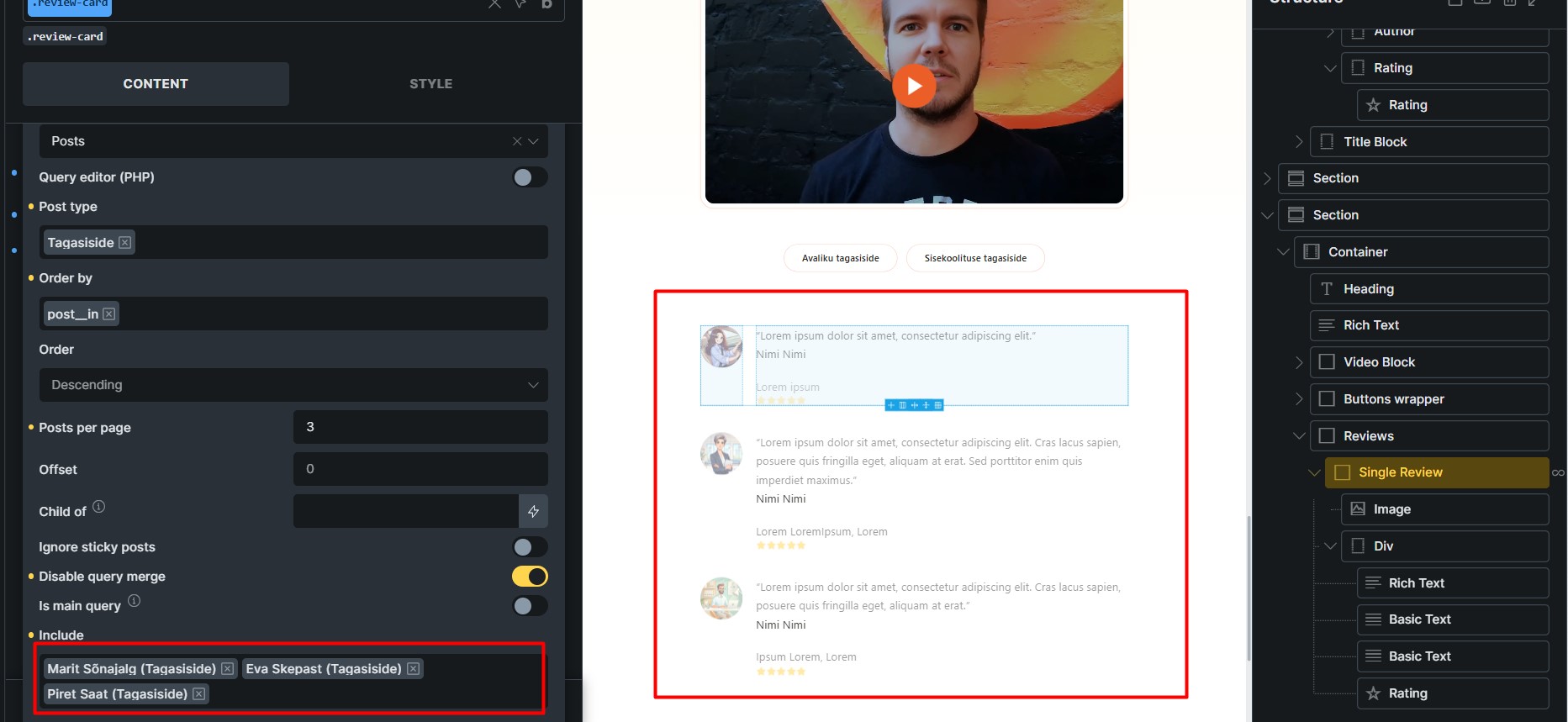
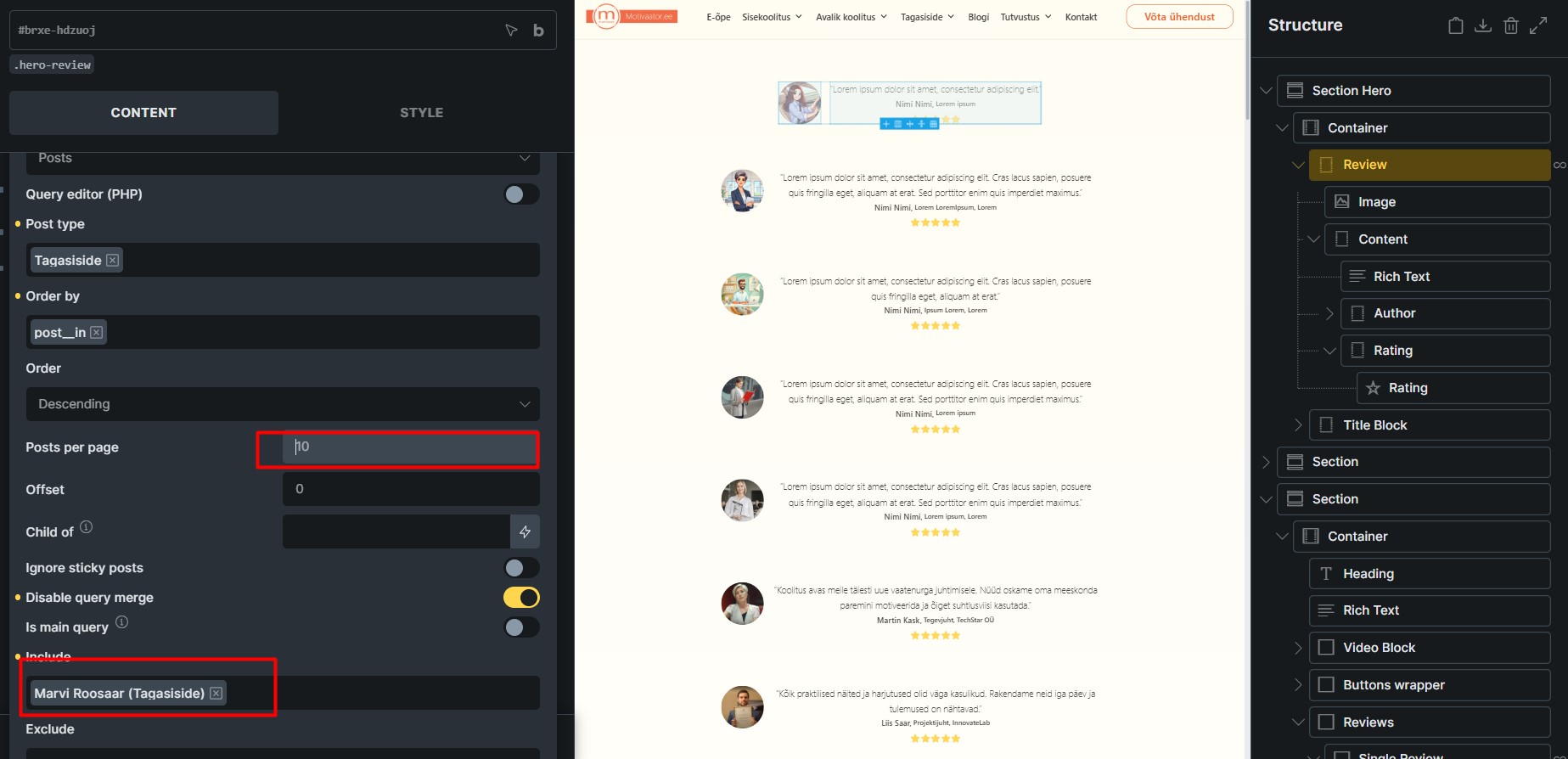
 . Because I always use taxonomies instead. Someone else might have more insight on this.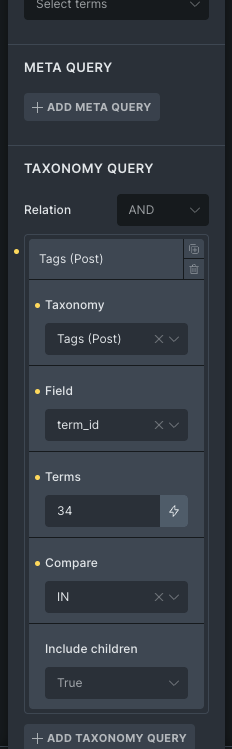

 I’m sure the support team will also reply.
