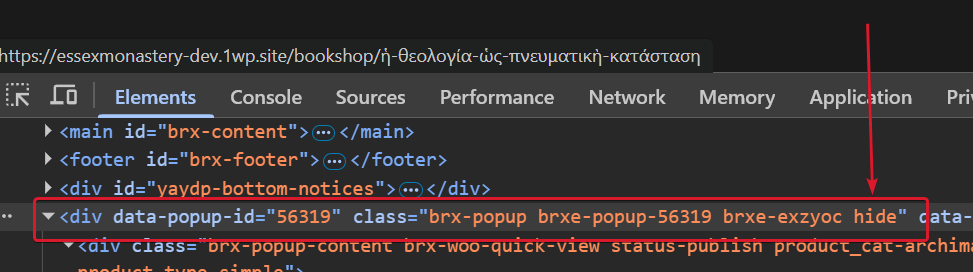
I’ve created a woocommerce quick view popup on this test site here and for some reason after closing the popup it’s still in the dom invisible but on top of other elements disturbing the clicking behaviour of the user.
I’m describing the problem in this video .
Is this some sort of bug or I’m I doing something wrong with the popup set up?
Binu
August 24, 2025, 12:31pm
2
The Popup Builder is a very flexible, fully customizable solution to show popups anywhere on your website based on Interactions. A popup in Bricks is just a template. To create our first popup, let’s add a new template and select the new template...
Hey bud Template Element for the popup? (Sorry if you already did, I just couldn’t spot it in your setup).
Also, instead of attaching the interaction to an ID , try binding it to a class .
Hi Binu, thanks for the comment. I tried both of your suggestions but it didn’t solve the problem.
I noticed that when the popup is active, popup classes are like this:
When I close the popup, the class .hide is added
So I added this CSS which fixed it:
.hide {
    display: none;
}
I don’t have a global class .hide.
Should the bricks theme have this CSS declaration by default added?
timmse
August 25, 2025, 7:48am
5
Hi Barnabas,
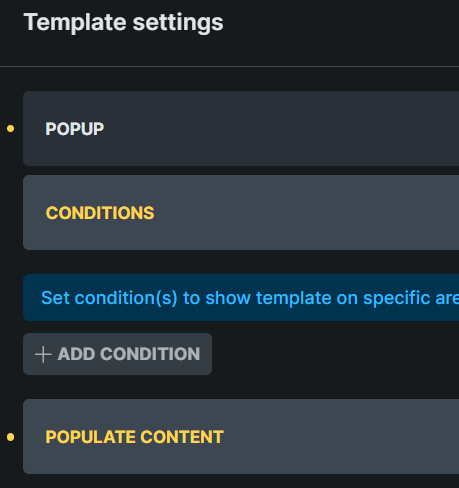
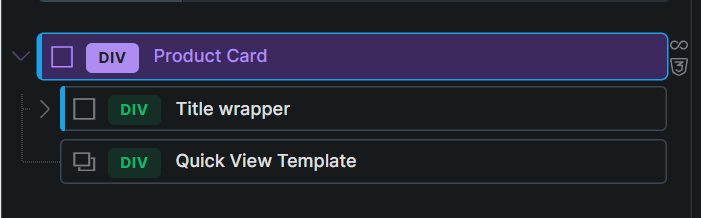
You should definitely use the template element inside of the loop instead of using a condition to assign the popup (which is currently the case).
So please remove the popup condition from the popup settings, and add the template element to the loop.
Best regards,
Hi Timmse,
I have removed the Popup conditions from the template
And I added the template in the loop
However, this CSS for the .hide class needs to be in place:
.hide {
    display: none;
}
Do you agree?
timmse
August 25, 2025, 9:54am
7
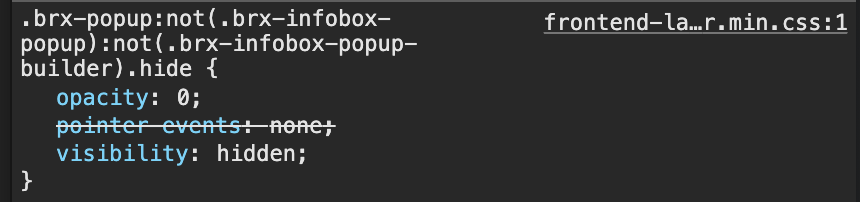
No I don’t agree, as the visibility of the popup is (or should be) handled by this:
Please send temporary login credentials and a link to this thread to help@bricksbuilder.io using the email address you used during the purchase.
timmse
August 28, 2025, 6:21am
8
Hi Barnabas,
I found a way to fix the issue, but I’m unsure about the cause. It must be related to your specific setup with the nestable slider in the quick view popup, as we can’t replicate it on our end. If you find a simple way to replicate it, please let us know.
Anyway, I just added this custom CSS to the main wrapper class of the quick view popup, which seems to fix the issue:
.brx-popup.brxe-popup-56319.hide .splide.is-initialized, .splide.is-rendered  {
    visibility: hidden;
}
Hi Stefan,
Thanks for your time looking into it. I can confirm that it works as well on the live site this solution.
So it’s solved and not a bug.
Thanks a lot and best regards,