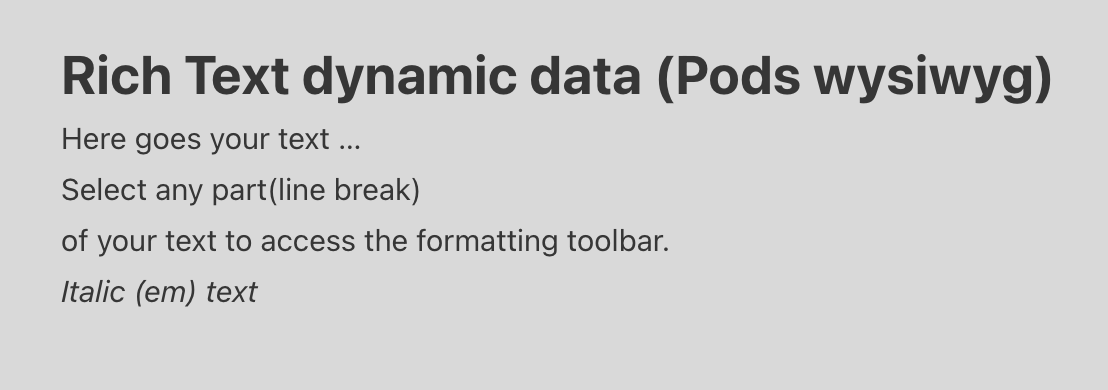
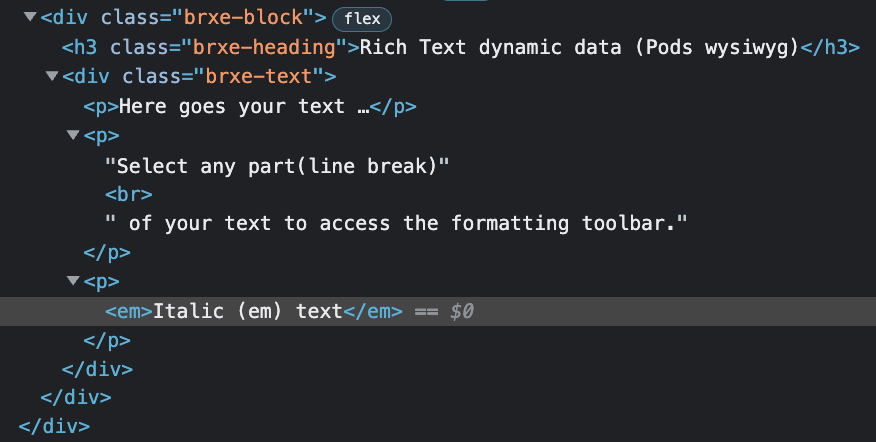
I don’y know if it’s a bug, but i’m using Pods with Bricks Builder.
I have posts (that i created with Pods, with various fields) that are linked to a specific Bricks template) and i compile this posts directly with gutenberg.
So when i’m using the Pods field WYSIWYG editor it works fine, but suddenly it doesn’t get tag and also others tags.
I asked to the Pods support that they told me:
The WordPress WYSIWYG editor automatically removes any line breaks and paragraphs and uses the wpautop function to correctly format the code on output. My guess is that the bricks builder will have an option for this as well. If not then please ask on their support channel how this is handled since the default post content is stored exactly the same.
So i would like to understand if i’ts some sorts of bugs or there’s something to do directly with Bricks Builder (maybe an option to flag), let me know please what i have to do for fix this inconvenient.
Thanks
Davide
The key point is what element you use to output the Pods wysiwyg field: if you use the basic text element, <p> and <br> tags are stripped. On the other hand, if you use the rich text element, the tags will remain.
Thanks for your answer.
i was using basic text, i changed to rich text and now the <br> added to the Pods field works, while the <em> tag if i insert it in the text in Pods it doesn’t work, but if i insert it in the rich text it works.
This thing can be fine, if you wanted to use <em> for all the text, but if you wanted to use it only for a part of the text it wouldn’t be fine, because if it works with rich text (and in rich text I have no text, but the dynamic field that gets the text from Pods), in this case it gets all the text with the <em> tag.
Thanks
Davide