Browser: Aside 1.0.922.1
OS: macOS 27
Video: Zight Recording 2026-09-23 ...
Hi,
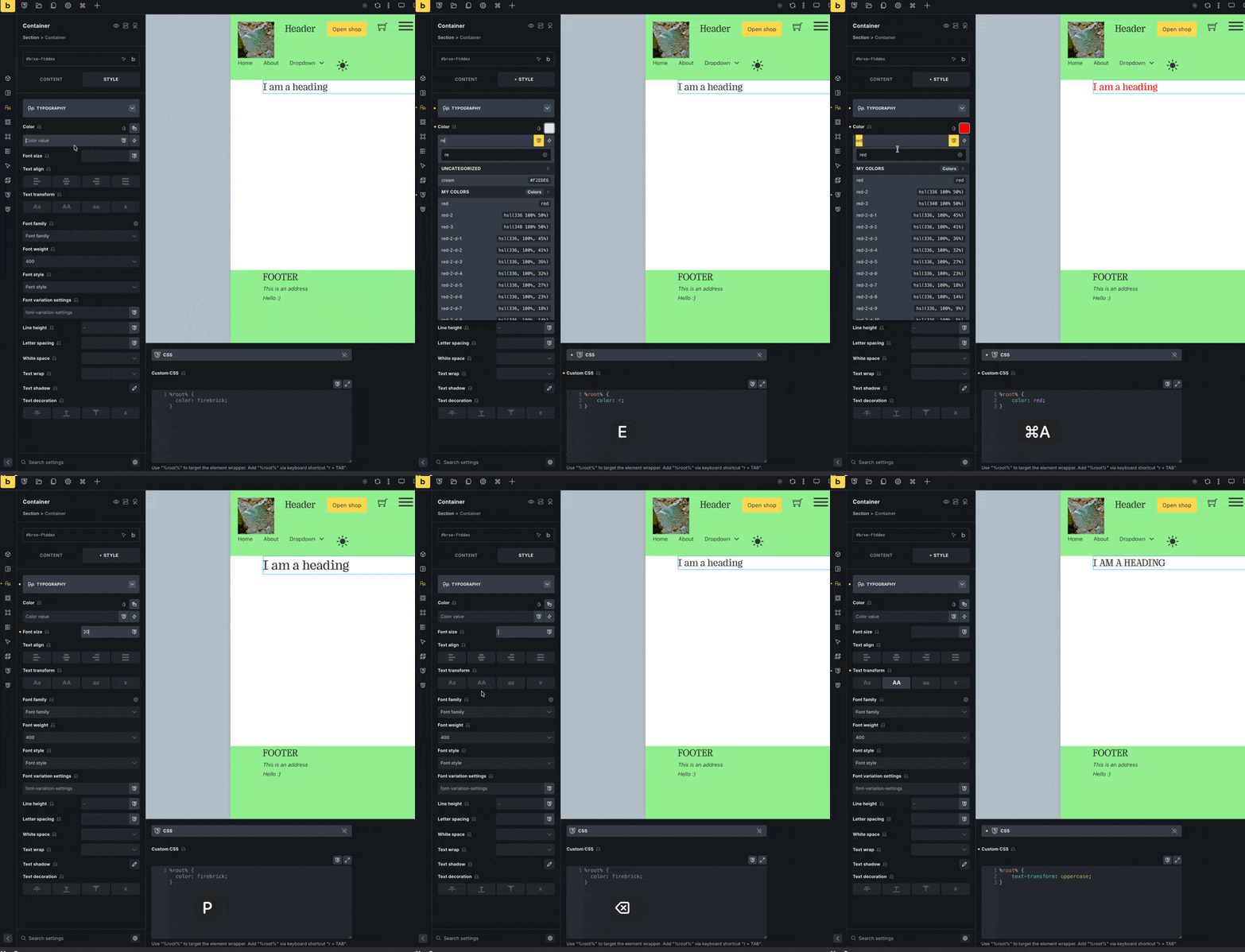
When the “CSS” control group is pinned (via Pin control groups), the pinned CSS textbox renders empty, even though the element has CSS generated by the bi-directional CSS Sync feature. Unpinning the group immediately shows the correct, up-to-date CSS again.
Steps to reproduce:
- Select any element.
- Open the Style panel → CSS tab.
- Pin the CSS control group (pin icon in the group header).
- Change any style via the GUI (e.g. Typography → Color) that should sync into the CSS field.
- Look at the pinned CSS section (bottom panel) → the field is empty, only showing the “Write your CSS here.” placeholder.
- Unpin the CSS group → the CSS field immediately displays the correct generated code (e.g.
%root% { color: #ff0000; }).
Expected behavior:
The pinned CSS field should stay in sync with the GUI-driven styles just like the regular (unpinned) CSS tab does.
Actual behavior:
The pinned CSS field appears empty while pinned, hiding the actual CSS that is being generated/applied to the element. The underlying styles are not lost — only the pinned field’s display is broken. Toggling the pin off and on again “fixes” the display, suggesting the pinned instance of the CSS editor isn’t receiving sync updates while pinned.