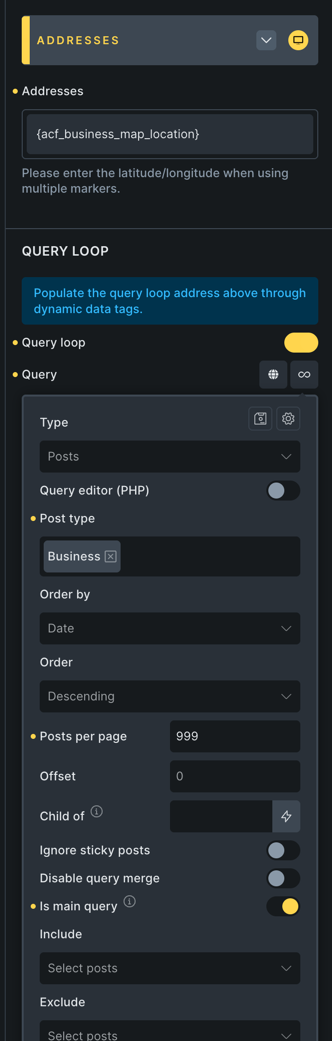
I have several dozen custom posts (Businesses), each has a Location ACF field (acf_business_map_location). I’ve created an archive template for Businesses. On this template is a Map (Google) element. I’ve configured the Map element to use a query loop (set to post type: Businesses). For the address, I’ve chosen the ACF field containing the address of each business ({acf_business_map_location}).
Then maybe this is an issue? If there is no data outputted, then it seems like something is not set up correctly. Can you double-check it if everything is set up ok?
If you can’t figure it out, can you please send login credentials to your (ideally staging) website and a link to this topic to help@bricksbuilder.io using the email address you used during the purchase, so we can take a look?
Just read the post.
Since I’m using acf a lot I might have an idea:
Maybe your post type isn’t set up to have an archive output.
Try the following:
Go to ACF > post types > your post type.
You there find a link “advanced configuration”.
In the now opened panel, check if the “Archive” toggle is enabled.
Thanks but that’s not it. The post type was indeed set up to have an archive.
From what i can determine, Bricks will not pull data from a Google Map ACF field. I had to writer a script to extract the lat and long from the Google Map ACF field and put the data into separate lat and long text fields whenever the post is saved. I’m pulling the data for the map from those text fields.
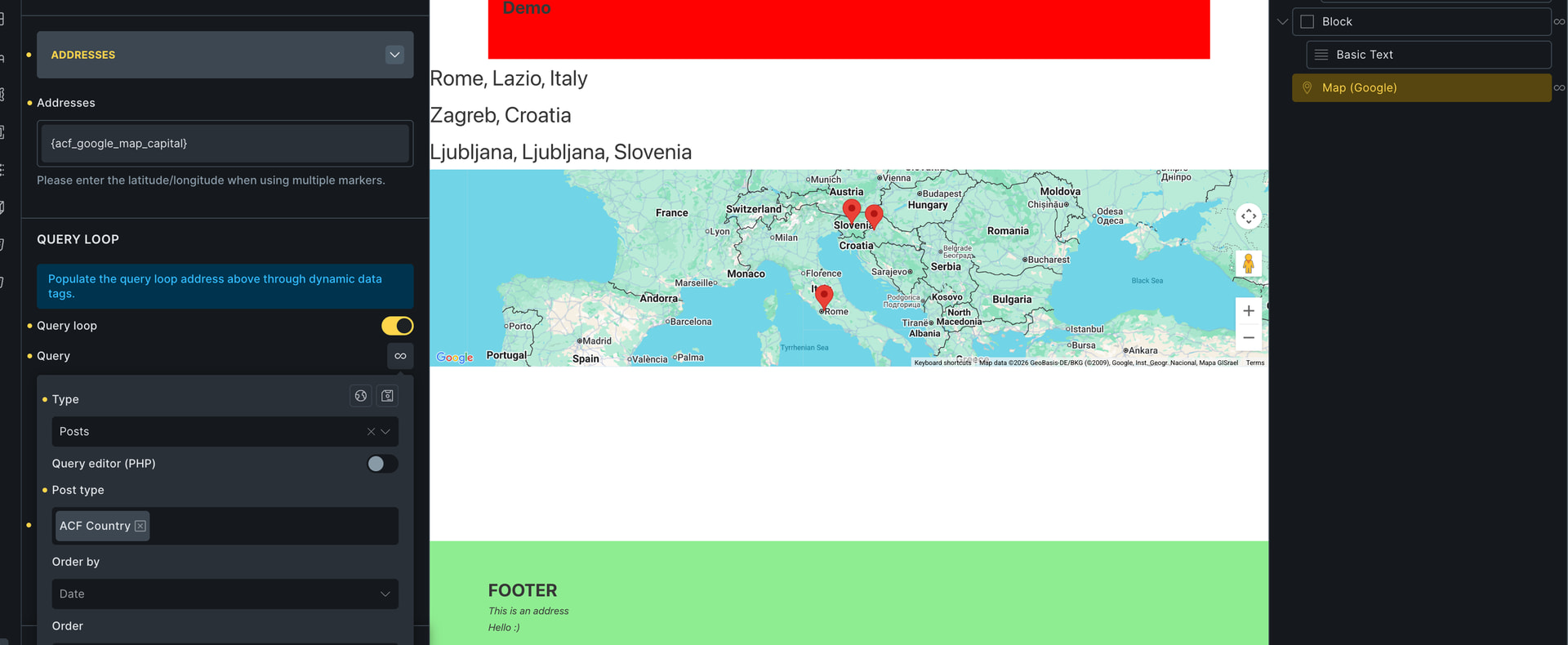
I’ve tried to replicate this issue locally, but it’s working, unless I have different setup than you.
I have a CPT named ACF Locations, where I have a Google Map ACF custom field. I’m looping over this custom post type in the Google Map element and using correct dynamic tag.
Here you can see my setup, including a classic query loop over countries above the map element, where I just outputted the data from ACF Google map field.
Looks the same, but obviously something is different. I will send admin credentials to take a look at it.
This is my archive page for “businesses”. The top map uses the Google map field for marker locations, and shows “no locations found”. The bottom map uses different fields—separate lat and long fields for each location—and it works.
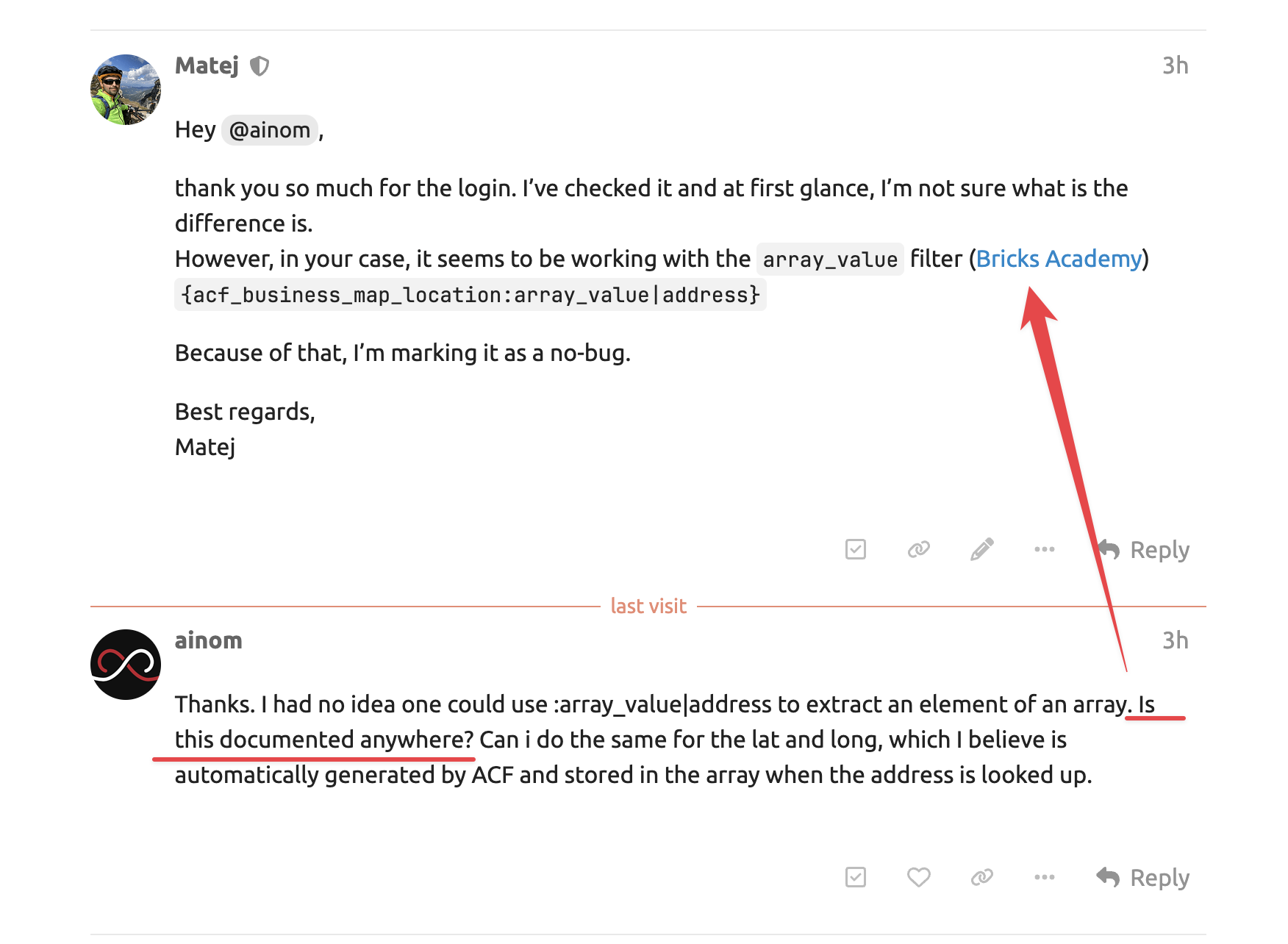
thank you so much for the login. I’ve checked it and at first glance, I’m not sure what is the difference is.
However, in your case, it seems to be working with the array_value filter (Bricks Academy) {acf_business_map_location:array_value|address}
Thanks. I had no idea one could use :array_value|address to extract an element of an array. Is this documented anywhere? Can i do the same for the lat and long, which I believe is automatically generated by ACF and stored in the array when the address is looked up.
Hey @ainom,
yeah, it’s documented. If you open the link that I’ve posted above, you should be redirected to the Bricks Academy, directly to the examples If you scroll just a little up, 3 points above the linked title, you will see the description of this array filter as well.
You can also get the lat and long or another property if it exists, it’s not limited to only the ACF Map field, yep.
 If you open the link that I’ve posted above, you should be redirected to the Bricks Academy, directly to the examples
  If you scroll just a little up, 3 points above the linked title, you will see the description of this array filter as well.