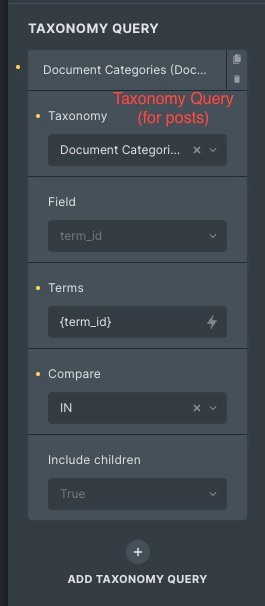
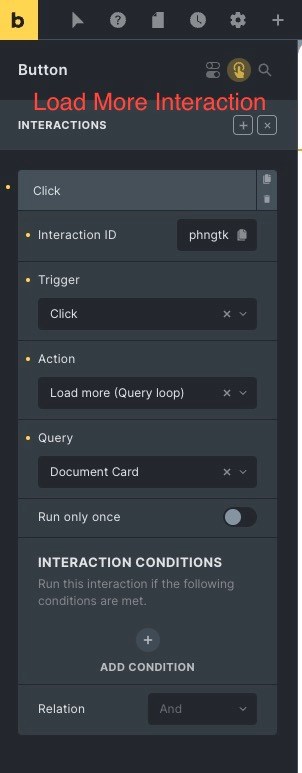
So I’ve had this issue previously, but ended up giving up and going a different route due to time constraints on the project.
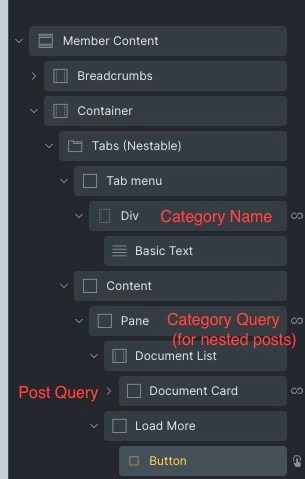
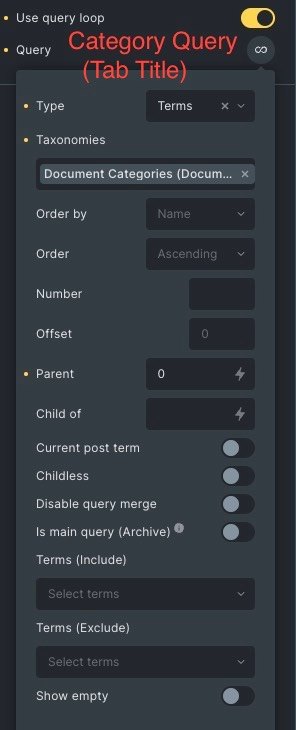
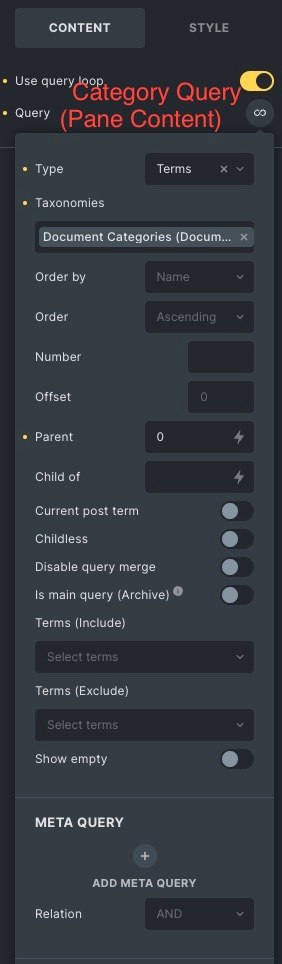
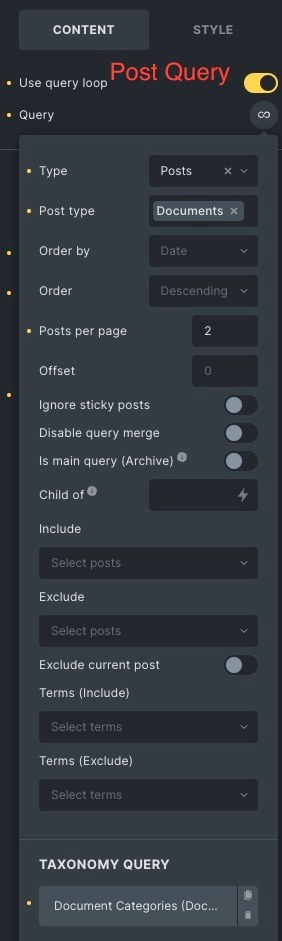
When I setup a query loop with an additional taxonomy query, it works as expected. My setup is a category loop with a nested custom post type loop. Within each category loop, all related posts to that category are queried.
Because of the amount of items that are queried per category, I need to limit the posts to 6 per category, and then give the user the option to load more posts if needed via a Load More Query interaction.
I setup the button element and interaction configuration, and the button displays as expected for queries that have more than 6 posts.
However, when I click on the button to load more, nothing happens. No more items are loaded. If I click again, or even multiple times, the button will eventually disappear as if it has come to the end of list of posts. So it seems to be able to detect that there are more posts to load, but it doesn’t actually load/display those posts.
This only happens when my query loop uses an additional taxonomy query.
I believe the consensus is that pagination does not work on complex queries that involve an additional taxonomy query. I’ve yet to hear anything official from the Bricks team about it, but I think other Bricks users have determined as such.
I really like the ability to make complex queries with Bricks, but not being able to paginate them is very inconvenient and limiting.
Hi @timmse, thanks for replying. I obviously have a hard time keeping track of these myself
I don’t have any current projects with this type of query, but I’m sure I’ll have one soon. This example was a few bricks versions ago, so I’ll try to revisit this thread next time I’m in the weeds with a complex query setup.
Hi, forgive me for reviving an old thread but the problem I’m having is very similar to this. I have a query loop that adds a custom post type loop to a page. I have a “load more” button which displays additional posts in the query. I hook into the “bricks/posts/query_vars” filter to add a taxonomy query to this query loop. The function attached to the filter correctly modifies the query. But the “load more” interaction on the button no longer works.
Like the OP said, if you keep clicking the button it will eventually disappear. It can detect when it reaches the end of the query. I look at the network tab in the inspector and see that the button is sending an XHR request to “load_query_page” for additional pages. However, the resulting posts are not added to the query loop container.
If the filter is causing problems, why not use the bricks builder interface to add the taxonomy query to the query loop? The issue is the parent page is itself a template for a custom post type, and the taxonomy terms differ based on which post is being displayed.
I have checked the filter documentation for any mention of an impact on pagination, but couldn’t find anything. Sorry if I’m overlooking something.
Here is my filter function. Again, the load more interaction works without this function, but not with it.
add_filter('bricks/posts/query_vars', function($query_vars, $settings, $element_id, $element_name) {
    // Only apply to our specific query

    if ('6d5696' == $element_id) {

        // Get current region ID
        $region_id = get_queried_object_id();

        //Get locations linked to this region via location taxonomy
        $locations = get_the_terms( $region_id, 'location' );

        $location_ids = [];
        if (!empty($locations) && is_array($locations)) {
            foreach ($locations as $location) {

                if (is_object($location)) {

                    $location_ids[] = $location->term_id;
                } else {

                    $location_ids[] = $location;
                }
            }
        }

        if (!empty($location_ids)) {
            // Query properties with any of these locations
            $query_vars['tax_query'] = [
                [
                    'taxonomy' => 'location', // Your location taxonomy name
                    'field' => 'term_id',
                    'terms' => $location_ids,
                    'operator' => 'IN'
                ]
            ];
        } else {
            // No locations found, return no results
            $query_vars['post__in'] = [0]; // This ensures no posts will be returned
        }
    }
    return $query_vars;
}, 10, 4);