Hello live searching works great when first come to page. Then search and it works. But when you remove search terms / filters, it then shows random list of (CPT) posts. Rather than going back to blank, which would be what I’d expect
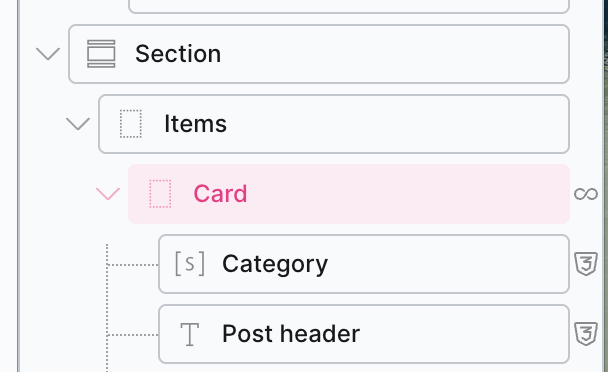
can you show me your structure and Live Search settings in the query loop?
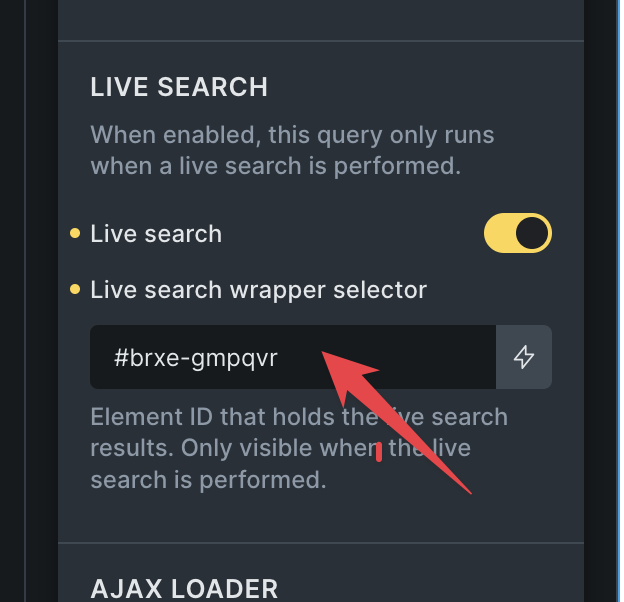
But first, make sure that inside the “Live Search wrapper selector”, you have the element that is parent of the query loop, not the query loop itself. Maybe that’s the issue.
You were right it was on the ‘Card‘. But when I make it the parent container (in my case - Items), it hides as soon as I click on the page outside the query somewhere, even though the search term is still active. Is that the correct behaviour?
Ok but this means when you use a search query to load that page eg `Acume: Fresh insights, grounded in research then it is blank because you have not clicked into the search box. It would be helpful to have a way to lock the search until its changed!
Ok I watched the video! So its not intended for an archive page, but a section. Got it.
So then what is the workflow if you do not want any results showing unless there is a value in the search OR a filter selected. I tried conditional formatting to hide the results container using the {query_results_count} parameter but that didn;t do it. I tried {query_results_count:MyResutsContainerId} too
I think in theory, that should work if you set as showing when equal or more than 1 , but it doesn’t - it even hides the search term (which is not in that container). ‘Is empty’ - same issue
I think it does not work, because even when there is no search query, the query is still pulling results (All the posts)
so, you want to hide the elements, if no filter is active? I think that would work with the interactions, where you set “Filter - Empty” interaction and link it to “Filter - Active Filters” element.
Then, you can set it that it hides itself, if there are not active filters.