Not sure if this is exactly related to my original post here; but as progressing with building the website i faced a different issue than the one described here:
Running:
Bricks v.2.1.3
WooCommerce 10.3.3
Expected behaviour:
When clicking a variation swatch it should change the main image with that variation image.
At the moment, changing main image to variation image (after clicking) only works when i add the same images in the Product Gallery (which is, in my opinion, not expected behaviour)
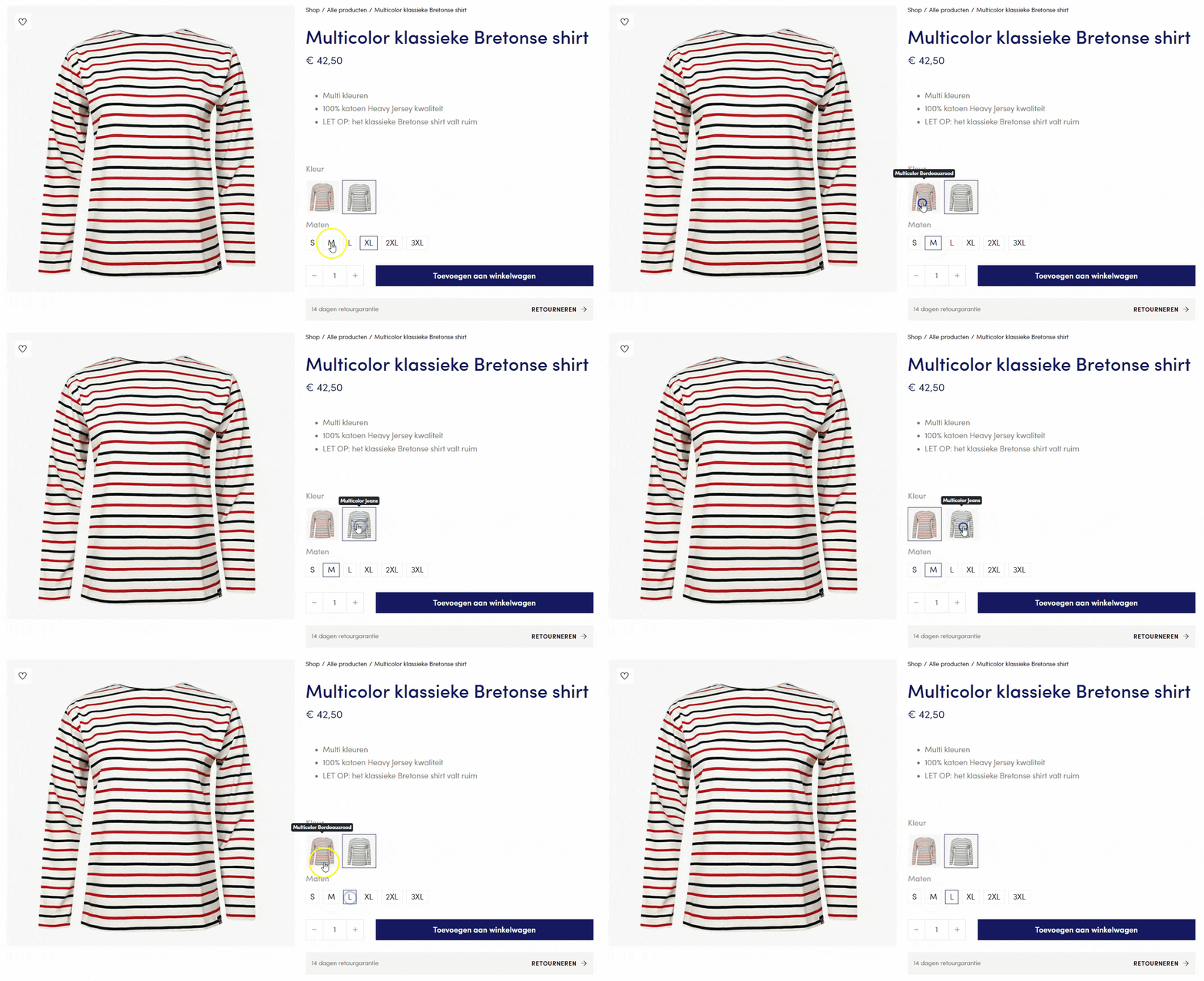
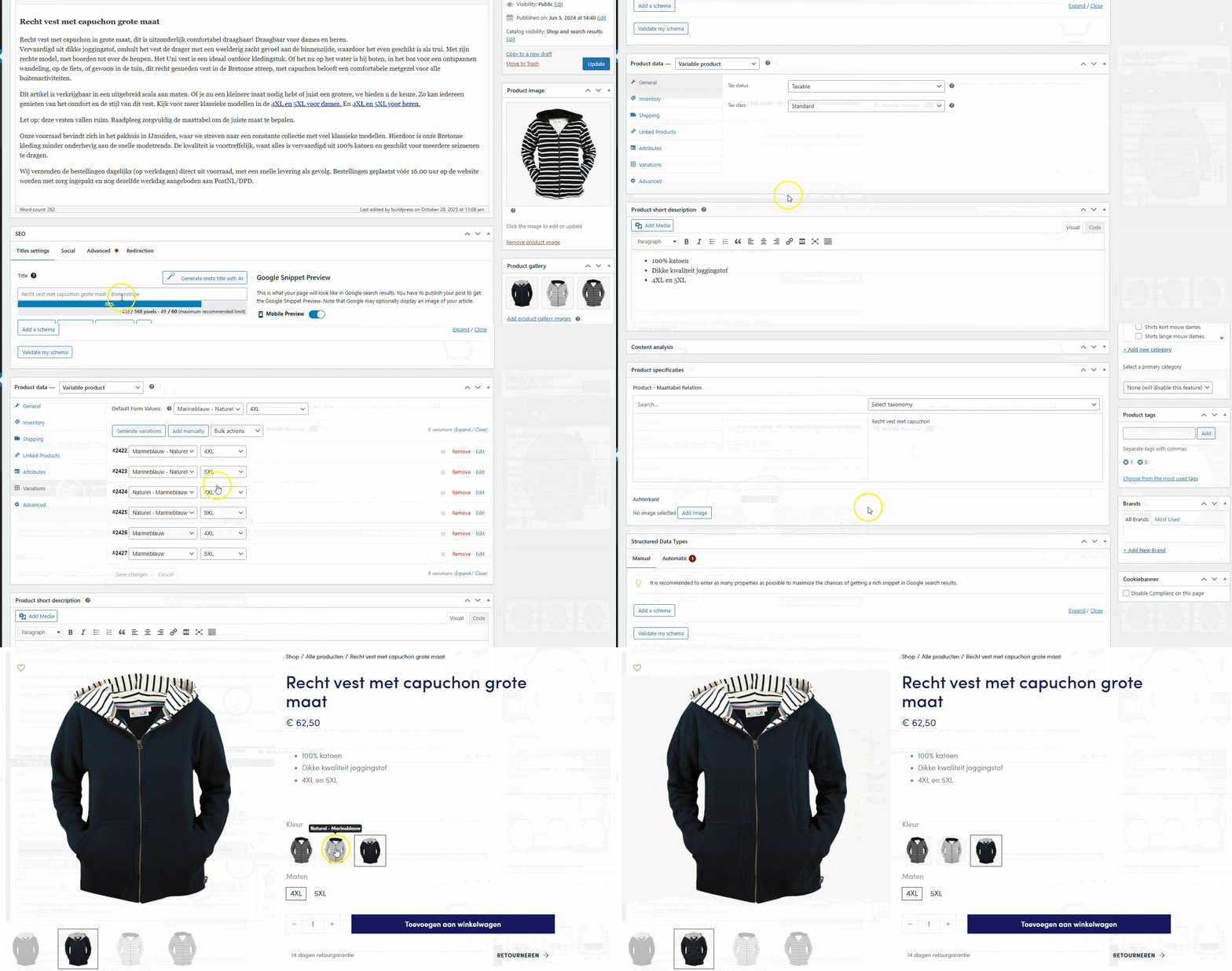
Example product without variation images inside the Gallery (main mage does not update)
Example product with variation images uploaded ALSO i the Gallery (which is not the way i think?)
Product could have multiple image attributes, so which one to show?
One attribute is used on multiple products, but the image might be just a “placeholder/general” one and not really the same as the product, so this would not work in this case.
I was not aware of this option when I was testing it. Anyway, I think we mutually agree that this is not a bug, so what I suggest is, that you create a new entry on the idea board here
Make sure to explain the use case and add some links.
I adapted the fix-thumbnails script from this post (WIP: Image swatches & Image Gallery - #10 by joep) to allow varation selection and main image change.
You can set the specific attribute or ALL images to change the Product main image on line 8.
I will add it into the Feature request:
(function($){
  'use strict';

  // ===== CONFIGURATION =====
  // Set the attribute slug that should be allowed to change the main product image
  // Examples: 'pa_kleur', 'pa_color', 'pa_colour'
  // Set to null to allow ALL attributes with images to change the main image
  var TARGET_ATTRIBUTE = 'pa_kleur';
  // =========================

  function cacheOriginal($img){
    if (!$img.attr('data-o_src'))     $img.attr('data-o_src', $img.attr('src') || '');
    if (!$img.attr('data-o_srcset'))  $img.attr('data-o_srcset', $img.attr('srcset') || '');
    if (!$img.attr('data-o_data_src'))    $img.attr('data-o_data_src', $img.attr('data-src') || '');
    if (!$img.attr('data-o_data_srcset')) $img.attr('data-o_data_srcset', $img.attr('data-srcset') || '');
  }

  function restoreOriginal($img){
    var oSrc     = $img.attr('data-o_src');
    var oSrcset  = $img.attr('data-o_srcset');
    var oDataSrc = $img.attr('data-o_data_src');
    var oDataSet = $img.attr('data-o_data_srcset');
    if (oSrc && $img.attr('src') !== oSrc) $img.attr('src', oSrc);
    if (typeof oSrcset !== 'undefined' && $img.attr('srcset') !== oSrcset) $img.attr('srcset', oSrcset);
    if (oDataSrc && $img.attr('data-src') !== oDataSrc) $img.attr('data-src', oDataSrc);
    if (typeof oDataSet !== 'undefined' && $img.attr('data-srcset') !== oDataSet) $img.attr('data-srcset', oDataSet);
  }

  function lockSwatchImages($scope){
    // Scope: the variations table only
    var $tbl = $scope && $scope.length ? $scope : $('table.variations');

    // Lock ALL swatch images in the variations table (not just target attribute)
    var $swatchImgs = $tbl.find('td.value img, .variable-items-wrapper img');

    // Cache originals once
    $swatchImgs.each(function(){
      var $img = $(this);
      cacheOriginal($img);
      // Guard against any script that tries to change src/srcset later
      if (!$img.data('bs_observed')){
        var obs = new MutationObserver(function(mutations){
          mutations.forEach(function(m){
            if (m.type === 'attributes' && (m.attributeName === 'src' || m.attributeName === 'srcset')) {
              restoreOriginal($img);
            }
          });
        });
        obs.observe(this, { attributes: true, attributeFilter: ['src','srcset'] });
        $img.data('bs_observed', true);
      }
    });

    // Also restore on common events that plugins use
    var $form = $tbl.closest('form.variations_form');
    if ($form.length){
      $form.on('found_variation reset_image woocommerce_update_variation_values', function(){
        $tbl.find('td.value img, .variable-items-wrapper img').each(function(){
          restoreOriginal($(this));
        });
      });
    }

    // Optional: visual active state without swapping images
    $tbl.on('click', '.variable-item, [data-value], img', function(){
      var $cell = $(this).closest('td.value');
      $cell.find('.is-selected').removeClass('is-selected');
      $(this).closest('li, a, button, img').addClass('is-selected');
    });

    // If TARGET_ATTRIBUTE is set, only allow that attribute to change the main image
    if (TARGET_ATTRIBUTE && TARGET_ATTRIBUTE !== '' && TARGET_ATTRIBUTE !== null) {
      // Find the target attribute row
      var $targetRow = $tbl.find('tr.attribute_' + TARGET_ATTRIBUTE);

      // When clicking on the target attribute, allow the variation change
      $targetRow.on('click', '.variable-item, [data-value], img, li, a, button', function(e){
        var $clicked = $(this);
        var value = $clicked.attr('data-value') || $clicked.closest('[data-value]').attr('data-value');

        if (value) {
          // Find the select dropdown for this attribute
          var $select = $form.find('select[name="attribute_' + TARGET_ATTRIBUTE + '"]');
          if ($select.length) {
            // Change the select value (this triggers WooCommerce variation change)
            $select.val(value).trigger('change');
          }
        }
      });

      // Block other attributes from changing variations (if they try)
      $tbl.find('tr').not('.attribute_' + TARGET_ATTRIBUTE).on('click', '.variable-item, [data-value], img, li, a, button', function(e){
        // Prevent propagation that might trigger variation image change
        e.stopImmediatePropagation();

        // Still allow the value to be selected for cart purposes
        var $clicked = $(this);
        var $row = $clicked.closest('tr');
        var attrName = '';

        // Extract attribute name from row class
        var classes = $row.attr('class');
        if (classes) {
          var match = classes.match(/attribute_(pa_[^\s]+)/);
          if (match) {
            attrName = match[1];
            var value = $clicked.attr('data-value') || $clicked.closest('[data-value]').attr('data-value');
            if (value && attrName) {
              var $select = $form.find('select[name="attribute_' + attrName + '"]');
              if ($select.length) {
                // Temporarily unbind variation change events
                $form.off('change', 'select');
                $select.val(value);
                // Rebind after a short delay
                setTimeout(function(){
                  $form.on('change', 'select', function(){
                    $form.trigger('woocommerce_variation_select_change');
                  });
                }, 100);
              }
            }
          }
        }
      });
    }
  }

  $(function(){
    lockSwatchImages($('table.variations'));
    // If your theme replaces the table via AJAX, re-lock on DOM changes
    $(document).on('wc_variation_form', function(){
      lockSwatchImages($('table.variations'));
    });
  });
})(jQuery);
I place it under /bricks-child/assets/js/fix-bricks-swatch-thumbs-with-img-change.js
And then enque it: