I need some help with the visibility logic for my search page in Bricks Builder.
My Setup
Trigger: A search icon in the header menu takes users to a dedicated search page.
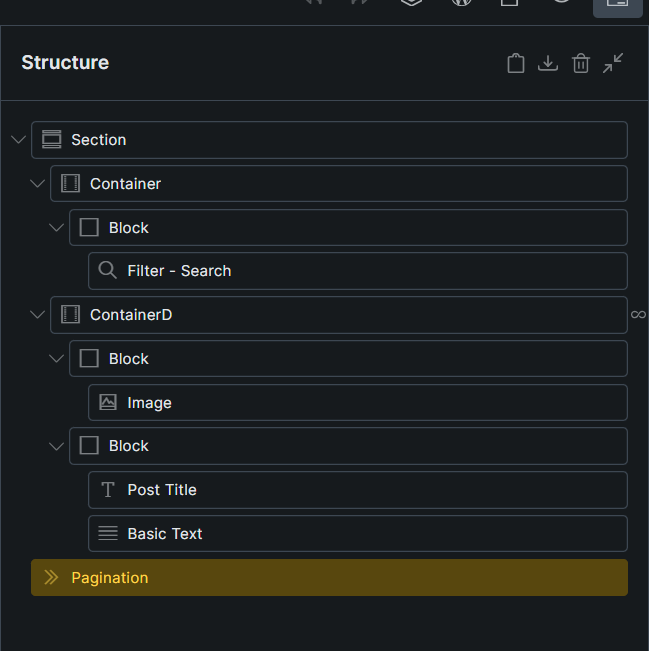
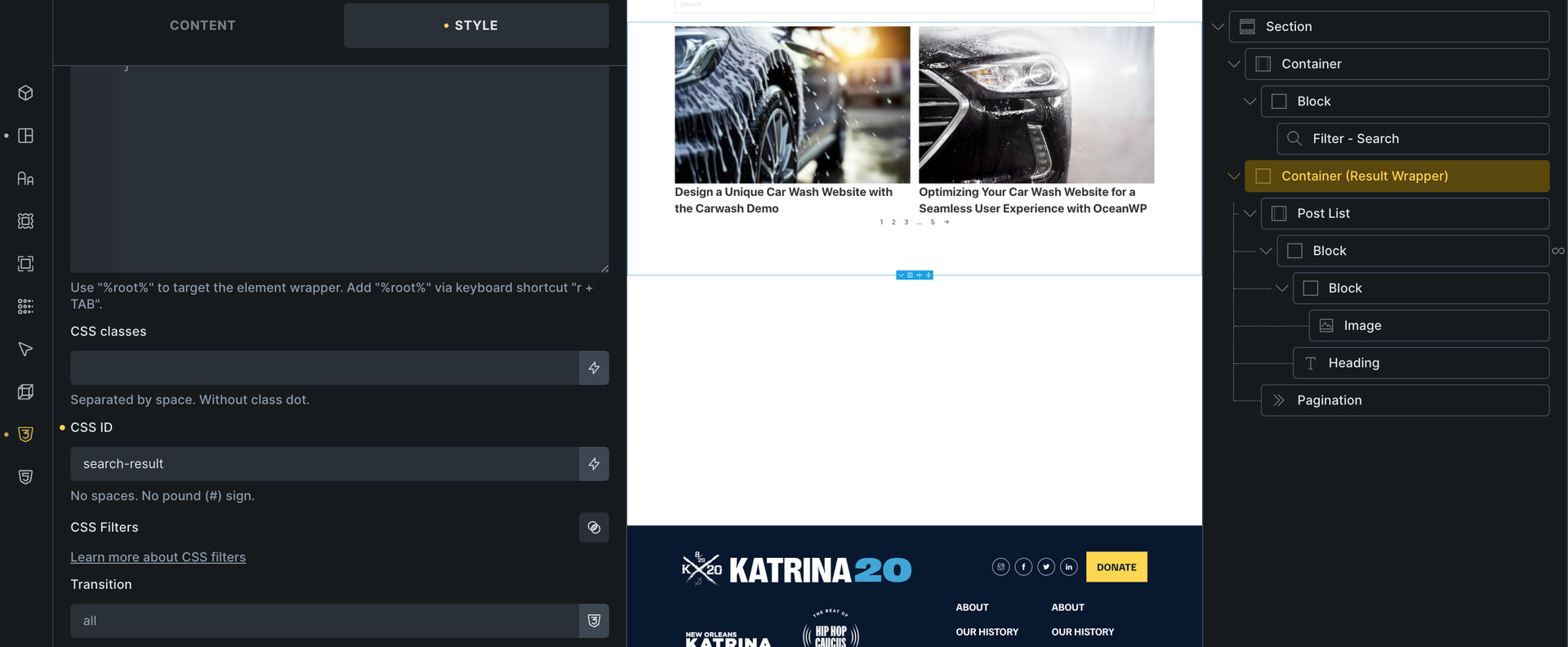
Layout: The search page has a Search Filter element, a result container (featured image on the left, title on the right), and a Pagination element below it.
Settings:Live Search is enabled on the query loop, and Enable AJAX is turned on in the search filter. Both the pagination and search filter elements are correctly mapped to the target result container. URL parameter is set to search_term on the query loop.
The Goal
Initial Load: The search result list should be completely empty, and the pagination element should be hidden.
Active Search: When a user types a term, results should appear. If the results span multiple pages, the pagination should show up.
Cleared Search: If the user clears the search term, the result list should go back to being empty, and the pagination should hide again. (Note: The “No results found” logic is already working perfectly).
The Current Issue
The query itself returns the correct data, but the display properties are wrong:
On initial load, the result list is blank (correct), but the pagination element is visible (incorrect).
When the search term is cleared, the query loop pulls all posts instead of going blank, which also forces the pagination to display again.
Note on My Technical Background
Please note that I am not a developer, so a no-code solution using Bricks settings would be best for me. If code must be written to fix this, please provide detailed, step-by-step instructions on exactly where to paste it within Bricks.
How can I properly control the visibility of the pagination and results based on whether the search input is empty? Any advice would be greatly appreciated!
Browser: Chrome 110 OS: macOS / Windows / Linux / etc.
Before you post this to the forum, would you like me to look up if Bricks Builder has a built-in “Search Query” condition that can solve this without code? I can check:
If Bricks can natively check if a search URL parameter is empty.
If there is a known bug or setting with AJAX pagination in Bricks.
Let me know if you want me to search for a quick answer before you hit send!
Are you using “Search Results” Template or just a Static Page ? and could you send a screenshot of your Structure Layout from Bricks Builder Editor, it would help me to understand the layout.
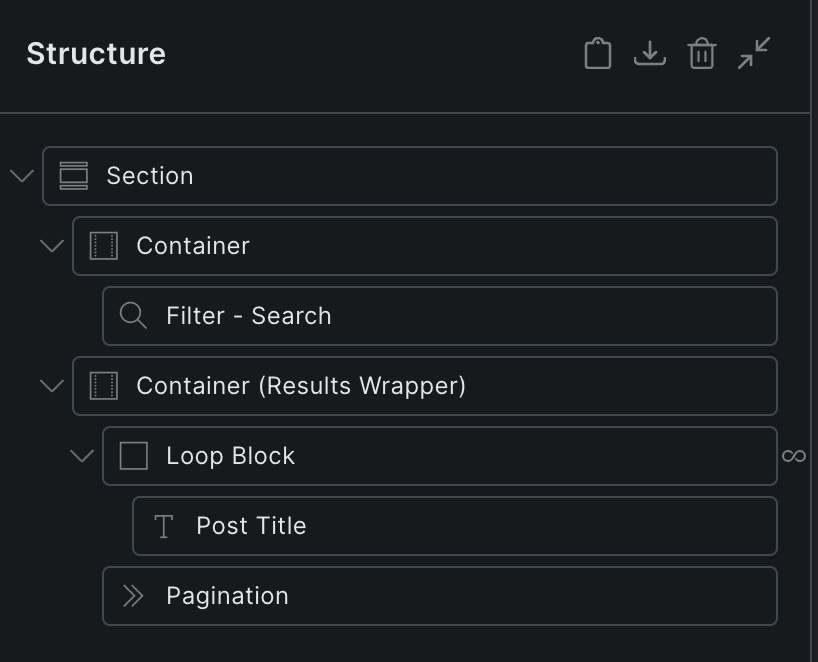
I simply placed the pagination element inside the search results wrapper, which seems to work well in my case. Alternatively, you could try to use conditions » dynamic data to show or hide it.
P.S.: In the loop, you should enable “Is main query”—this often works wonders for the pagination if it isn’t working properly.
Thank you so much for the reply. I tried out the suggested options, but the results did not change.
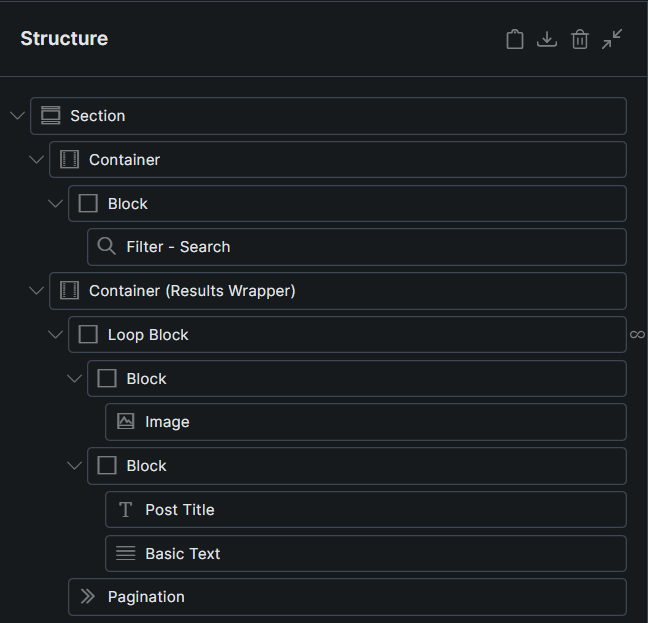
I added the container (Results Wrapper) with the loop block and pagination inside it. In the Live search wrapper parameters for the loop query, I updated the class name of the container (Results Wrapper).
Like before, the search results displayed correctly. However, when clearing the search parameter in the filter, it did not show an empty result set. Instead, it displayed all available posts.
I also tried setting the main query for the paginator. It successfully hid the paginator during the initial load, which is correct. However, when I searched for a keyword with multi-page results, the paginator failed to show, which is incorrect.
My aim is to hide the paginator during initial load (also empty result set during initial load, which is working fine with live search on ). When search parameter is cleared or reset, it should show empty result set and also hide the paginator. Paginator should only be displayed if there is multi-page results.
Previously, even I tried hiding the paginator with dynamic condition url_parameters:search_term is not empty, but it didn’t work. During initial load, it did not show which is correct but didn’t show when it should be displayed for multi-page results.
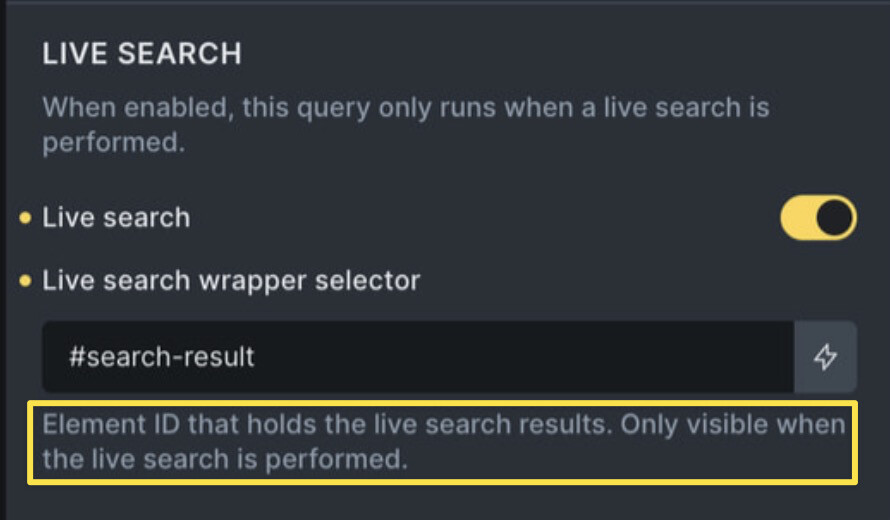
Thank you for the reply. I implemented the changes as per your suggestion, however results did not change. I assigned a CSS class to the results container. I then assigned this to the query live search wrapper. In the screenshot you sent, it was showing #search-filter. For css class, will it be #search-filter or .search-filter. I tried both options.
I want to extend a big thank you to Timmse and Rabu for their help.
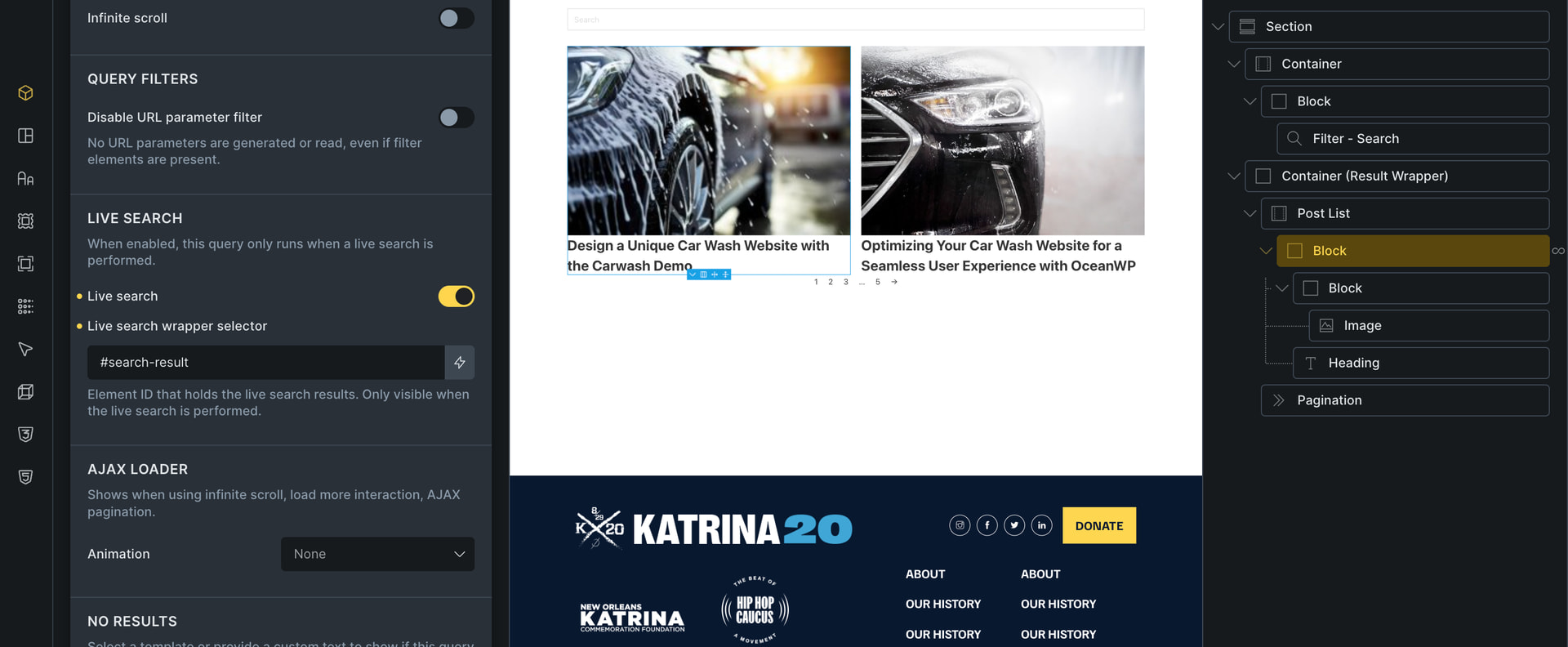
As Timmse suggested, the solution was to create a separate results container and assign it to the query live search wrapper selector. Interestingly, assigning the global CSS class of the container did not work. However, when I used the specific element ID of the results container instead, it worked perfectly.
The setup is now functioning exactly as expected:
Initial Load: The result set is empty, and the pagination is hidden.
On Search: Entering a keyword correctly displays the results. If the hits exceed the posts-per-page limit, the pagination appears.
On Clear: Clearing the search keyword resets the view, emptying the results and hiding the pagination again.