Browser: Chrome 110 OS: macOS / Windows / Linux / etc.
Hi there,
I created a form element as a contact form in a component on a customers website in order to reuse it on several pages. Initaliy the form id was present however after moving the form to the component the form-id disappeared from the form element in the html code:
Interestingly the form is working as intended and I even see the form Id in the form submission in the backend. However the tracking of the form via Google Analytics is not working as I cannot set the trigger on the form ID.
The other forms on the websites are working as intended and also the tracking works fine.
I read in an old thread that it was intended to integrate a function in bricksbuilder to adjust the form ID after creating the element. Is there a way to do that meanwhile ?
I have no knowledge about this specific case but I guess id handling could be tricky for items which are supposed to be replicated. Imagine using the same component twice on a page… you would have a duplicate id and that would be an issue, so i guess the best default practice is to prevent duplicate ids anyway.
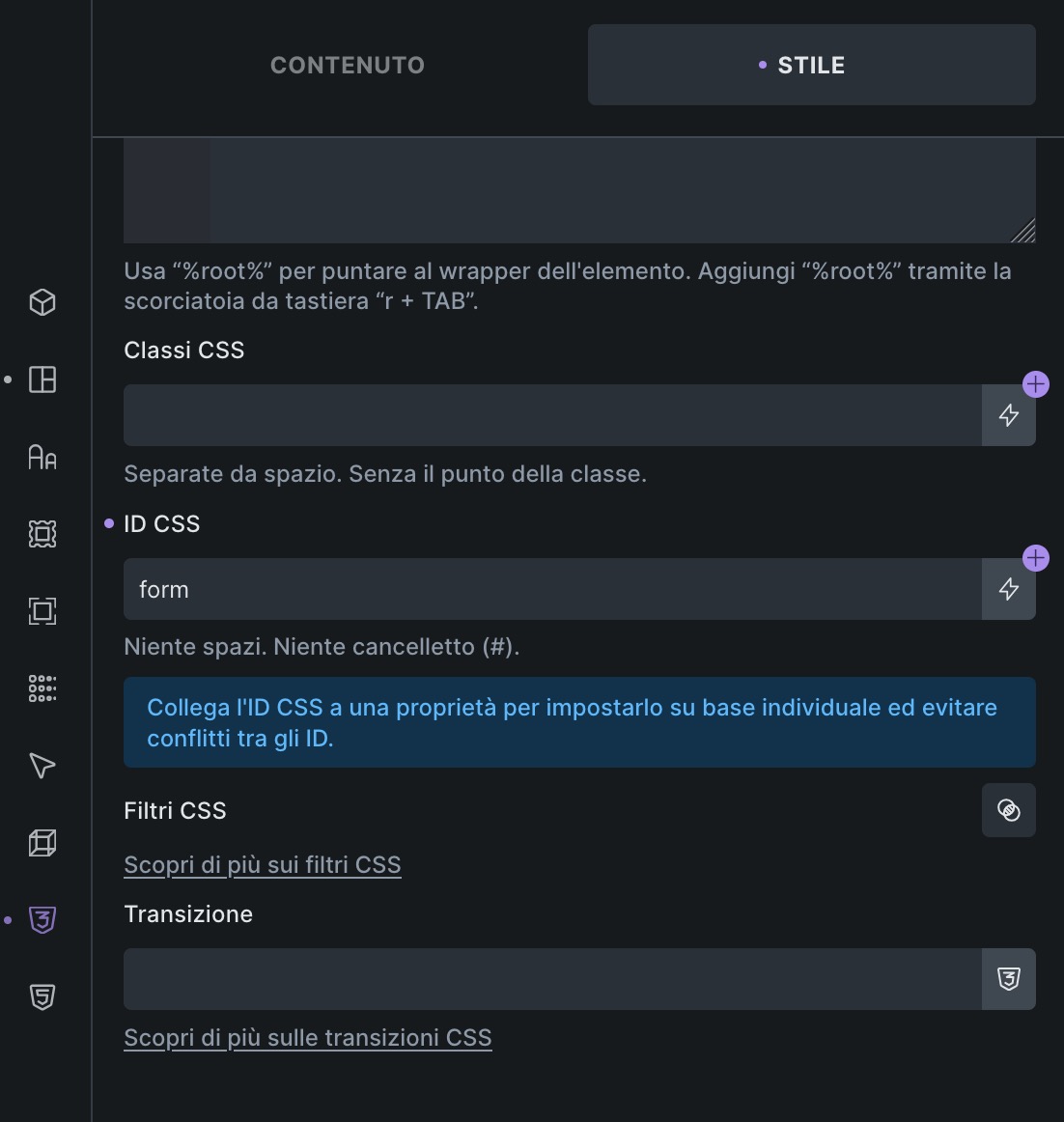
Have you tried handling the id using the id field in the css tab, eventually using a component property with a default value? I’m using this on a site of mine and it works, tho the id is set on the component container, and not on the form element.
component is expected to be duplicated, so just like @mofo explained, if it would preserve the ID, there would be duplicate IDs if the component is on the same page added multiple times. That may not be the issue with the form, as you would need just one instance on page, but with buttons, cards… it’s very likely that there would be multiple of them.
Saying that, you can still set up CSS ID like @mofo showed and then you should see the ID on the form itself.
Hi @mofo and @Matej ,
many thanks for your help. It worked by manually setting the CSS ID. just strange that the submissions form collected the id correctly.
Anyhow I am now considering moving the form out of the component as it might lead to difficulties as you stated correctly.
@connected-services ig that what’s happening is that the form id is only changed when the component is rendered, while it is still considered to be the same instance when it comes to submissions. The “css id” fix has been working for me for a while btw.