I wasn’t sure if this should go into How-To or Bugs, but I thought I’d put it here.
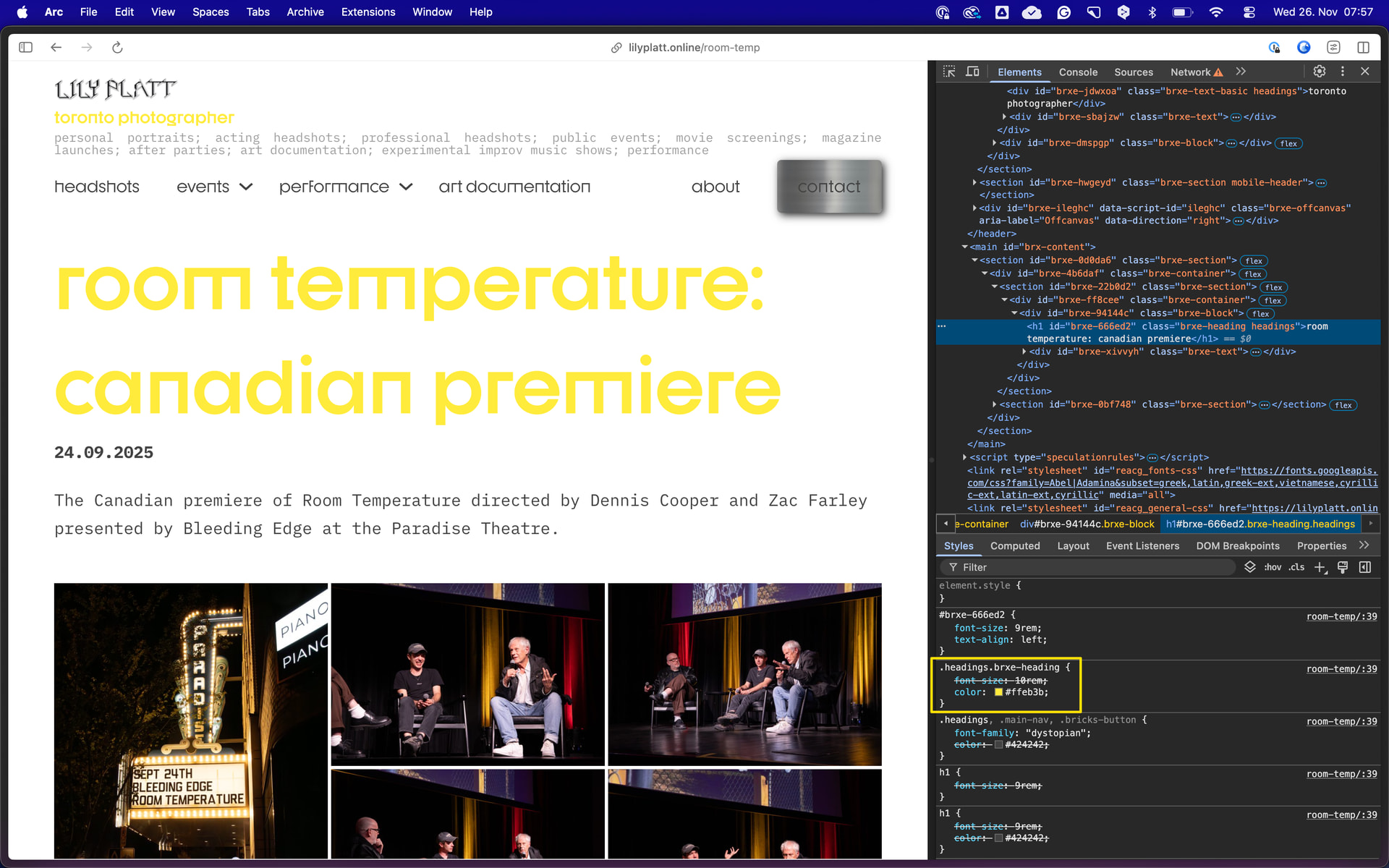
I’ve been building a website, and recently, a lot of text has become bright yellow (should be grey). I’ve updated the global styles, and custom code, but it won’t change back to the original colour. I could manually go through every page and fix the colour, but that seems very time consuming.
Also, I went through the page revisions, and the font is yellow in past versions too.
Hi Lily,
Thanks so much for your report, and welcome to the forum!
As far as I can see, the color is set on the .headings class. So the problem should be fixed by editing the class and clearing the text color setting in the typography tab.
Okay, thanks. The custom code for .headings already had the correct color, however it was fixed after adding !important. This works, but I wonder if there’s some other setting that set the font to yellow that should be reset/cleared.
.headings.brxe-* has a higher specificity than .headings, so it’s the expected result, since class chaining is enabled (since the class is chained to the element).
You can disable the class chaining in Bricks » Settings » Performance to avoid this, and it should work without the !important statement from then on.