NO BUG: Dynamic (Nestabale tabs) Responsiveness Issue After Version 1.8.6

The issue is that the “Dynamic (Netabale tab)” functionality is not functioning properly. It appears that all versions released after version 1.8.6 have disrupted backward compatibility for the Dynamic (Netabale tab). As there’s a necessity to update to the latest version for security reasons (1.9.6), I need to bring this matter to your attention.

Upon conducting several tests, I’ve concluded the following:

Currently, when downgrading the theme version from 1.9.6 to 1.8.6, the Netabale tab functions correctly. However, any subsequent updates render the Netabale tab unresponsive.

The issue:
The issue manifests as follows: the tab remains stuck on the initially generated title of the dynamic tab and cannot be switched to other tabs. However, when edited in the backend, all tabs are visible with correct dynamic data but navigation is not possible (so you only see the content of the first tab).

Thank you,

Browser: Chrome / Firefox
OS: Windows.
URL: Islamic Center of Tucson – Islamic Center

Hi Reyad,
Thanks so much for your report!

Unfortunately, I cannot reproduce the issue. Would you be so kind as to send temporary login credentials and a link to this thread to help@bricksbuilder.io using the email address you used during the purchase?

Best regards,
timmse

1 Like

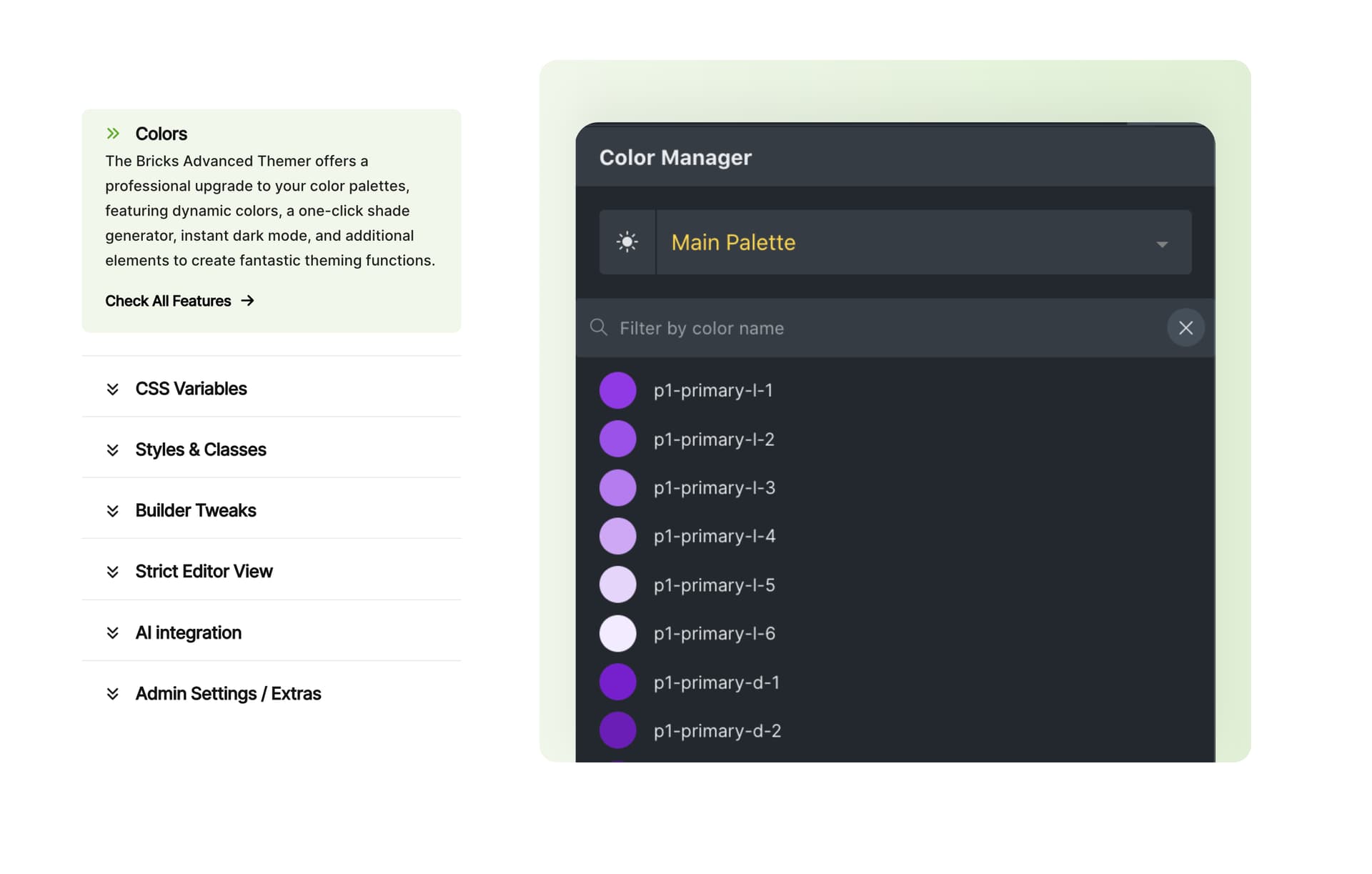
I have the same issue on https://advancedthemer.com for this section:

I already cleared any cache, checked the classes, checked the scripts, but I can’t get the nested tab to work properly.

1 Like

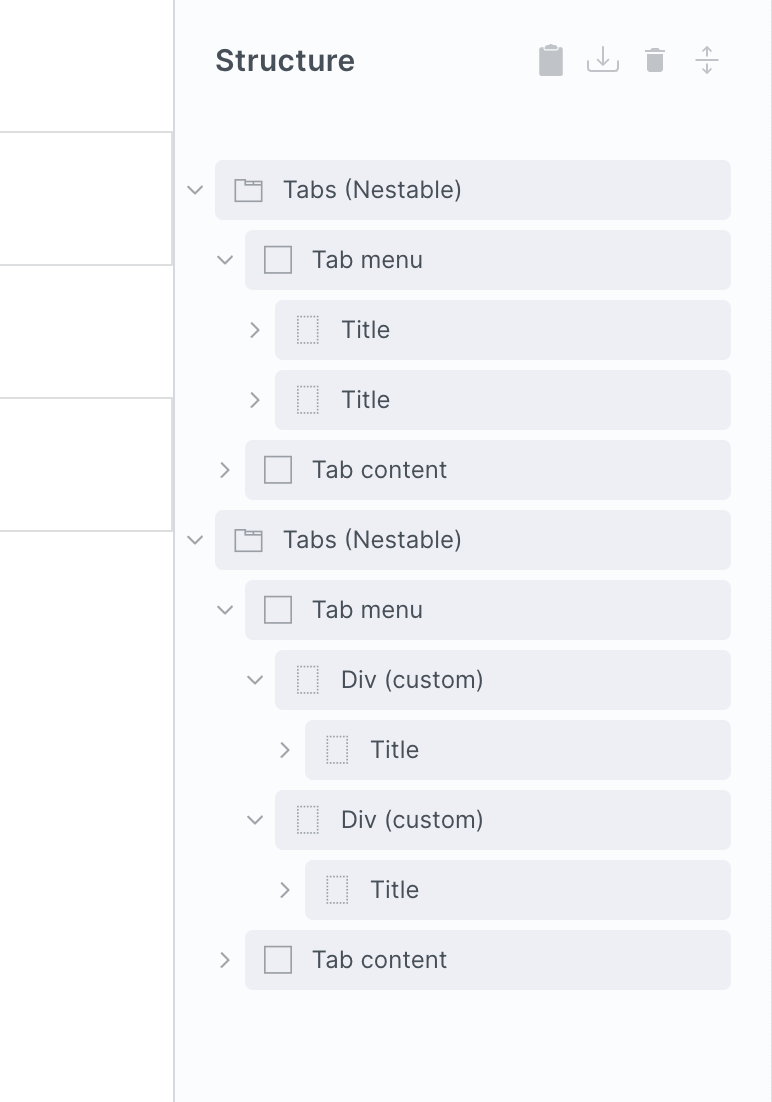
The ‘tab-title’ element needs to be the direct child of the ‘tab menu’ element.

In both the URLs given, an extra div or block has been wrapped around that tab-title element, making it an only child inside that block, so the tabs can’t get the correct index (it’s looking for the first .tab-title class).

Quick fix - if you need the layout to include the extra block, is to give the block with the loop the class ‘tab-title’. Otherwise make sure it’s the tab-title being looped, not an extra block/div.

2 Likes

Thanks for taking a closer look @wplit, much appreciated!

Will this help you to solve the problem @maximebeguin @alfaituri ?

The problem is the tab-title is an hidden class…

Not something you can change without modifing the element object directly

1 Like

in the code may I suggest to replace this:

, n = e.querySelector(".tab-title")
, r = n ? Array.from(n.parentNode.children).filter((function(e) {
return e.classList.contains("tab-title")

with something like this;

, n = e.querySelector(".tab-title")
, parent = n ? n.closest(".tab-menu")
, r = n && parent ? parent.querySelectorAll(":scope > .tab-title, *:not(.tab-menu) .tab-title")

So the script wouldn’t be tied to direct children?

Will do!

Thank you, Timmse

Did that too! The issue started with the 1.9 Version. It’s something they did with the update. If I switch to the 1.8.6 version, it will work with no problem.

My guess is that it was changed to allow for being able to nest tabs inside tabs. The old way was less strict on the structure, but if I remember right it wasn’t possible to nest tabs inside each other. Whereas now when I’m testing it, it looks like it’s possible now.

1 Like

Using closest() should allow tab nesting, right?

Hey guys,
Thanks for your suggestion @maximebeguin !

The general question is: why do you have to wrap the tab-title? Were there any limitations in the settings that forced you to do this?

Honestly I don’t remember doing it… since the class is hidden, there is no way to remember which element is the “tab-title” one. I built that component before “direct children” was a thing and it used to work correctly, so I didn’t bother.

1 Like

Ok, I would suggest that we leave it as it is for now: if you keep the given structure, it will work as expected.

If there are certain scenarios that require a different structure, please let me know :v:

Same Here! I didn’t touch the pane or the table title. Maybe I just changed the name in the interface ( & it used to work fine!)

Tried it. It did not help. I will be contacting the support soon! I need to make a staging environment and inform the client.

Thank you guys!

The structure is still incorrect on your site.

To solve…

Currently, you have this structure (only showing the custom classes that have been added so it’s easier to see when you’re in Bricks)

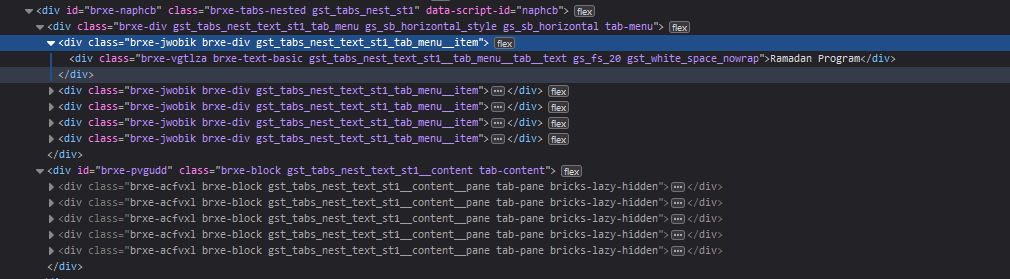
<div class="gst_tabs_nest_text_st1_tab_menu">
   <div class="gst_tabs_nest_text_st1_tab_menu__item">
      <div class="gst_tabs_nest_text_st1__tab_menu__tab"></div> 
  </div>
  <div class="gst_tabs_nest_text_st1_tab_menu__item">
      <div class="gst_tabs_nest_text_st1__tab_menu__tab"></div> 
  </div>
 <div class="gst_tabs_nest_text_st1_tab_menu__item">
      <div class="gst_tabs_nest_text_st1__tab_menu__tab"></div> 
  </div>
 </div>

So it’s the ‘gst_tabs_nest_text_st1_tab_menu__item’ element that is being repeated for the items. But that custom div shouldn’t be there. It needs to be this…

<div class="gst_tabs_nest_text_st1_tab_menu">
      <div class="gst_tabs_nest_text_st1__tab_menu__tab"></div>
      <div class="gst_tabs_nest_text_st1__tab_menu__tab"></div> 
      <div class="gst_tabs_nest_text_st1__tab_menu__tab"></div> 
 </div>

because that ‘gst_tabs_nest_text_st1__tab_menu__tab’ element is the element that needs to be the direct child.

At some point, you’ve wrapped the default element that comes with the tabs with that extra ‘item’ div, which used to be allowed, but now isn’t. (unless you add a ‘tab-title’ class, but that’s a hacky way to solve without moving to the allowed structure) The design you’ve done, can be achieved without that extra div, so best to change the structure imo.

edit - a simpler way to show it, the bottom structure is incorrect because of the extra custom divs.
1 Like

Did that already! Now all the content tab are hidden. You could take a look but I will revert to the backup I have soon. It is a live website.

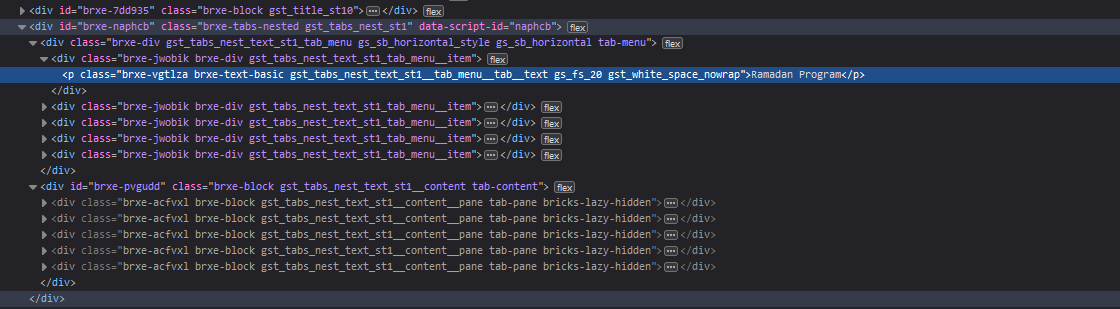
If you are not comfortable with the default “div” tag for the text, here is a tab div with only P tag

.

Thank you for your follow-ups. I really appreciate it :slightly_smiling_face: : :+1:!

Here is a separate page for both Tabs (1: Original & 2: Suggested Adjustments)

testing123