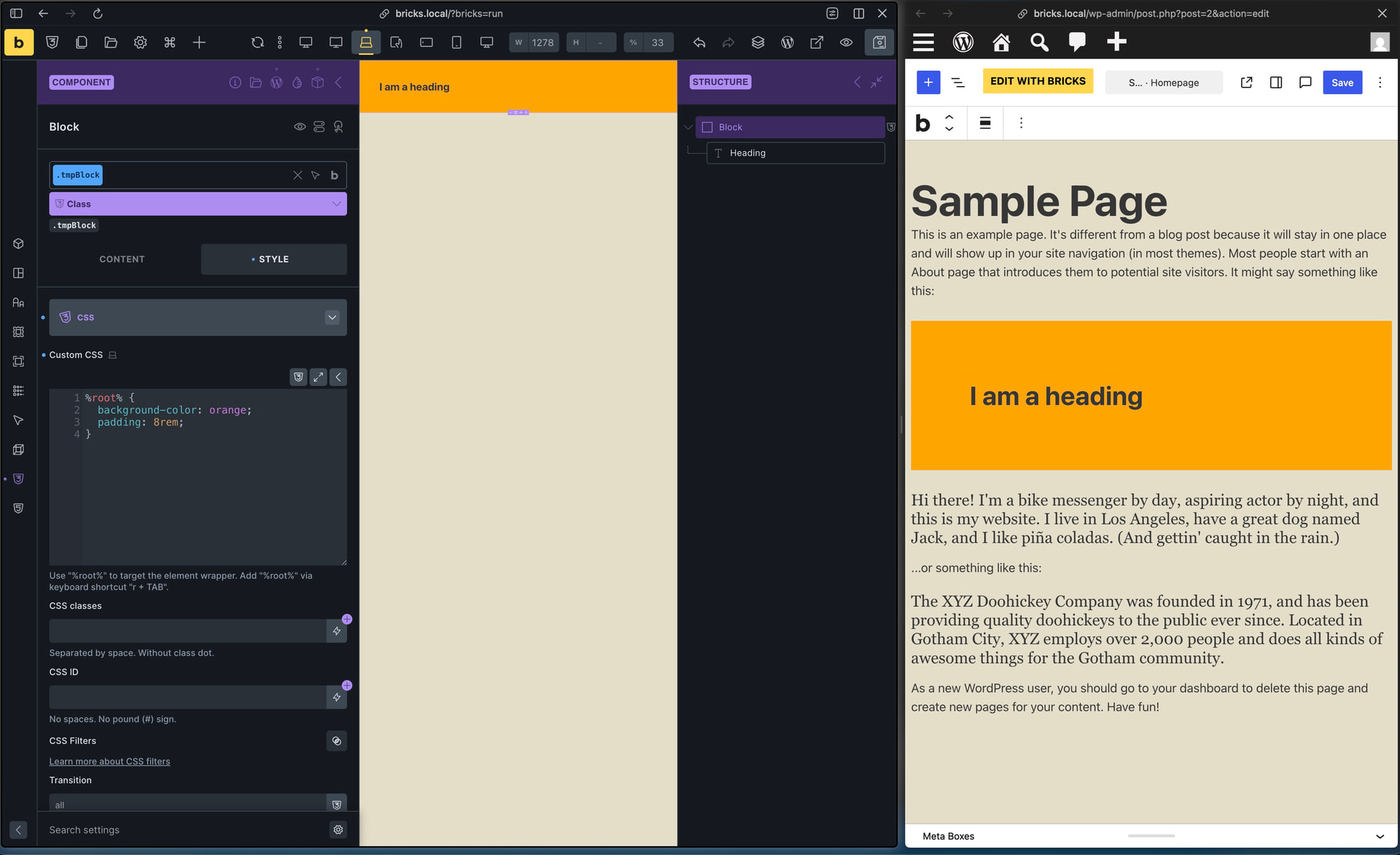
Component used as Gutenberg block (“Use in block editor” enabled)
CTA component with a Property connected to a global class (variant switch, e.g. default = yellow background)
Button styling via global classs from Automatic CSS (ACSS)
Context:
I saw that 2.3.6 shipped an improvement specifically for this area — “Components as blocks: Match frontend styles in block editor iframe” — and 2.3.8 also fixed a related issue (“Components as blocks: Global class CSS can override element styles in Gutenberg”). I updated to 2.3.11 expecting this to be resolved, but the issue still occurs exactly as described below.
Steps to reproduce:
Create a component (e.g. CTA) with a background color set via a global class.
Add a Property that lets the instance switch/select this global class (e.g. background color variant).
Enable “Use in block editor” and insert the component as a Gutenberg block in a post.
Select the default class/variant (e.g. yellow background).
Compare the block’s appearance in the Gutenberg editor vs. the published frontend.
Expected behavior:
Background color and other styles (e.g. button styles via ACSS) should render identically in the Gutenberg editor preview and on the frontend.
Actual behavior:
Background color from the global class is not shown in the Gutenberg editor — the block appears without its intended background.
Button styles from ACSS are also not applied/visible in the Gutenberg editor.
Both the background color and the button styles render correctly on the frontend.
Additional notes:
Given the 2.3.6/2.3.8 changelog entries suggest this exact area (block editor iframe style parity for components-as-blocks) was already worked on, this might be a regression, an edge case not covered by those fixes, or specific to how ACSS/global class CSS gets enqueued in the editor iframe. Happy to provide a test site or component export if useful for reproducing.
Unfortunately, I cannot reproduce the issue following the steps provided. I haven’t checked ACSS styles, but a class property that assigns a background color works as expected on my end (same result in the block editor and frontend).
However, I’m not sure if my setup is the same as yours, since your talking about classes and variants, which are two different approaches. Please provide us with your component as a minimal export so we can check again. Ideally, avoid using ACSS styles, since they are usually not available in our installations. Let’s focus on native Bricks settings and styles for now.
thanks for the quick reply - and to clarify: I have set up different background gradients with the property global class . I have send a mail to help@bricksbuilder.io with the component export.
FYI: I have turned off ACSS button in said component and the issue with the background persists.
Global CSS styles are not being applied in Gutenberg for Bricks Components as Blocks.
Example
.hero a custom global css class does not output anything in Gutenberg
ACSS .grid–2 does output
Note
.hero sets all styles for the component in Custom CSS. Not defined on elements.
I tested with another component. BEM and applied CSS on each element, NOT Custom CSS. Did not render correctly.
Rolled back Bricks Version 2.3.6 == Resolved all above notes.
Breaks again in Version 2.3.7
Not resolved in 2.4 Beta either.
Thanks for the component, Philipp!
As I mentioned in my email, your classes are contained in a wpcodebox snippet—that is, in an external stylesheet, injected on the frontend/Bricks, but not in Gutenberg.
The component class property can apply the class to the component, but the Gutenberg preview can only render styles that are available inside the block editor.
Bricks loads its own global classes, variables, and theme styles there, but external utility classes or custom frontend-only styles are not automatically loaded into Gutenberg.
So if those classes are defined outside the Bricks global class system (in your case wpcodebox), they work on the frontend and Bricks itself (because they are injected there), but not in Gutenberg.
To make them work there, the classes would need to be defined as Bricks global classes (through the class interface), or you can create a PHP snippet that injects your wpcodebox styles into Gutenberg so they’re available there as well.
Custom CSS, okay. But where exactly? Bricks itself has several places where you can add custom CSS. Or is your custom CSS also located outside of Bricks?
Thanks! I tried to replicate this in the versions you mentioned in two different ways:
a) The class + custom CSS directly applied to the component » no problem
b) Using a class property to apply the class incl. the custom CSS » no problem
Please provide us with the exported component, or send login credentials, a link to this thread and information on where we can see the issue to help@bricksbuilder.io
All right, then we’re settled - at least on the Bricks side
Why ACSS styles don’t work for Philipp but do for you remains a mystery. I’m not sure if ACSS styles are loaded automatically in Gutenberg—if not, it’s the same issue as with the wpcodebox snippet.