Browser: Chrome 110
OS: macOS / Windows / Linux / etc.
Having trouble with the color palette in v2.4.
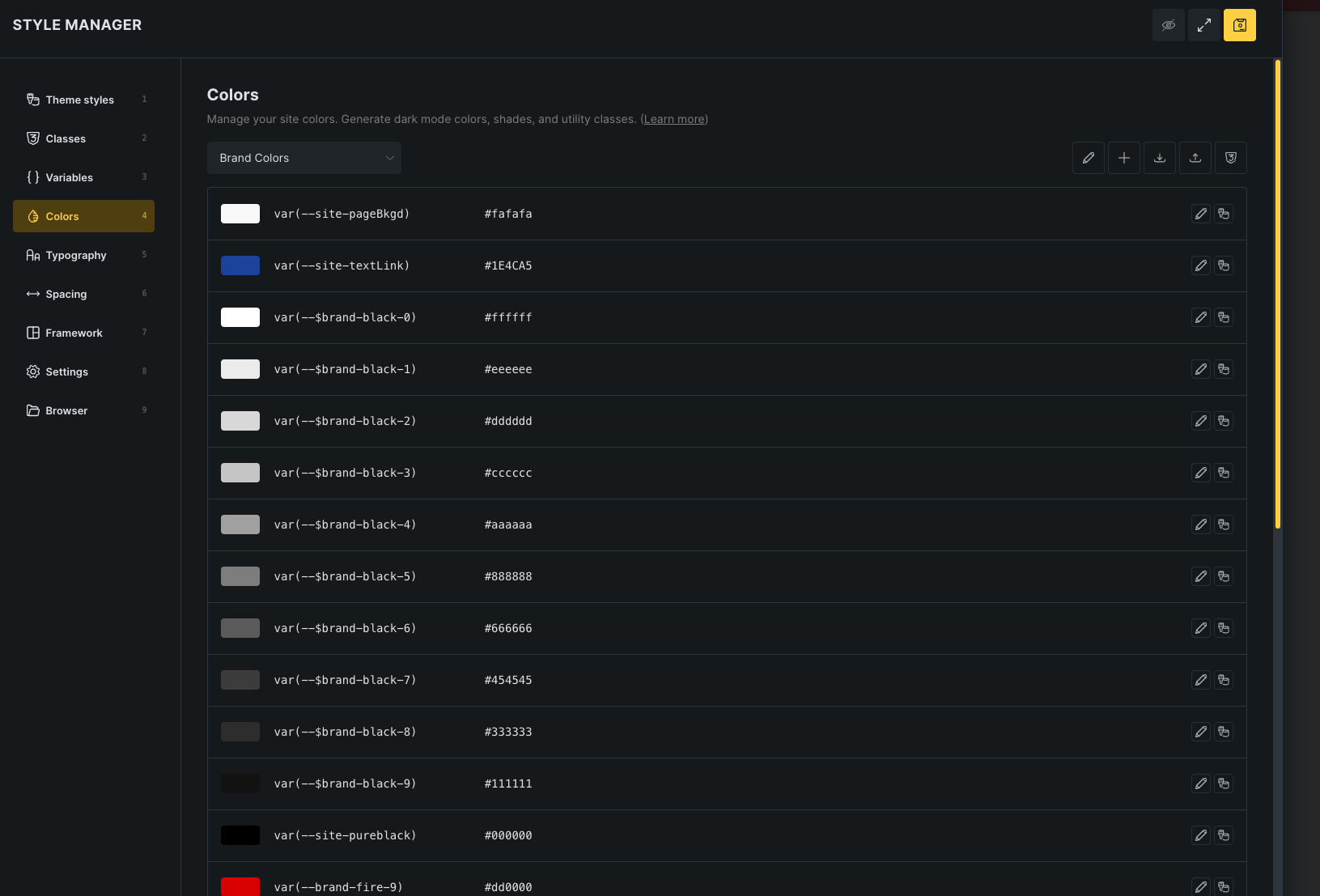
I created a custom color palette with our company’s brand colors in the the style manager as shown below:
However, when I try to access the colors to apply them using the color palette, most of the colors do not display as shown below:
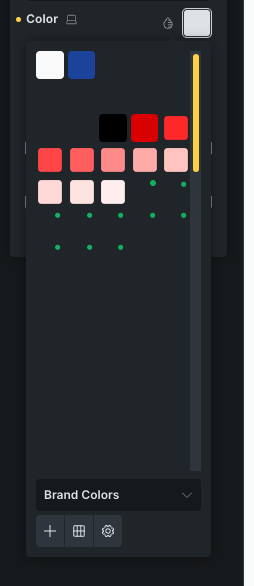
If I hover my mouse over the blank space in the color palette, the tool tip with the color name pops up and I can select the color. However, the applied color displays as a light grey instead of the actual color setting.