Browser: Chrome 110
OS: macOS
I’m using the new paste HTML feature in Bricks 2.3.5.
When I paste certain content, it seems to include theme styles. Specifically, I am getting styles like this one with brxe-text-link that is messing with some of my buttons. w-button was a class on the original HTML I copied.
.w-button.brxe-text-link {
  display: inline-block;
  padding-top: 9px;
  padding-right: 15px;
  padding-bottom: 9px;
  padding-left: 15px;
  background-color: #3898ec;
  color: white;
  text-decoration: none;
  border-radius: 0;
  cursor: pointer;
}
Here are some interesting parts about the situation:
-
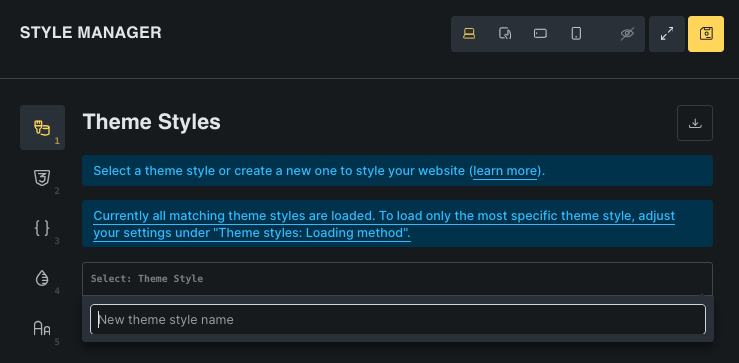
When I research brxe-text-link, I see many people talking about theme styles. As shown in the screenshot, I do not seem to have any theme styles active.
-
These styles seem to be attached to the inserted/pasted elements. The issue only affects a template if I paste HTML in it. Other templates, even though they have elements with
.w-button.brxe-text-linkclasses. It is like these pasted elements cause new classes to be added to bricks-frontend-inline-inline-css for that template. -
If I copy one of the pasted elements with the embedded styles and paste it into a different template where things are working fine, then the embedded styles come with it and other elements on the page are suddenly broken.
Thanks in advance for your help. The feature is working great apart from this little snag.
