Goal: use a dynamic tag in the API Endpoint URL so you can get Google Reviews based on the Place ID of a CPT Location. The CPT Location has the name of the location and a field with their Place ID.
Requirements (if you want to test with Google Reviews)
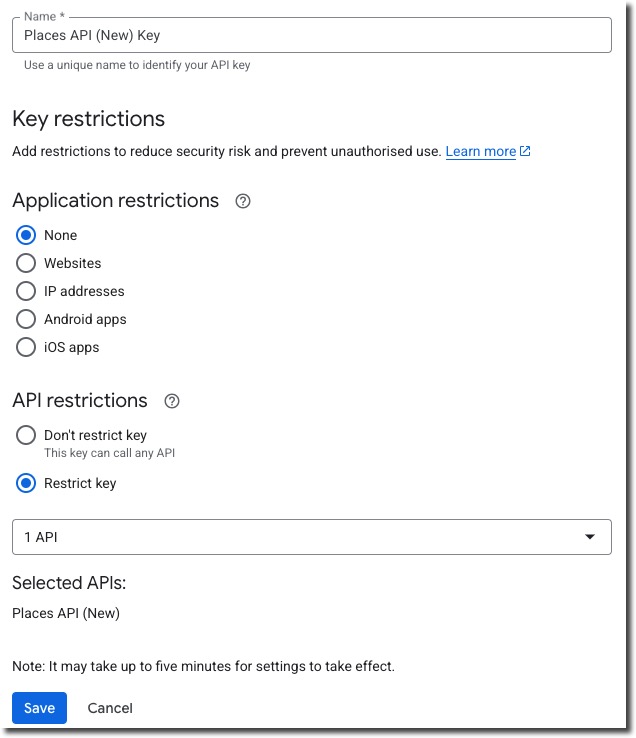
- Create a Google Cloud API key for the “Places API (New)”.
- Create a CPT Locations
- Create an ACF Field group with field “place_id” and link it to the Locations
- Add some locations with real-world places. You can find place IDs here: Place IDs | Places API | Google for Developers
Note that the new Places API adds the “Place ID” before the query parameters!
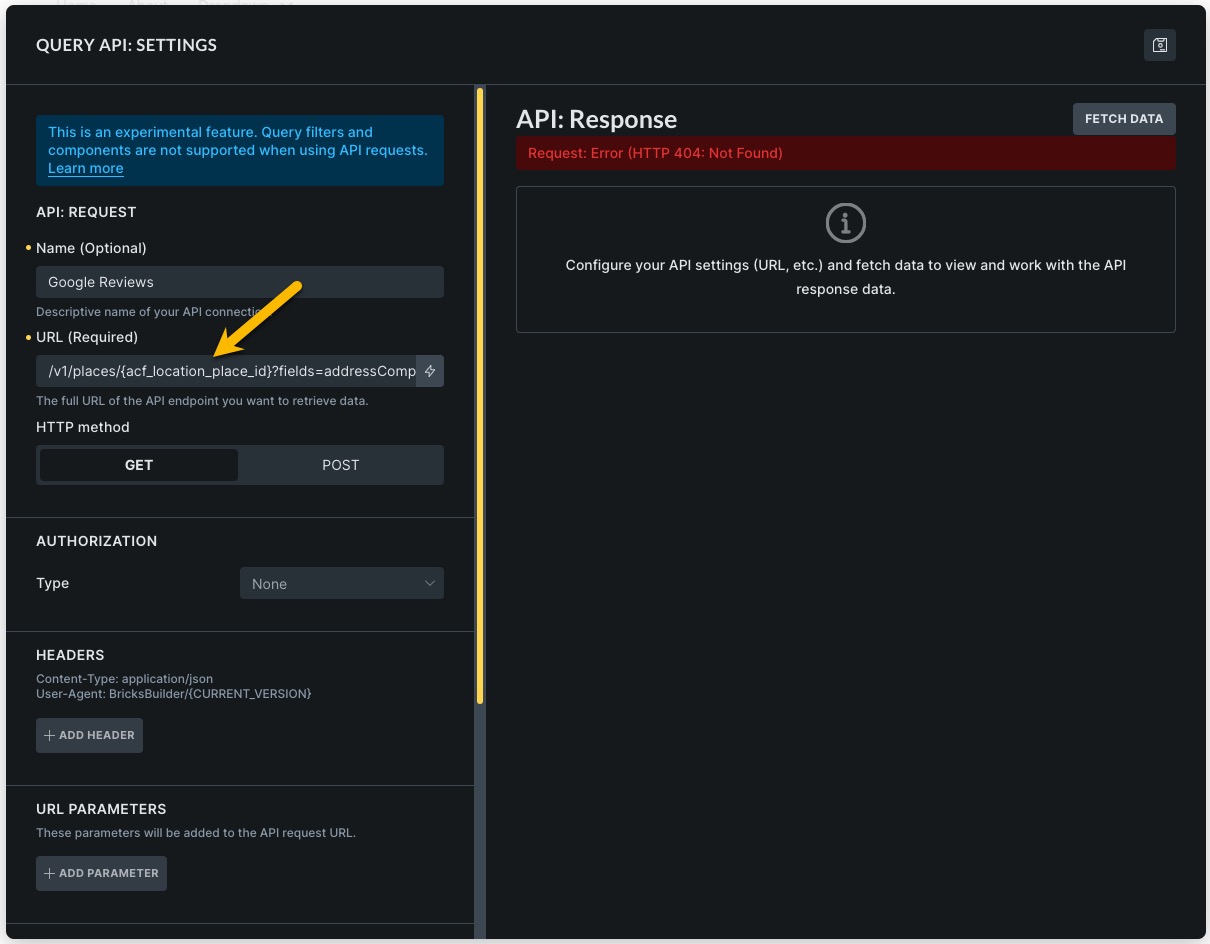
- In the Single Post Template create an API call
- Test with an API call to Google: https://places.googleapis.com/v1/places/ChIJMXL6ylNrxkcRkoZqYWfQjAY?fields=addressComponents,reviews&key=
- If the call works, replace the hardcoded value of the place id with a dynamic tag: https://places.googleapis.com/v1/places/{acf_location_place_id}?fields=addressComponents,reviews&key=
- When I tested this the response was: API: Response | Request: Error (HTTP 404: Not Found)