NO BUG: Bricks post query syntax

Browser: Brave
OS: macOS

How am I preparing for Bricks wrong, as not working:

Meta box favourite posts query:

$post_ids = get_user_meta( $user_id, 'mbfp_posts', true );
$query = new WP_Query( [
    'post_type' => 'post',
    'post__in'  => $post_ids,
] );

Put in Bricks editor style:

$current_user = wp_get_current_user();
$post_ids = get_user_meta( $current_user->ID, 'mbfp_posts', true );

return [
    'post_type' => 'research',
    'post_status' => 'publish',
  'post__in' => $post_ids, 
  'posts_per_page' => -1,
];

It shows every post. I can’t understand why its not filtering. When I change to false too - same result. Do I need to put posts__in in a meta query?

And incase it matters - I copied and pasted the block from another template, and then edited to a different query

Hi Yasmine,
Thanks so much for your report!

Unfortunately, I cannot reproduce the issue using your code in the query editor (I only changed the post type - everything else is the same). Where exactly did you place the loop? Is it possible that it is merged with another query (“disable query merge”)?

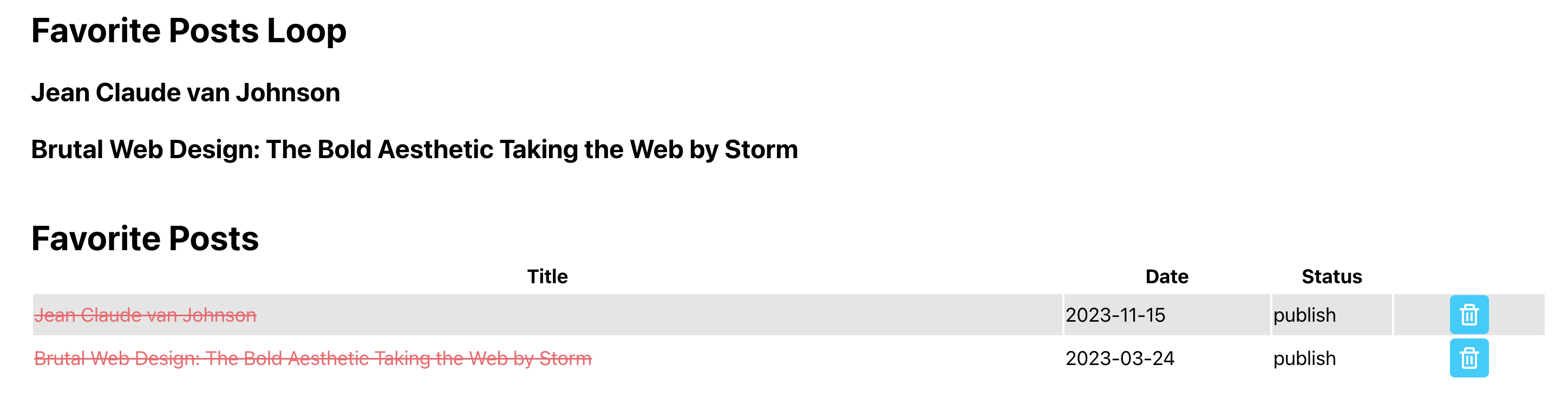
The screenshot shows the loop at the top and the shortcode at the bottom.

Best regards,
timmse

Yes that was exactly it! When I turned disable query merge on, then problem was fixed.

But to do so, I had to close down the query editor to even be able to see the option to disable query merge (so didn’t know it was there) and then rewrite my query into the editor. Would be really great if can see that option from when you are working in the query editor.

When I rewrote it, I wrote it as

$current_user = get_current_user_ID();
$post_ids = get_user_meta( $current_user, 'mbfp_posts', true );

return = [
   'post_type' => 'research',
  'post__in' => $post_ids,
   'posts_per_page' => -1,
];

so unless it was that. And I had also didn’t select the post type this time round. Maybe the double post time selection confused it.

But if it was the disable merge that fixed it, then what was it merging with? There were no other queries on this page?

I’m glad that the problem was so easy to solve :slight_smile:

You can use > 'disable_query_merge' => true within the query editor.

That depends very much on where you are. Just because you only add one loop (manually) doesn’t mean it’s the only one :wink:

Hi unfortunately, this is still not working. It works when there are posts to show. But when there are no posts, rather than show the no results text, it shows all the posts. When I do this query as a shortcode, I do not have this issue. Only when the query is in the editor. So two questions:

  1. What is causing the issue
  2. is it possible to output the function / shortcode into the query editor instead?

Hi Yasmine,

If you change your post__in query parameter to this, the no results message/template should show (at least it does in my test):

'post__in' => ((!isset($post_ids) || empty($post_ids)) ? array(-1) : $post_ids),

That does show the message, but the array(-1) also chops off the first item in the query. So if only one selected, it also shows message :frowning:

But thank you for looking!

It works fine for me:

1 favorite post:

2 favorite posts:

0 favorite posts » no results text:

Ok - it works! I had made my testing post a draft and I think that messed with it? But thank you for your help with this, much appreciated