Browser: Chrome
OS: macOS
When the base/root font size in Bricks is explicitly set to 100% (1rem = 16px), the generated frontend CSS still applies:
html {
  font-size: 62.5%;
}
Browser: Chrome
OS: macOS
When the base/root font size in Bricks is explicitly set to 100% (1rem = 16px), the generated frontend CSS still applies:
html {
font-size: 62.5%;
}
Hi Rob,
Thanks so much for your report, and welcome to the forum!
Unfortunately, I cannot reproduce the problem. Please disable third-party plugins to see if that resolves the issue. If not, please show us your setup in detail and provide a live link to your website.
Best regards,
timmse
Hi, thank you very much. I am a new user to Bricks, so not sure if doing something wrong. But I don’t think so. It is a fresh install, no plugins installed, no server side caching. I didn’t create a theme style. Just went into style manager → settings and changed html font size to 100% and saved. In the frontend-layer.min css file it still shows 62.5%. If I create a theme style and set the base font size in there it works. However if i then disable the theme style and save, it then still shows the theme style html font-size in the inline styling, even though it is disabled. If you can’t recreate it i will send you a link or a video tomorrow when i have more time. Thank you for the welcome.
Thanks for the additional information! We set the html font size by default to 62.5%, but it can be overridden in the theme styles.
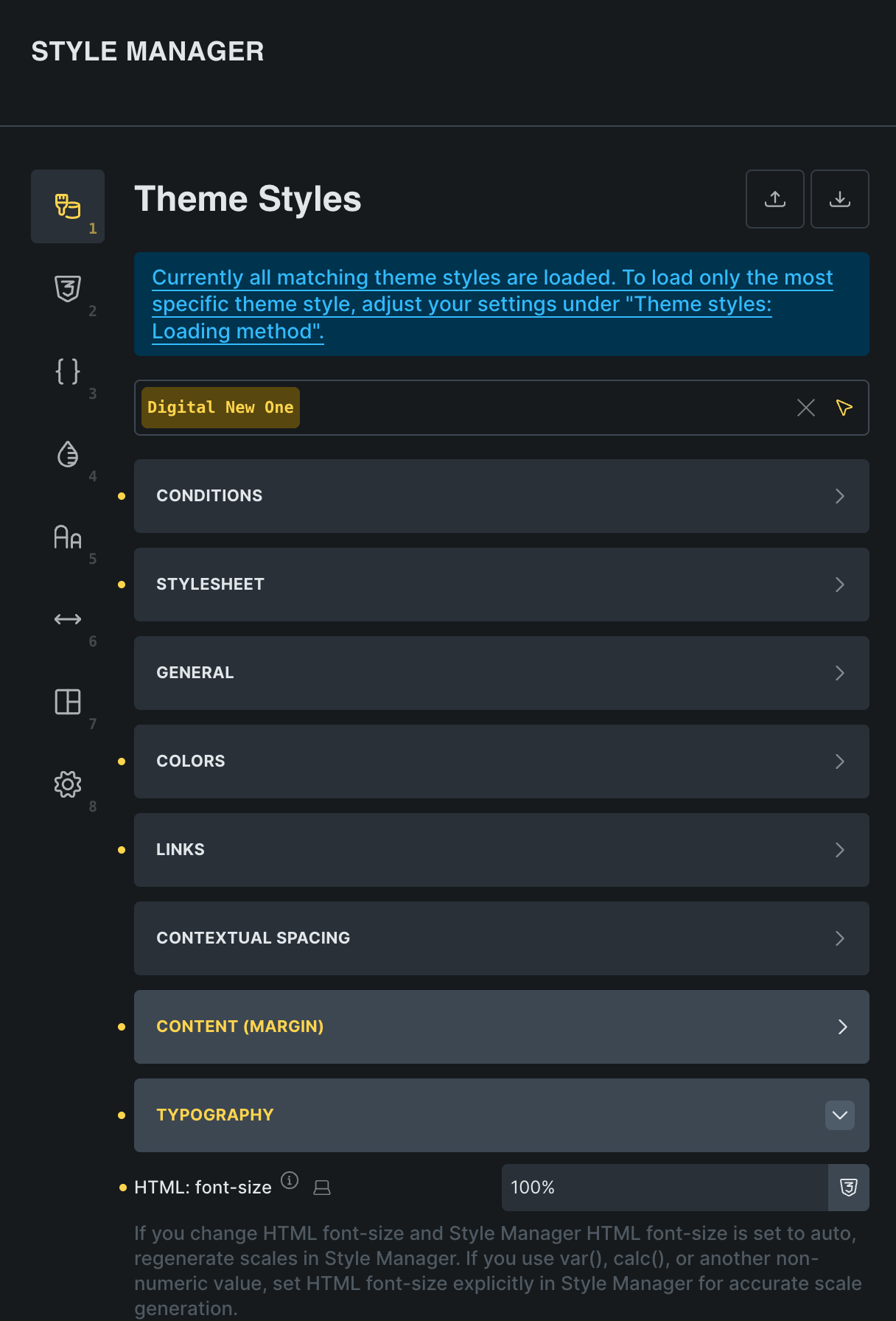
Where exactly did you change the font size, if not in the theme styles? Only in the style manager settings? If so, without a theme style, this only affects the calculations.
The theme style can only be “disabled” by removing its condition. In the builder itself, you will only see a “preview” of the theme style when you select i, but it will not be displayed in the front end, if there’s no condition applied: Theme Styles – Bricks Academy
If that doesn’t solve your problem, a video (preferably with voice) would be really helpful. 
this is a little confusing; I have a similar issue where I set it in the theme manager to be 100% (16px) - I use the calculated variable values for font sizes, spacing etc, so it’s a little strange that changing this setting in the style manager does not affect the actual render…. and it still is 62.5% in the debug console. weird!
Hi @strony_love , welcome to the forum!
I’m afraid I don’t quite understand… Could you please record a short screencast showing your settings in the theme styles, the style manager settings and the actual result/issue on the front end? Thanks!
I sent you a pm w/ the video link, thanks!
Thanks!
The html font size in the style manager settings is only used for the calculations. In order to make it work properly, you must (also) set the html font size in the theme styles » typography » HTML font size.
You can leave the style manager setting on “Theme styles (auto)” (it inherits the setting from the theme styles), regenerate your typography and spacing scales (by clicking generate variables again in both places) and it should work just fine 
I’m totally confused by this because it says “Style Manager value overrides theme styles.” under the “HTML font-size” heading of the Style Manager settings. If I have the theme style at 100% and set the Style Manger to 62.5%, the webpage still show 100%. If the them style is overridden, all fonts sized with rem values should appear to get smaller. but they don’t. v2.3.2
Update: I think the Style Manager settings are supposed to only be for Style Manager font variables and would not affect anything else? Is that right?
I still don’t see any affect on setting the Style Manager font-size scale from 100% to 62.5% with a Style Manager font variable, so I am still confused.
Yes, almost:
The “crucial” factor is the theme style settings, as these affect the front end. Ideally, the style manager settings should match these, because otherwise you’ll have fluid variables that are based on different base values.