Browser: Chrome 110 OS: macOS / Windows / Linux / etc. URL: Link to a page that illustrates this issue Video: Short screen recording that illustrates this issue (free tool: jam.dev)
I admit straigh away that I’m not an experienced page builder but this behaviour seems to completely defy reason. Tried to search for a similar topic but couldn’t find, sorry if this has been solved already.
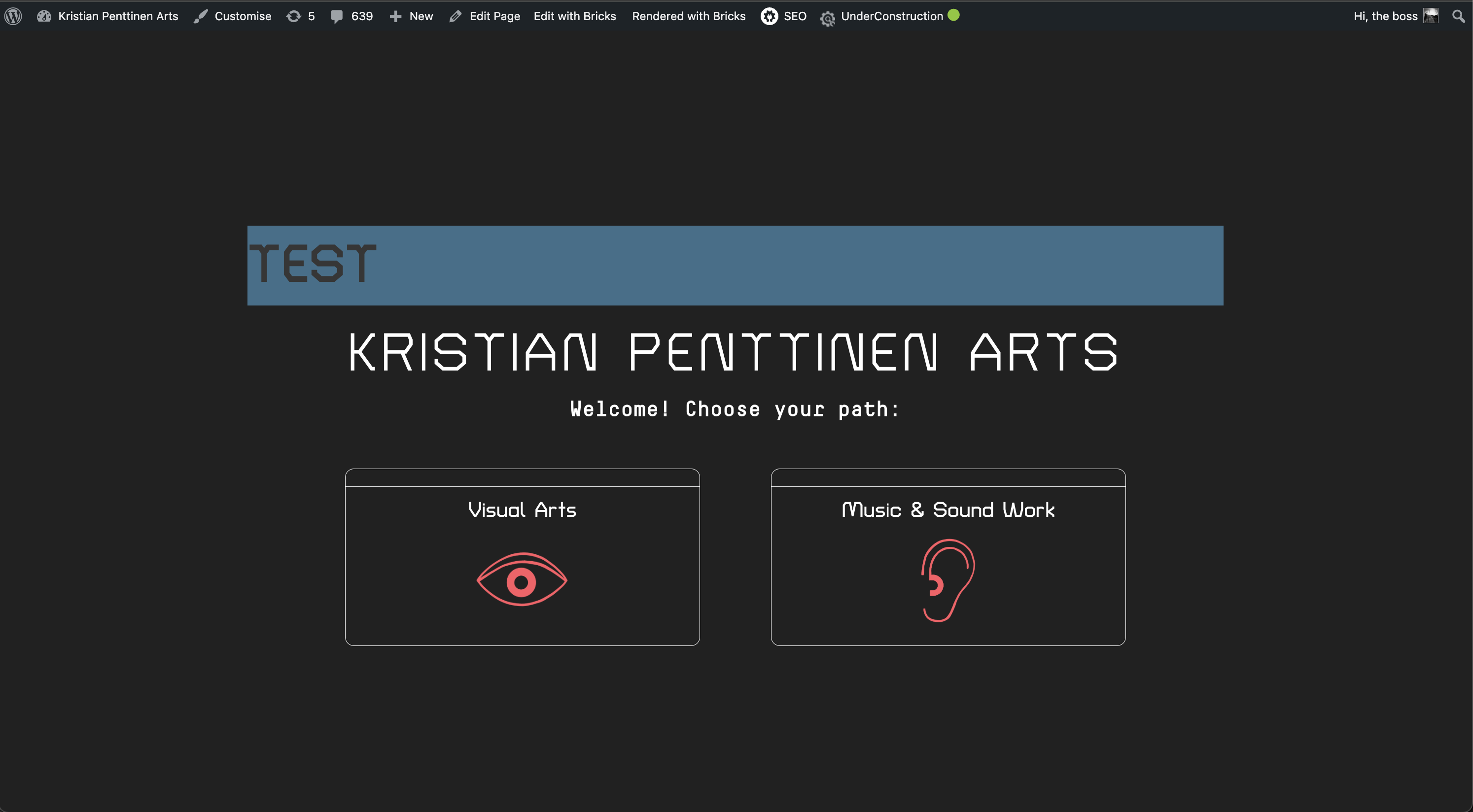
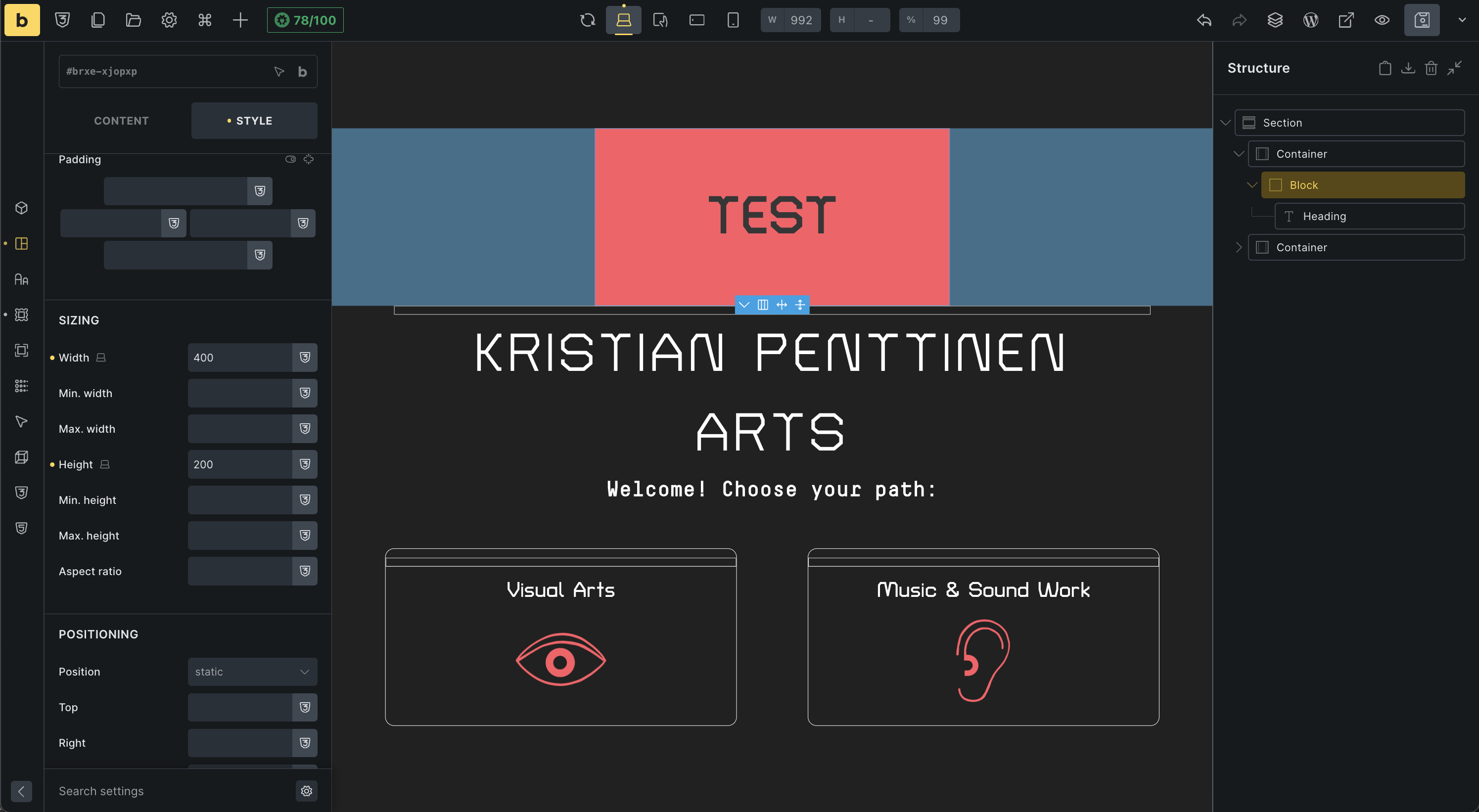
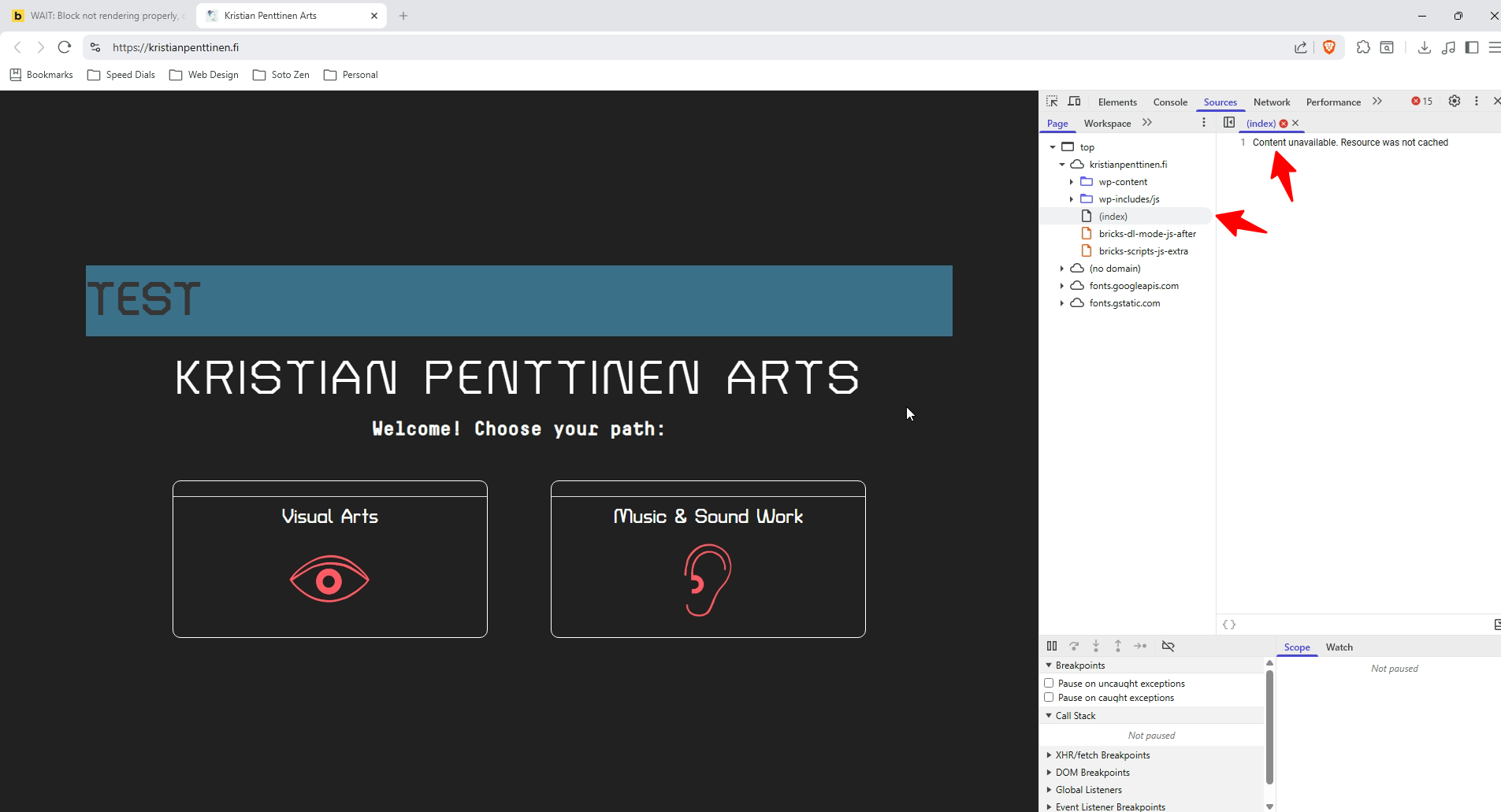
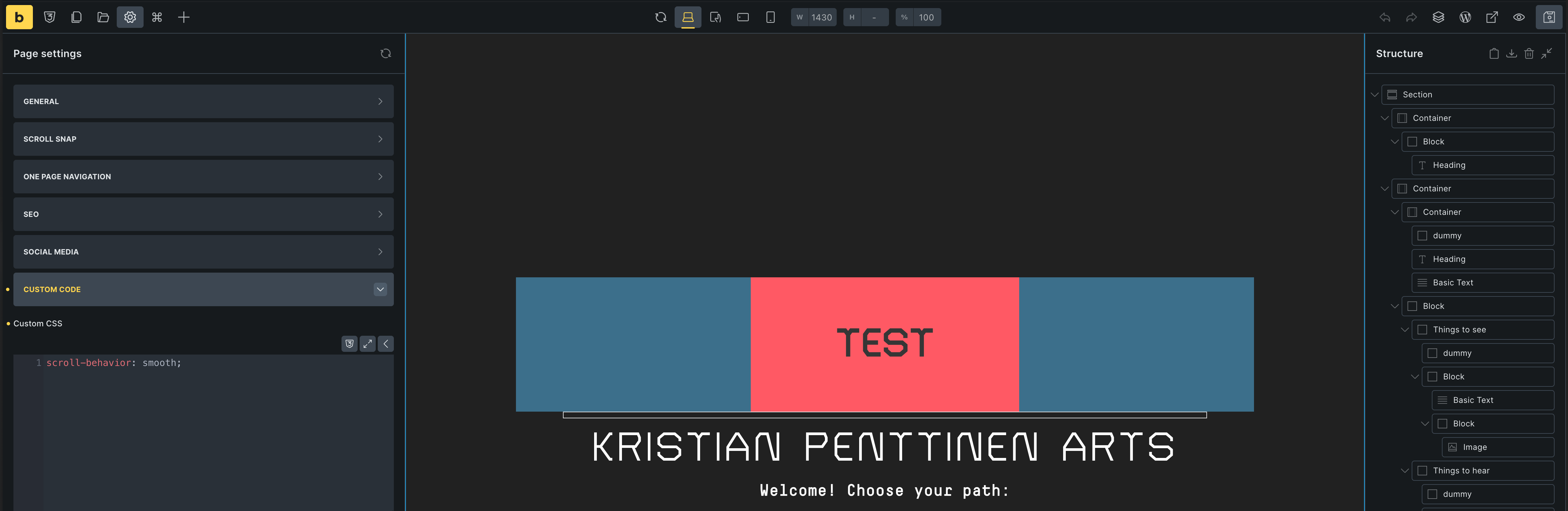
Problem: Sometimes blocks that I put in at the editor simply don’t show in frontend. In this example there’s a simple red block, 400x200 pixels containing a header wrapped in a default container with a blue background. Frontend shows the container, but forgets about the red block and it’s dimensions, leaving only the header. The container’s alignment settings seem to be going out the window too, since the block holding the header is supposed to be centered. See images.
Is there anything besides my stupidity that could be behind this? Any help is appreciated.
Hi pestian,
Welcome to the forum, and thanks so much for your report!
It’s hard to say what the problem is… Could you possibly provide us with a live link? If you don’t want to or can’t make it public, you are also welcome to send the access data and a link to this thread to help@bricksbuilder.io using the email address you used during the purchase.
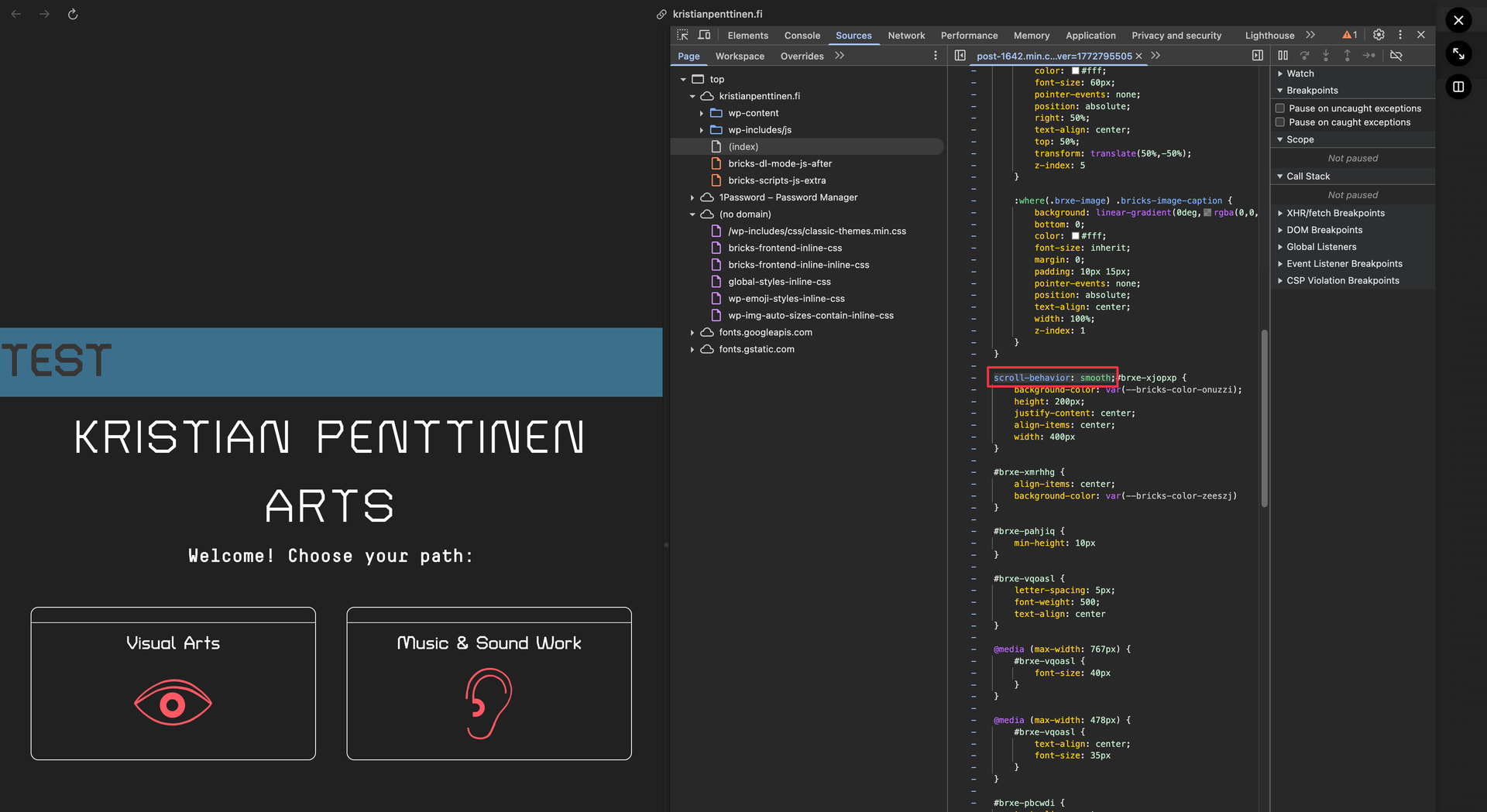
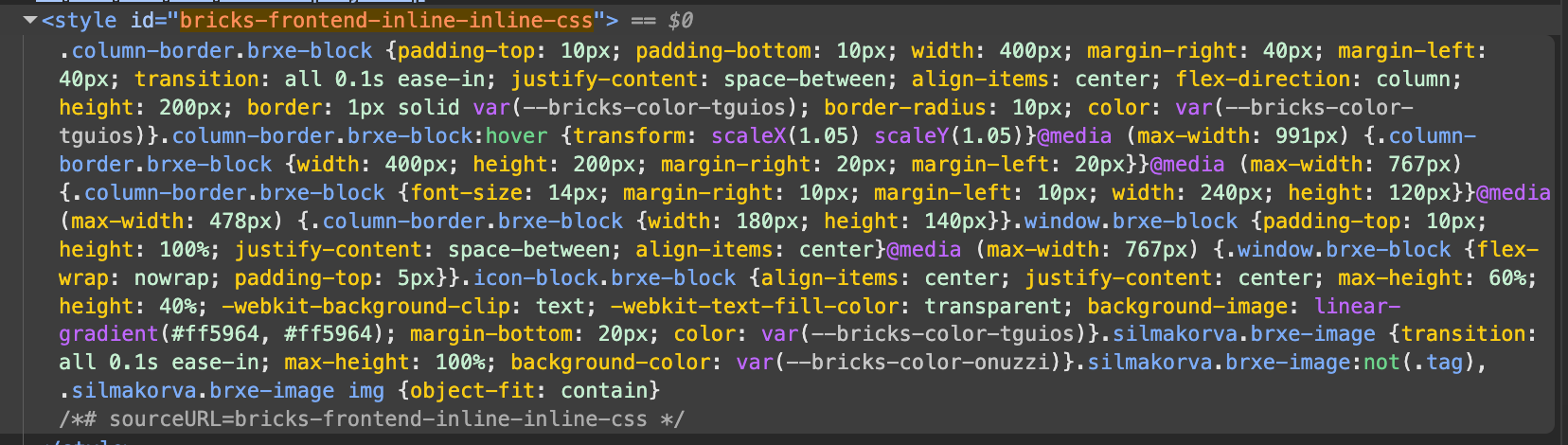
Looks like it’s because of the scroll-behavior: smooth that’s just “hanging around” in your styles, causing the following styles to break, as it’s not wrapped in a selector (which is invalid CSS).
Please check if you added it somewhere, most likely in custom CSS.
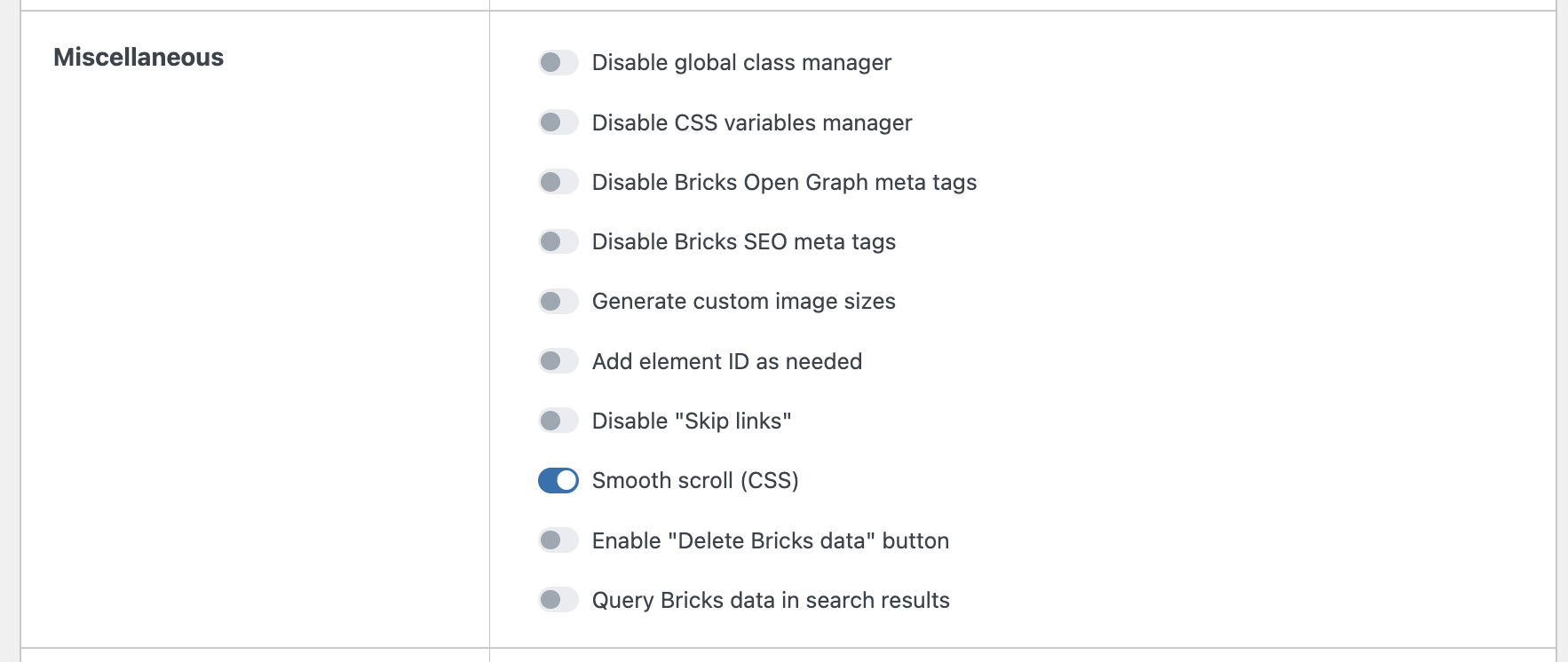
Looks like smooth scrolling is indeed enabled in Bricks settings under General / Miscellaneous. This was ticked because the two child pages have a scroll-to-anchor type of menu. I checked my custom CSS, there’s nothing about smooth scrolling there.
However, the problem seems to persist even after disabling smooth scroll from the settings. Weird.