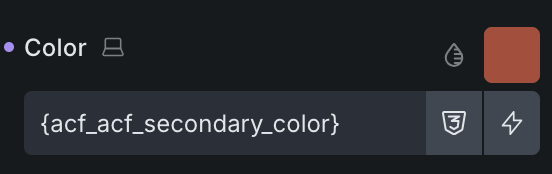
Hi!
- acf dynamic colour not being rendered on frontend in component
- shows correctly on backend
Hey @BricksLayer,
how can I replicate this issue? As you can see from the image below, it’s working for me in Builder, but also on the front end.
If you like, you can copy-paste the component, and I’ll test it with your example. Also, please let me know if I need to do anything else/different.
Thanks,
Matej
in the frontend it says
.brxe-ueefee[data-query-loop-index=“1”] {
color: unset;
}
If this doesn’t help I can send you a login to a demo. Where would Is end it to?
Ok, I see. This is something that we add.
Please, that would help a lot. If you can send a demo/staging and point me to the element with the issue, that would be wonderful.
You can send temporary login credentials to your website and a link to this topic to help@bricksbuilder.io using the email address you used during the purchase, and I’ll take a look.
Thank you,
Matej
Hi @BricksLayer ,
As per my email reply, your color is not working inside the loop (I corrected your title from “component” to “loop”) because you were trying to get the value in the wrong context.
Your field setup:
page_color
page_flexible_content
→ flexible_content_text
When looping the page_flexible_content, you were trying to output the page_color value, which is always empty because the looping context is the flexible row.
Regards,
Jenn