I just created my search content directly in the headers using the “search filter” element.
I placed an absolute block below the form with a maximum height of 400px and a scrollbar, all in CSS.
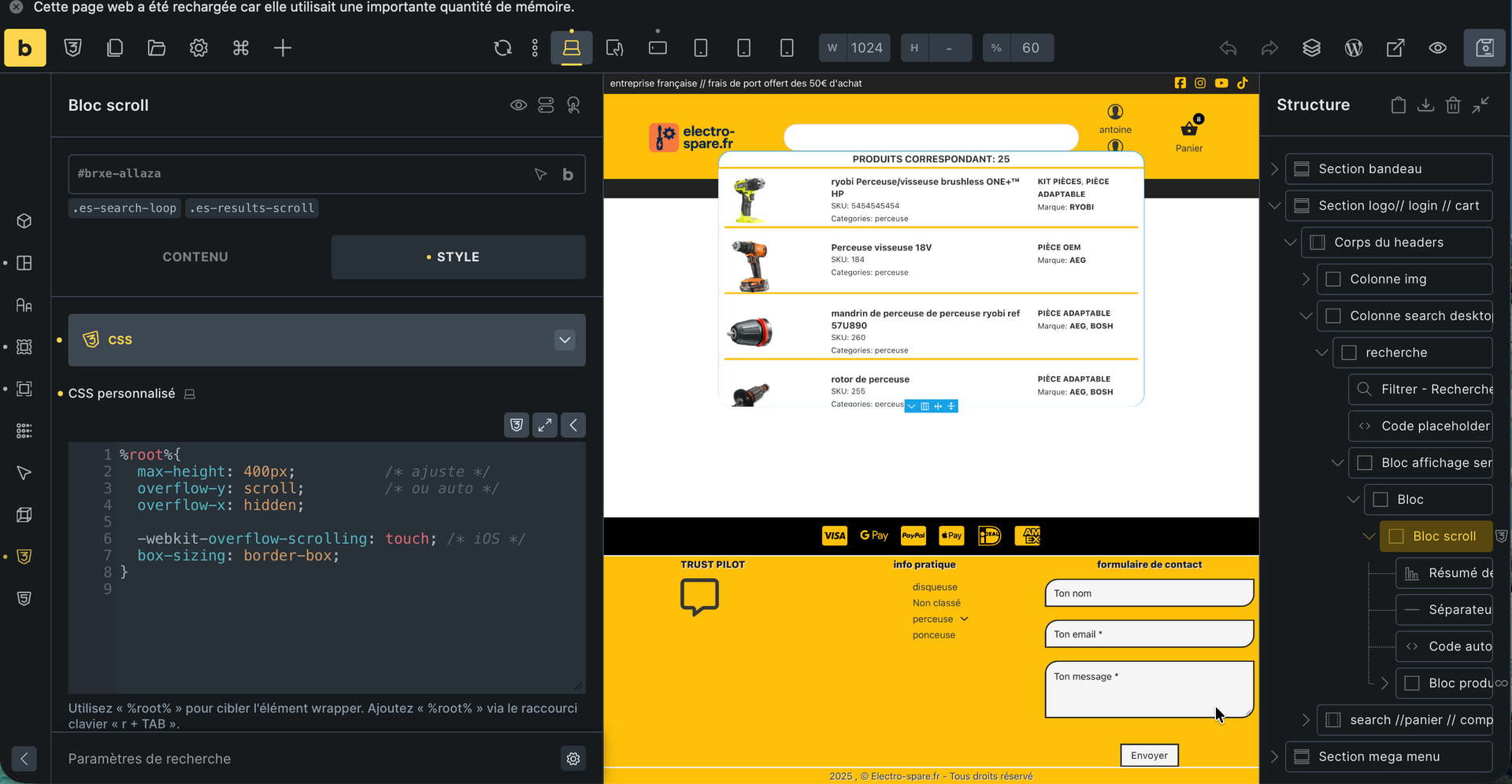
The problem is that the scrollbar isn’t displayed in a fixed position, and customizing it requires using CSS.
I would like it to be fixed to visually indicate to the user that they need to scroll to see everything.
I’ve thought of several ways to do this:
- A “scroll bar” element that places a bar within a container, block, or div using the content’s CSS class.
This element could allow you to position the scroll bar on the right, left, or bottom (like the columns in a table view on a phone), and also choose its width, shape (rounded or right corner), and color.
- An element identical to the existing “back to top” element, but this one would do the opposite: when content is scrollable, this element would display an arrow in absolute position indicating that you should scroll down.
Currently, to visually indicate that you should scroll, I’ve added a “summary of results,” but users have trouble reading it; they want icons and images…