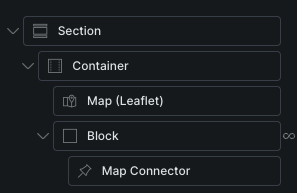
I’m trying to get a map working, but I’m having some trouble. My goal is to create a Custom Post Type where I can add individual branches, each with its own content. I’d then like to display these branches on a map as clickable markers (so that clicking a marker shows the content).
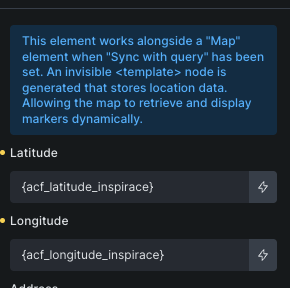
I’m adding coordinates for each branch using custom fields in ACF.
How can I display these branches on the map?
Is this possible with a Leaflet map as well, or can it only be done using the Google Maps API?
In ACF, I have for each post separate fields (numbers) for Latitude and Longitude. With this setup, it doesn’t work. However, if I add a Map element directly into the query block to the Map Connector, the points on the map appear, but the map is generated multiple times, with only one point on each map. Where am I making a mistake?
Any idea if the map connector / query sync for Leaflet maps is on the roadmap? I suppose I can’t switch to Leaflet if there’s no way to query for multiple locations (CPTs) on a page.