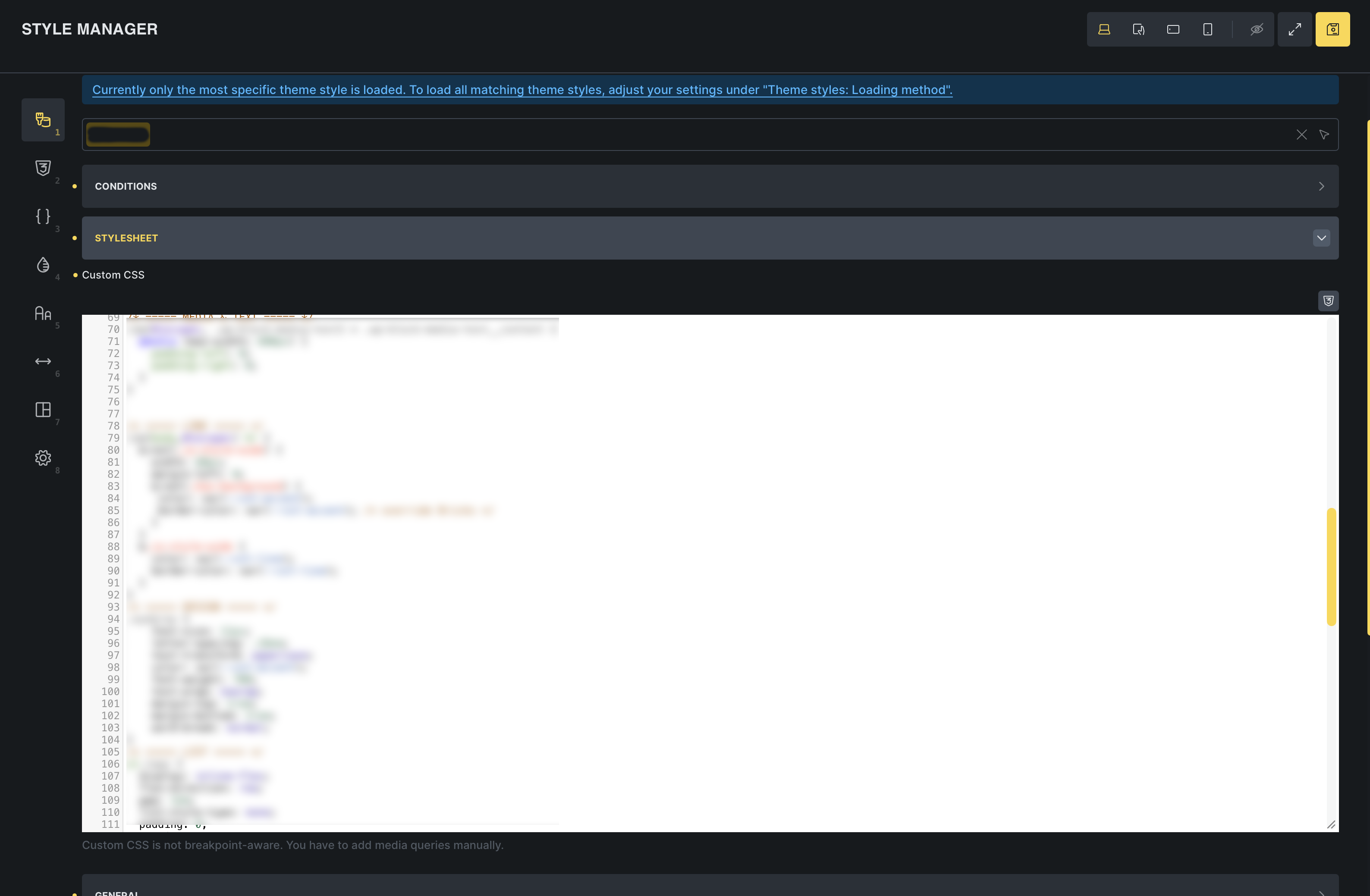
Recently, we got a convenient access to (theme specific) global CSS within the Builder, via Theme Styles > Stylesheet. A great improvement! Thank you.
However, the CSS editor is pretty small.
I’m aware I can vertically resize it, but it’s always initially displayed with a height of 200px.
And navigating to that editor requires several clicks.
It would be a fantastic improvement if we could have
a quicker access to the stylesheet CSS editor, e.g. with a button in the new 2.4 toolbars
a larger editor, from the start or with a convenient “zoom” button
I have used ai to write a plugin/give me the css code to modify the size of the appearance > customize > css editor. maybe that would work with bricks until they implement it app wide?
I don’t need AI to write a plugin for such a simple adaption.
We can make the stylesheet editor taller with a single line in Bricks > Settings > Builder > Builder Mode (Custom), like
However, I need to calm down about my other request, for the “quicker access”.
It’s exactly two clicks in Builder to open the stylesheet editor.
I am a bit too used to the great AT feature “Advanced CSS” that can be configured as a direct button in the Builder’s top bar.
Are you putting your global CSS in this area now, versus the child theme’s stylesheet? (I believe you and I had a past conversation in the FB group where we both talked about how we still prefer to just write all our CSS in one place). Just curious.
Hey Eric,
I’m trying to use the most convenient way to add/edit my custom CSS.
Until recently, I used the phenomenal AT feature “Advanced CSS” which allowed me to add CSS to Builder, Frontend, Gutenberg. However, that required to install AT in my client projects.
For my recent projects, I used the Theme Style > Stylesheet, and find it to be a pretty slick way to have my custom CSS. It’s integrated and accessible in the Builder, and doesn’t require a reload after every change. And “all in one place”, which I also like.
Child Theme css file requires a separate editor tool, and also a reload of the Builder on changes.
For a client project, it’s easier (after testing locally of course) to edit the Theme Styles Stylesheet, than to deploy a new version of the child theme.
Yeah that makes sense, definitely more convenient.
I always just had the child theme stylesheet open in a separate tab, but the save and refresh process was annoying, as well as the lack of any real code editor features.
There is part of me that always gets a little worried about data in Bricks disappearing if the json gets corrupted or something during the write process, which I suppose is my only hesitation.