Hello,
I’m using Bricks 2.3.8 and trying to use the native Instagram Feed element.
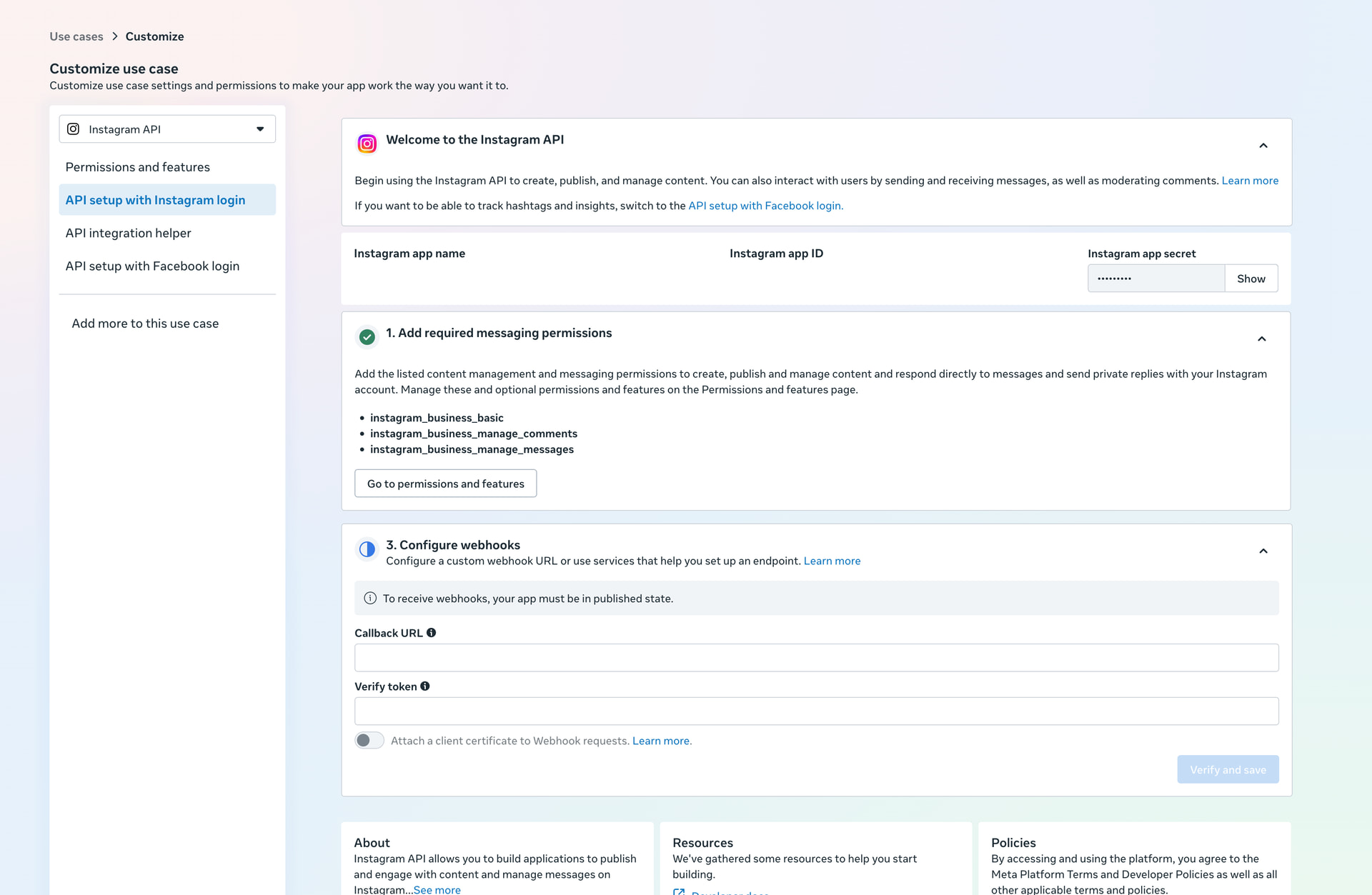
I followed your Instagram access token guide, but in Meta Developers the “API setup with Instagram login” page is missing Step 2 entirely. It jumps from:
- Add required messaging permissions
to:
- Configure webhooks
There is no “Add Instagram Account” or “Generate Access Token” section.
The app is connected to the verified Business Portfolio.
The Instagram account is public, Business, connected to the Business Portfolio, linked with the Facebook Page, and accepted as Instagram Tester.
The FB user has full access to both the Facebook Page and Instagram account.
The required permissions are all added and ready for testing:
instagram_business_basicinstagram_business_manage_commentsinstagram_business_manage_messages
The “Instagram app name” and “Instagram app ID” fields are also blank in Meta’s setup screen.
Is there an updated method to generate the access token for Bricks, or is this a known Meta dashboard issue?
