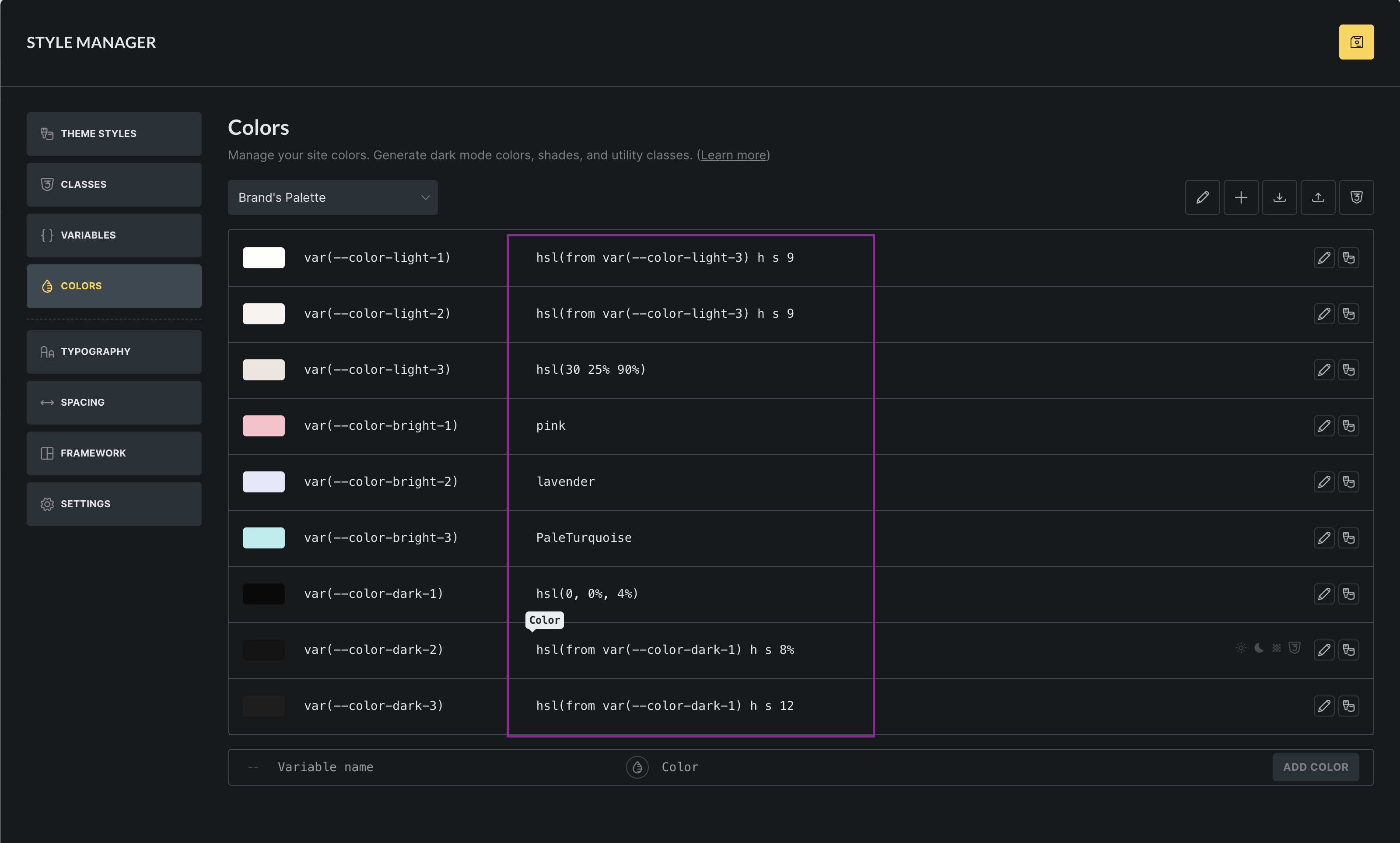
First of all, I love the Style Manager and the direction you’re taking it. The Colors panel in particular is already incredibly powerful for building proper design systems.
I’d like to suggest a small UX improvement that would make working with color systems (especially variable-based and relative colors) even faster.
The request
Allow inline editing of color values directly in the Colors view, instead of having to open each color in the edit modal.
In the screenshot attached (highlighted in purple), the values column already looks like an editable field, but it’s currently read-only. Being able to click and edit those values in place would make fine-tuning palettes much quicker.
Why this would be helpful
-
When working with relative colors (e.g.
hsl(from var(--color-dark-1) h s 90%)), I often need to:-
tweak lightness values
-
compare multiple related colors
-
make small iterative adjustments
-
-
Opening and closing the modal for each color slows this process down unnecessarily.
-
Inline editing would feel very natural here and aligns with how design-system tools typically behave.
This wouldn’t replace the modal (which is still useful), but would be a great power-user enhancement for those building structured color systems.
Thanks for considering it, and happy to clarify or expand if needed.
(Attaching screenshot for clarity.)