Hello, is it possible to have a url link directly to a nestable tab? Basically have it open when the page loads if a parameter is present in the url.
If anyone is interested, I managed to do this by adding the desired id (e.g. “#amsterdam-title” and “#amsterdam-content”) to the tab titles and panes and using the following script.
<script>
	jQuery(document).ready(function( $ ) {

    var hash = window.location.hash;

    if(hash && $(hash + '-title').length != 0){
      $( ".tab-title, .tab-pane" ).each(function() {
        $(this).removeClass('brx-open');
      });

    	$(hash + '-title').addClass('brx-open');
    	$(hash + '-content').addClass('brx-open');
    }

  });
</script>
2 Likes
Hi @Kyriakos
thank you
I don’t get it. I have 5 tabs with id’s #mytab-1 to 5 and content with id’s #mycontent-1 to 5
How do I get a url to open any of them?
If you want my script to work you have to name the ids the same way because the script looks for the “title” and “content” part in the id name.
e.g.
#mytab1-title
#mytab1-content
#mytab2-title
#mytab2-content
Thank you
I have changed the 5 TITLES(the div in which the text element with title name) and PANES to;
#mytab1-title
#mytab2-title
#mytab3-title
#mytab4-title
#mytab5-title
AND
#mytab1-content
#mytab2-content
#mytab3-content
#mytab4-content
#mytab5-content
What should the url then be?? Example: https://mysite.com/page/#mytab1-title
I have then added your code exactly as is and to run site-wide.
The url should be https://mysite.com/page/#mytab1
Hi
can it be that your script & solution do no longer work anymore in Bricks v1.8.3?
Thanks
Patric
Hi
in case somebody needs this…
It seems that with v1.8.3, when the page with the nested tab is loaded, the first nested tab that is opened by bricks per standard is not always closed by the script by removing the brx-open class.
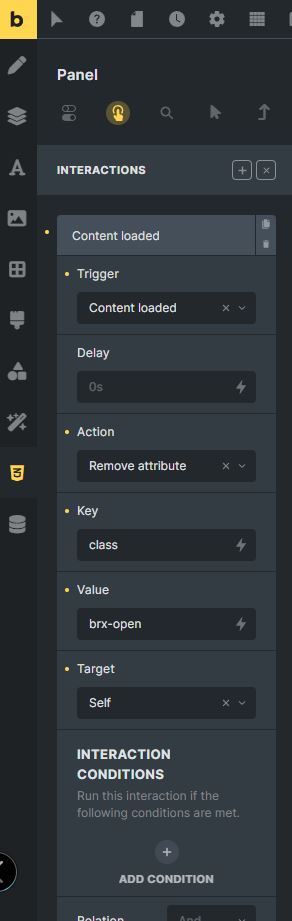
So I solved it by adding an interaction to the first tab that should NOT be open but that WAS always open despite the #-tag in the url.
Add an interaction like below to the Div (for the tab title) and to the Panel (for the tab content) for the TAB THAT SHOULD BE CLOSED WHEN THE PAGE IS LOADED VIA THE LINK.
The script above will still take care that the tab from the #url is opened, so at least for me, no other interactions were necessary.
Cheers
Patric
Hi
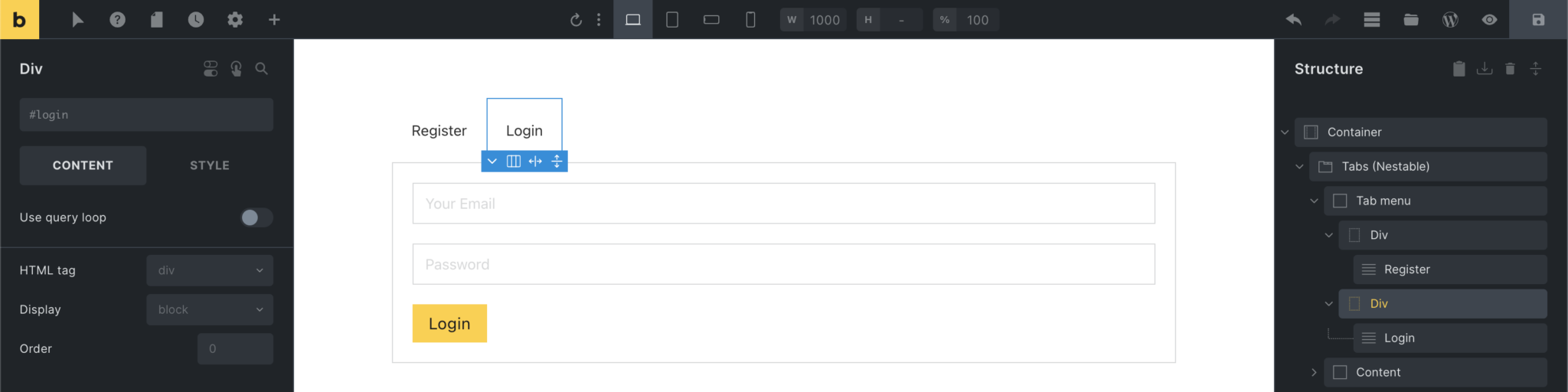
no with Bricks v1.8.6 this functionality is built-in and therefore this code etc. is no longer necessary.
It just works out of the box.
Cheers
Patric
Doesn’t work :
I tried using the new Nestable tabs and Accordion with anchor links. The problem is that they don’t work unless through a direct link in the browser’s address bar. If I call them through a link inserted as an element, they don’t work. For the setting, I put the ID including an # in the external link, so for example:
Div tab ID: #tab1
External connection link: #tab1
Has anyone managed to use them?
Good morning
it works for me.
I use a text link element, use “external url” and the link in the format
https://…site…/…page…/#…
as the link and it works without any problems. The page is loaded and the chosen tab is opened.
It also works if I chose “open in new tab” or not.
Cheers
Patric
Could you please share a screenshot or video of your setup with me? It appears to be the same setup I’m using, and it seems I’m not the only one encountering this problem.
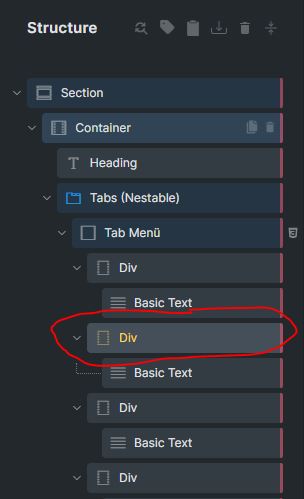
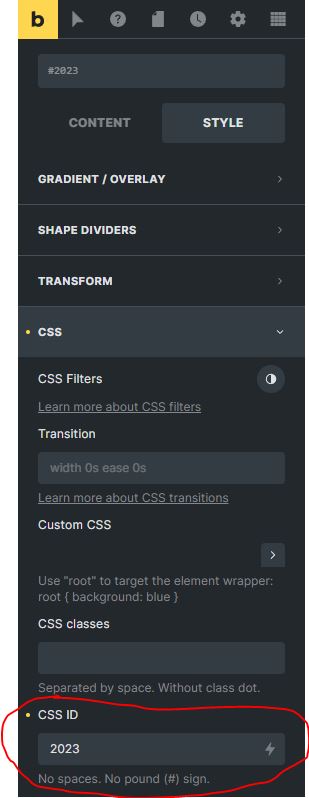
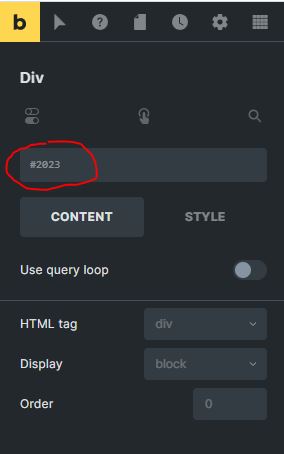
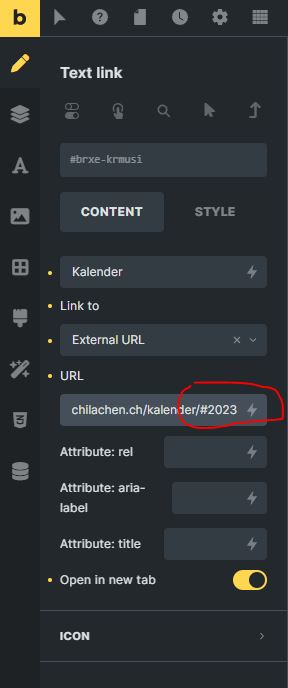
Ok, but does it function within the same browser tab, without having to ‘open in a new tab’? Because that’s the specific issue I’m facing.
The problem seems to be when the link element is on the same page. For example if you have a landing page with a table of contents at the top, you want to scroll to and open the relevant tab, doesn’t work.
It’s not clear from the release notes whether this is intentional or was overlooked.
Yes, it also works in the same browser tab. Does not make any difference. In my screen shot the “open in new tab” is only selected because I was testing if it also works in that way. And it does.
Hi Patric
Thanks. Yes hopefully it is possible and will be in the next update.
All the best
1 Like
Yeah, I quickly tested it and indeed it does not work if the text link is on the same page as the nestable tab to be opened.
Cheers
Patric
2 Likes
So do you confirm the bug ?