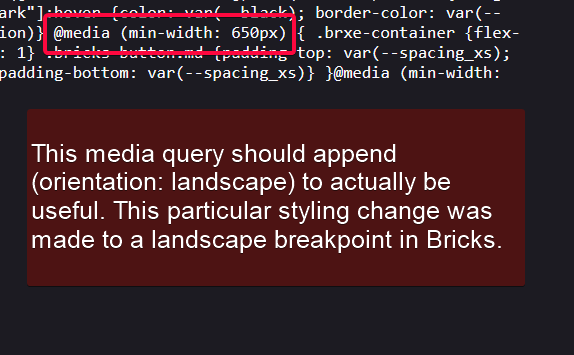
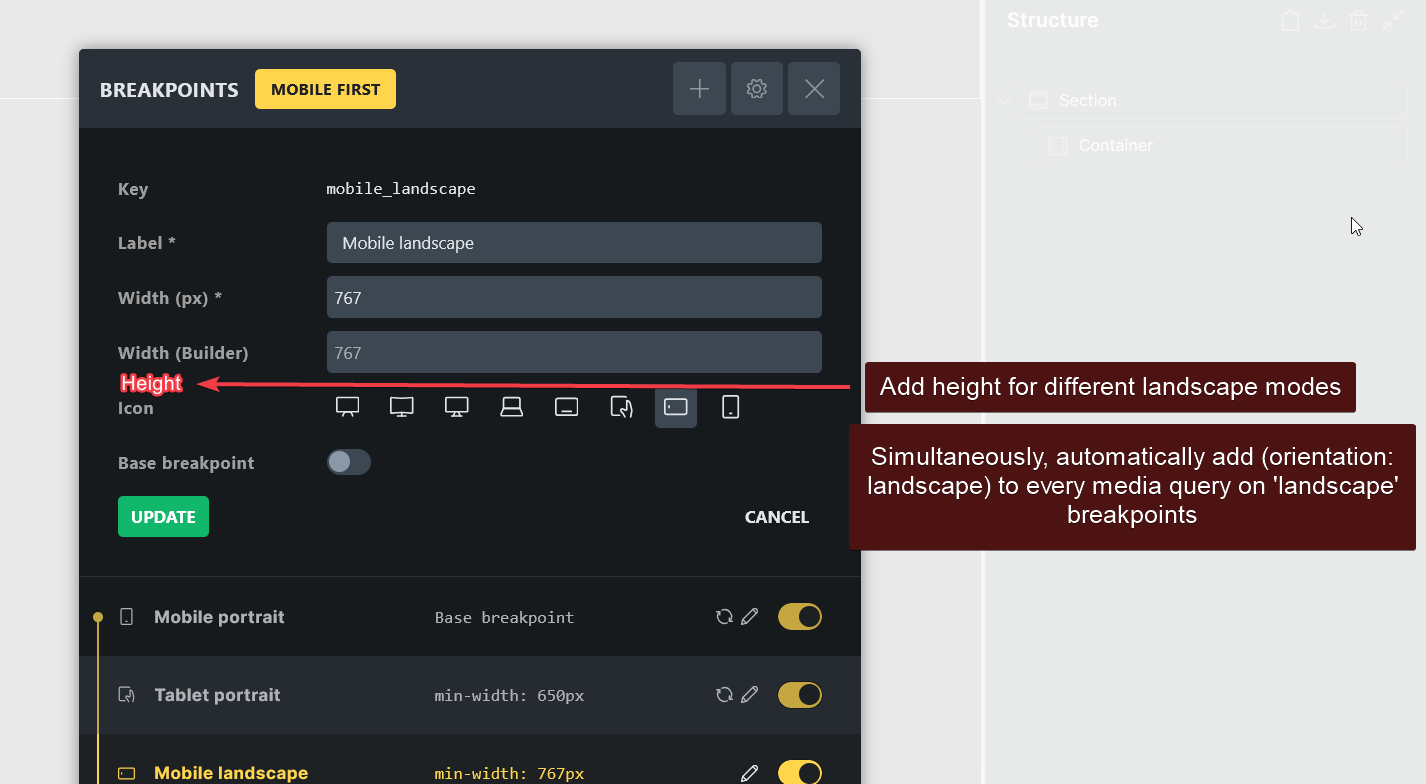
(orientation:landscape) is imperative in the final generated CSS with any landscape breakpoint @media query because merely giving max-width to determine if a breakpoint should be landscape is quite ineffective. Because without it, landscape breakpoints are essentially just another portrait breakpoint in disguise, and a malfunctioning one.
Just one example to prove it is, say mobile-landscape hits at 600px, and due to the limited screen height, I safely give a small element min-height: 100vh;.
But, I happen to have a tablet that has a innerWidth of 536px. So, the max-width styles assigned at mobile-landscape result in those little elements stretching all the down on the tablet in portrait as well.
I think this should give an idea of what I mean. This issue causes problems regardless of building desktop-first or mobile-first.
Secondly, landscape breakpoints should have an option to set the height in builder as well for making life a bit easier and to actually preview how it should look in builder. Maybe add an aspect-ratio option to go with the explicit max-width?
This was discussed again in the FB group and an approachable solution without cluttering the UI further is to just add an option to enable “Support for manual breakpoints” along with the existing “Custom breakpoints”. So, just a string would need to be passed in the breakpoint editor. Even a generous hook would suffice where one can target an existing in-builder breakpoint (via id, name or something) and pass a custom string instead like:
add_filter( 'bricks/define_breakpoint', 'my_mobile_landscape_breakpoint', 10, 2 );

function my_mobile_landscape_breakpoint( $media_query, $id ) {

 if ( 'edrfre' === $id ) {

 return '@media (max-height: 30rem) and (orientation: landscape)';

 }

 return $media_query;

}
Thanks for the detailed write-up and screenshots, and for the follow-up with the filter idea.
You’re right that the naming is misleading. In Bricks, “Mobile landscape” is simply the next step down in width (max-width: 767px by default). It doesn’t check orientation, and the icon is only a label. So a small tablet held upright falls into that range too, which is what you’re seeing with min-height: 100vh.
We looked into adding (orientation: landscape) to that breakpoint, but we don’t plan to change it. Here’s why:
Styles cascade by width. Mobile portrait inherits from mobile landscape. With an orientation check added, an upright phone would no longer get the landscape styles, so any styles it currently inherits from them would disappear on existing sites.
Orientation isn’t reliable on mobile. Browsers work out orientation from the visible area of the page, not from how the device is held. On many phones, opening the on-screen keyboard makes an upright phone report “landscape”, so layouts would change while someone fills in a form.
The builder preview would be misleading. The canvas only changes width, so its orientation depends on the height of your editor window rather than the device you’re previewing.
A filter that swaps in a custom media query has the same problem. Once a breakpoint isn’t purely width-based, Bricks can’t place it in the cascade or show inherited values correctly.
Workaround for now: use custom CSS on the element or class for these cases, for example:
This way the rule only targets short landscape screens and leaves your width breakpoints alone.
There’s a better long-term idea in here, though: conditions such as “landscape”, “short screen” or “reduced motion”, selected like a state and kept separate from width breakpoints. We’ve noted that as a possible feature.