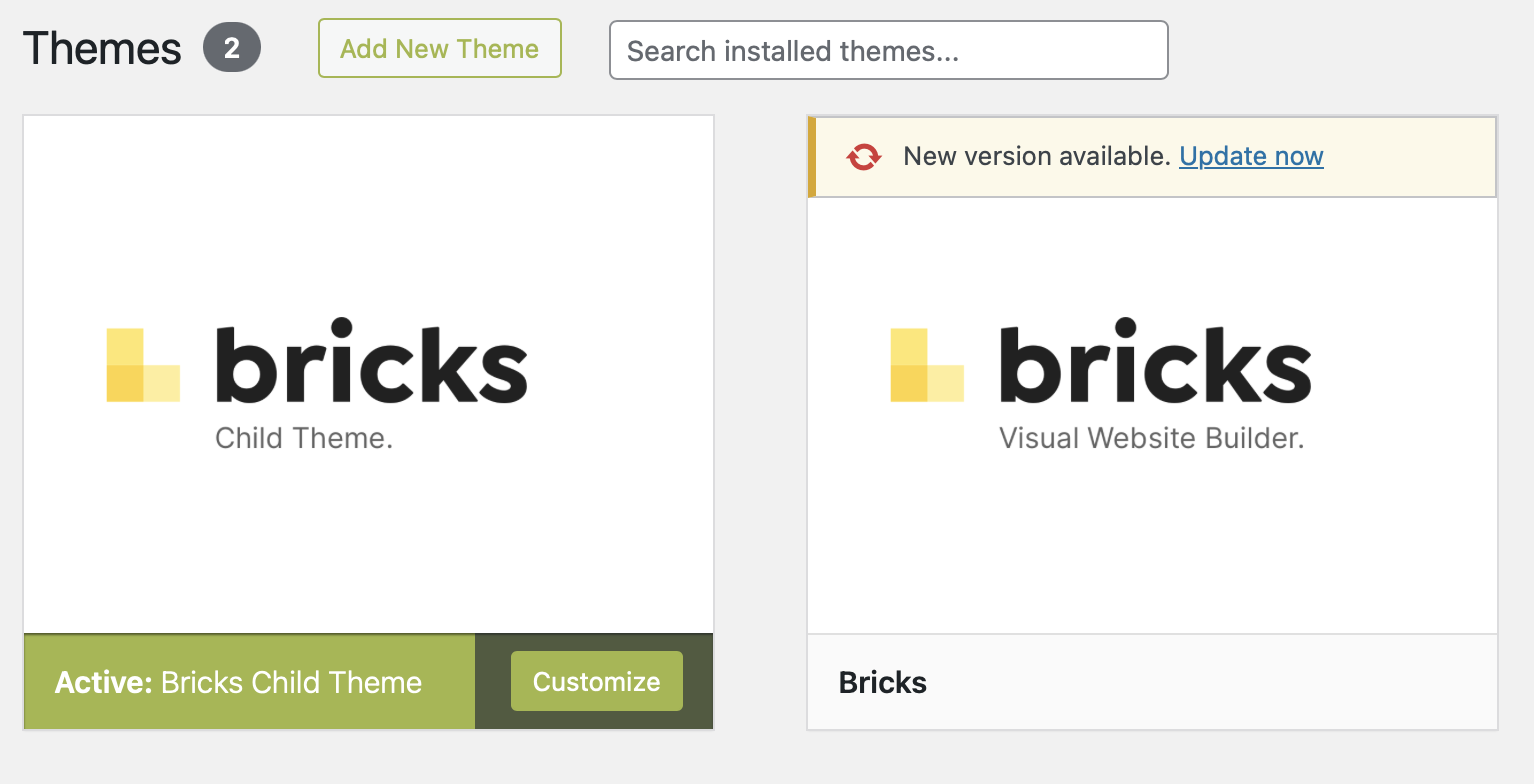
How do I properly update bricks builder?
Is there a tutorial for this?
For some reason I have two bricks builder themes installed, a “child theme” (whatever that is) and the builder itself. For the right one I can do an inplace-update.
My installed version is 1.9.5 and the version I could update to is 1.9.7.1
Is it safe to update?
What if my site does not work properly anymore after the update? How do I downgrade thereafter?
@bitbonk
The Bricks Builder Child Theme is a sub-theme that inherits the functionalities and style of the main theme. Child themes are a safe way to modify a WordPress theme without directly altering it. When the parent theme is updated, changes made to the child theme will be preserved and also applied to the updated version.
Ex: If you would add some functions to the parent themes function.php after a theme update the function.php would also get updated, so the code you added there would be updated, therefore wont work anymore. That’s where child themes come in handy. You can write any functions and have any stylesheets on a child theme, those wont be affected by an update to the parent theme.
I would say that it is safe to update, but definitely suggest to create a backup of your website before updating, in case anything goes wrong.
To downgrade there are many different ways. For example there is WP Rollback plugin that can rollback your themes and plugins.
Hope this helps!