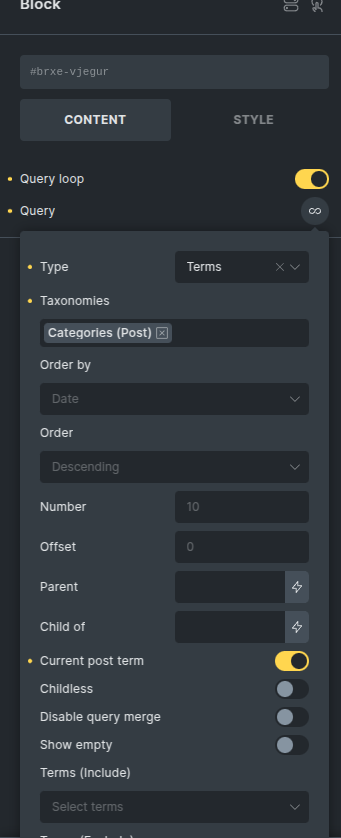
I am using {post_terms_category} in Bricks Builder to display the categories of a post. By default, it renders all assigned categories with links.
To display only one category, I used {post_terms_category:1}, which successfully shows only the first term. However, I encountered two issues:
- The category is displayed without a link to its archive page.
- A comma (“,”) is added at the end of the term.
I want to display only one category with a clickable link to its archive page and remove the trailing comma. How can I achieve this ?
I am using this in query loop and the element is meta data
Any help would be greatly appreciated!
To remove the comma, use {post_terms_category: :1}.
whre on earth are you finding this? I can’t find taxonomies anywhere. Been looking for the past hour. It doesn’t seem to exist for me
This option is within a query. So you need to check the query option for those options to appear.
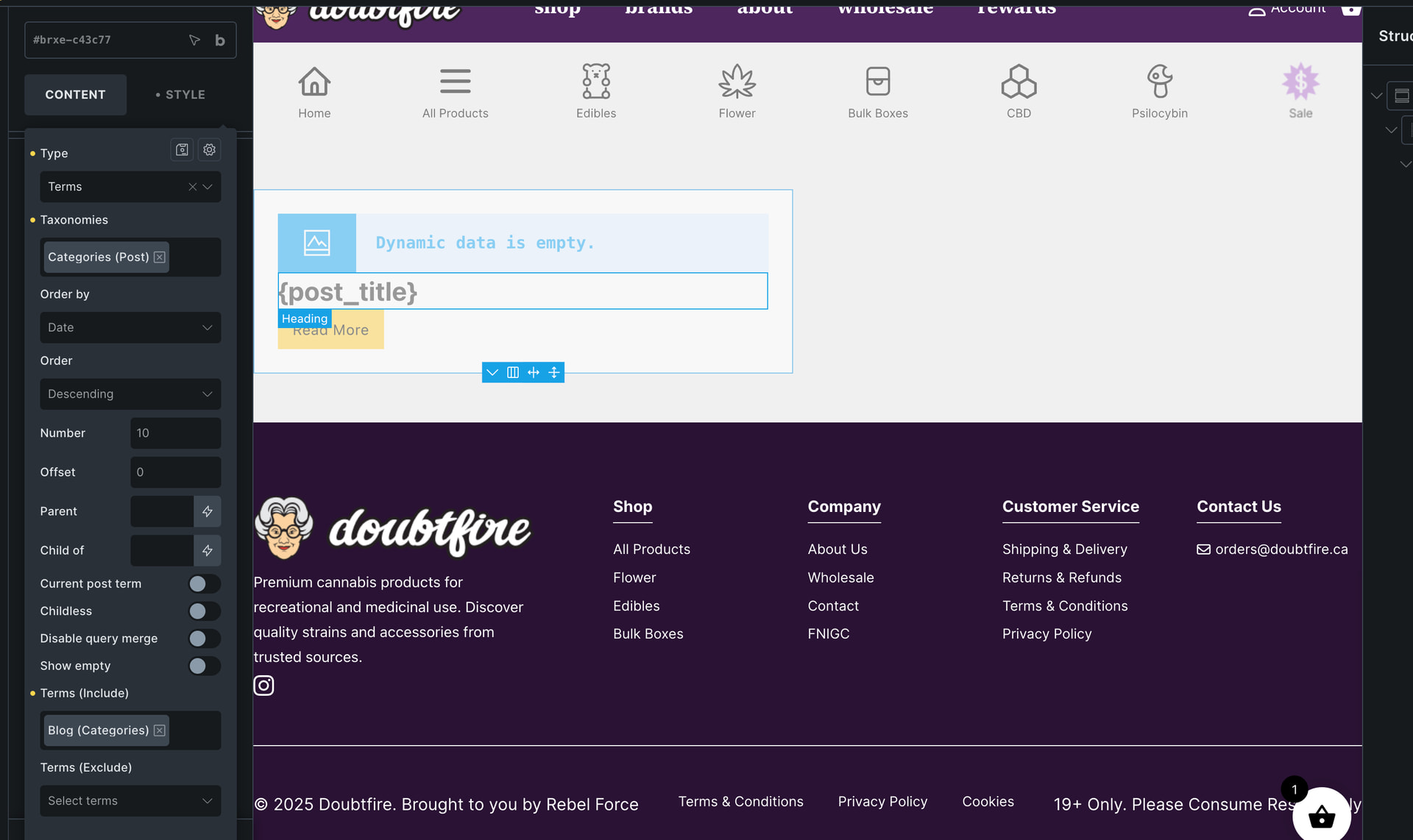
Where? When I use the query post option it’s non existent. When I use terms then category posts it’s there but it doesn’t work. I’m at a loss here.
as you can see it’s empty. Even though there is a post there. If i use just the posts option in the query loop it displays the post properly but also displays other posts I don’t want
Actually, I have changed my mind and not interested in helping you. Your other post to another Bricks user was out of line and I am not interested in helping such people.
what did I say that was out of line? I did say that bircks was kinda shit which is 100% is. I stand by that. but whatever, the issue was a bug. I deleted my page and started again and it worked. Cause yes bricks has a lot of bugs and issues sorry that offends you.
and to be fair it’s not bricks…. it’s more a wordpress thing. Bricks does the best it can using wordpress