How to create a search results template/page?

Hi! Please see subject. Thanks!

PS - Some related feedback:

One major issue with the Bricks Builder ecosystem is a lack of tutorials for this kind of thing. It’s not apparent how one would use Bricks for this use case. There is simply a “Search Results” template type, with no instructions on usage.

Apologies if this is actually online from Bricks and I just couldn’t find it.

1 Like

Hi, Working with the search template is no different from the Archive template

+1

I’m doing this right now.

Will post an update when I figure it out.

Almost nothing on YT (just a bunch of ‘live search’ guides) and the Bricks Academy is beyond useless, other than to say, ‘look - there are things you can do’.

Update:

  1. Add a Search (not ‘Search Filter’) element to a page & Save
  2. Create a new template of type ‘Search Results’
  3. Within that template go to Template Settings > Conditions > set as Search Results
  4. On that page, create a query loop and style it however you’d like your search results to look
  5. Add a Pagination element if you don’t want to have an endless scroll of results
  6. Add a Code element to display a dynamic title (see below - might be easier way, otherwise kudos to 1. Patric)
  7. Style the rest of the page as you’d like!

Dynamic heading code:

<?php
echo '<h4 class="title">' . esc_html__( 'Results for: "', 'bricks' ) . get_search_query() .'"</h4>';
?>

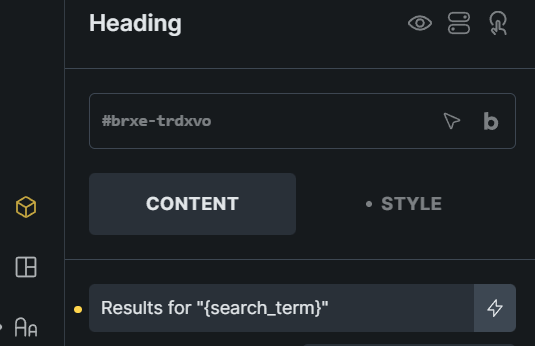
Better option use just {search_term} than custom code.
{search_term} Outputs current search term and {post_title} outputs current category. Use conditions to use the same template for archives and search. I think its cleaner that way.

Also use {query_results_count_filter:41a0ab} “41a0ab“ its your element id that hold de query, to ouput the number or results ajax.

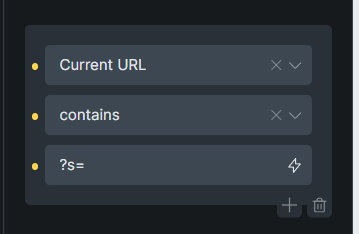
Condition to show title on search

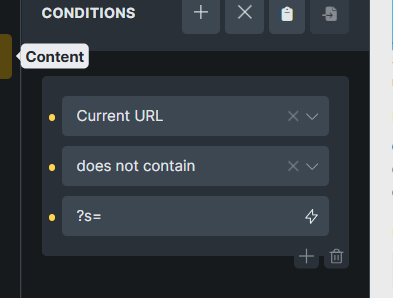
Condition to show category name and not search term.

Hope this helps :grin:

1 Like

Yep, you’re right on replacing the code with the heading - I’d hoped there was a way to do this but couldn’t easily find it. Thanks, this is exactly what I was looking for!
I’m not sure I understand the second part of what you’ve provided?

EG: What element is this? Where should it be applied, etc?