Browser: Chrome 110
OS: macOS / Windows / Linux / etc.
URL: Link to a page that illustrates this issue
Video: Short screen recording that illustrates this issue (free tool: jam.dev)
Hi,
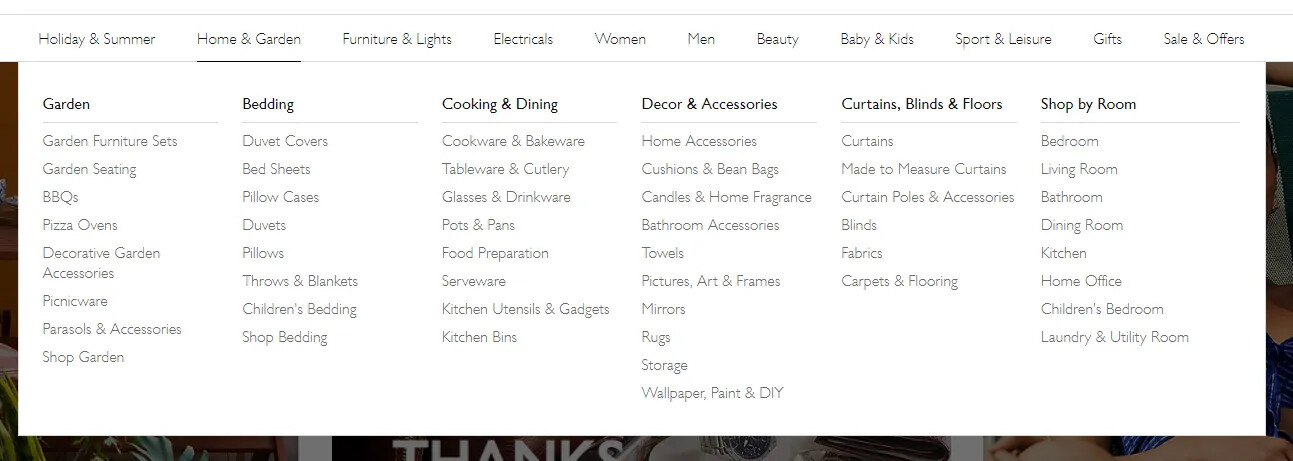
Mega menu is not working with wordpress menu see below
Browser: Chrome 110
OS: macOS / Windows / Linux / etc.
URL: Link to a page that illustrates this issue
Video: Short screen recording that illustrates this issue (free tool: jam.dev)
Hi,
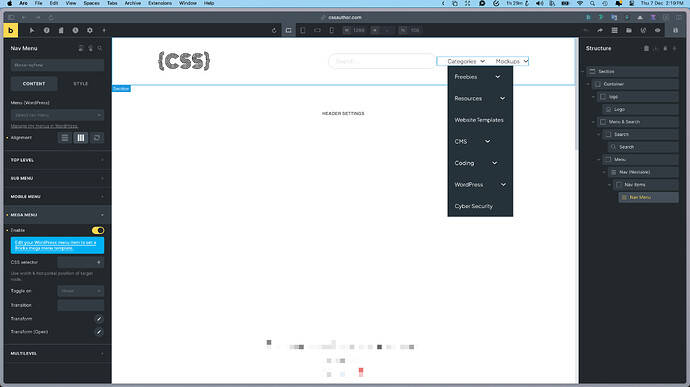
Mega menu is not working with wordpress menu see below
Hi Arun,
Thanks so much for your report!
Can you please adjust the version number of your report? The nav nestable menu was introduced in Bricks 1.8, so 1.7.3 can’t be right 
Also, your report does not contain any information about what is not working for you and what your goal is. Can you please describe your problem much more precisely?
The setup itself makes no sense to me, so I need a lot more information 
Best regards,
timmse
yeah i updated the version. im looking for something like this with the Wordpress menu and bricks mega menu builder. is it possible ?
Hi,
Ok, so this is more of a how-to question than a bug report, right? I’ll move the thread to the right category
Please have a look at this video and the Academy article - you should find all the information you need there:
I’m looking for the same solution - the video is great, but it ONLY applies to menus that I create within BrickBuilder, i.e. I “hardcode” field names, links, etc. This way, the client has no chance to edit the menu other than by editing the template again, which most people don’t want. The question was how to make a submenu using a WordPress menu, i.e. a menu that I have in the administration in the Appearance - Menu menu, which can be edited. The only solution I found is to create a template for individual mega menus and assign them to the menu, but for me it’s unnecessarily complicated. It would be good if Navive menus could also be solved within the WordPress menu.
This is explained in the Academy article I linked to in my previous reply:
That’s how it works, but what’s complicated about it? You can freely fill the Mega menu templates with elements, including the regular nav menu element, which can be customized within WordPress as usual.