Suppose we have a parent category called “Mobile,” which includes subcategories for Samsung and Apple. A user is currently on the product page for the iPhone 18. I want to include a “Similar Products” button that, when clicked, allows the user to view other Apple products. If the user is on the Samsung S26 Ultra product page, this same button should take them to the Samsung category.
You can build this with a Terms query loop in your single product template:
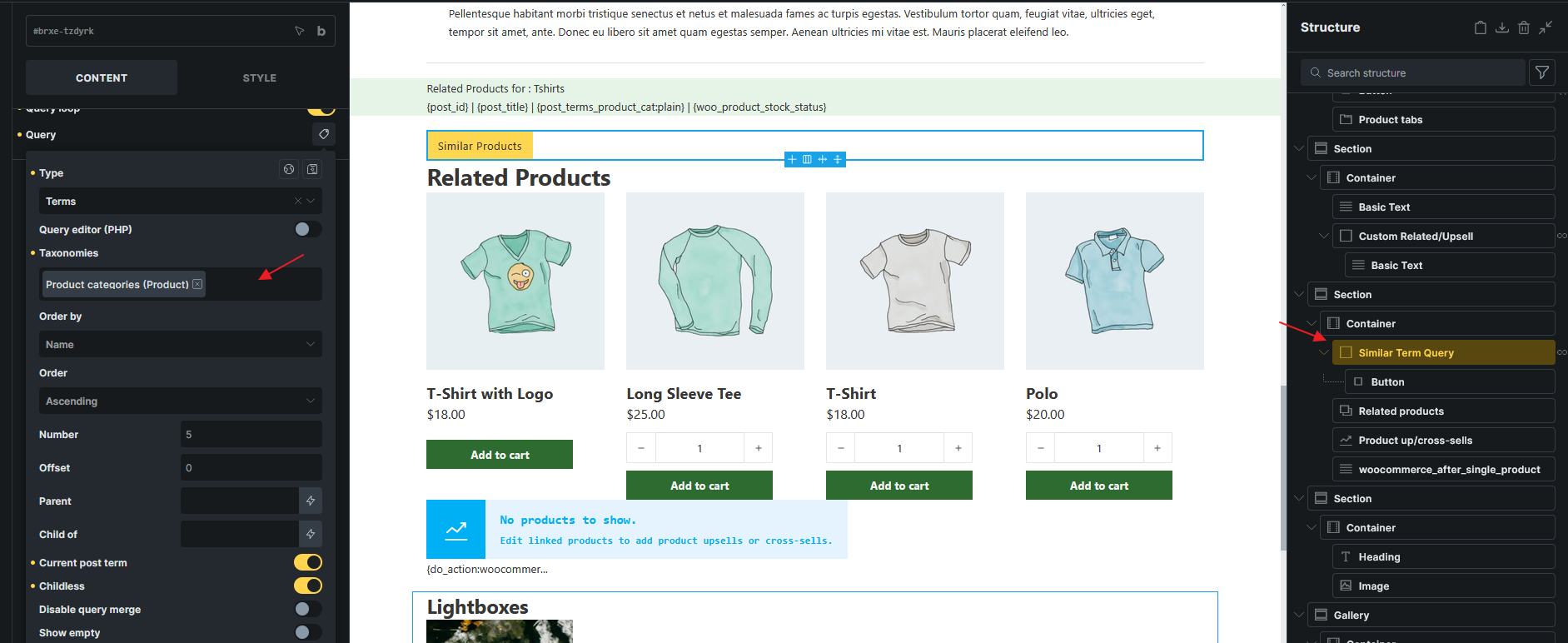
Add a Block and enable its query loop. Set the query type to Terms and the taxonomy to Product Categories.
Enable Current post term so it only returns categories assigned to the current product.
Set Parent to the term ID of your Mobile category. This restricts the results to its direct children, such as Apple and Samsung.
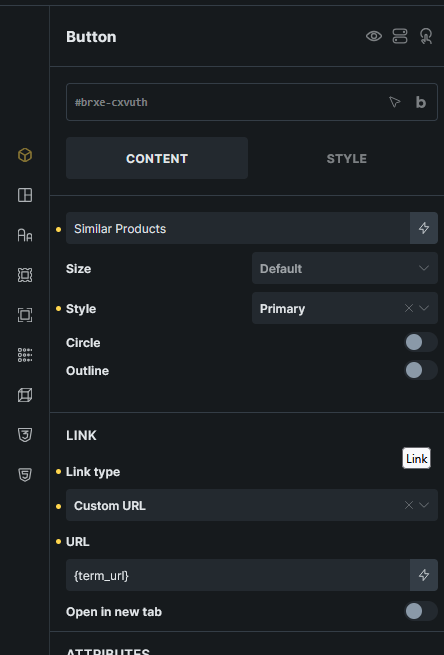
Inside the Block, add a Button labelled “Similar Products”. Set its link to Dynamic Data {term_url}.
If each product is assigned to one of those child categories, this produces one button linking to Apple or Samsung automatically. If a product belongs to several matching child categories, it produces a button for each; which category should take priority in that situation?
I’m not sure if I’ve understood you correctly. On the product page, I have a loop query for related products. The “More Related Products” button is placed outside this loop, and I attempted to create a dynamic link using {site_url}/product-category/{post_terms_product_cat::slug:plain}. However, the issue is that the resulting link combines the parent and child category slugs, which leads to a 404 error.
The code below works well. I’m not sure if there is a similar solution in Bricks.