Hi,
It would be a lot more convenient if selected element in structure panel was more visible, like what Sridhar proposes here: Custom Keyboard Shortcuts in Bricks | Tutorial
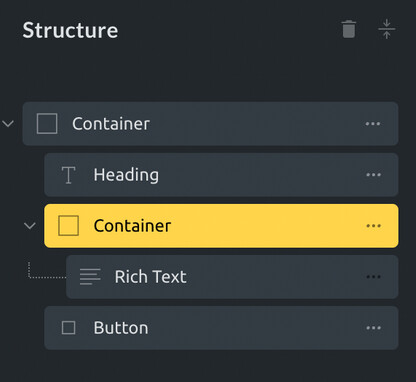
Hi,
It would be a lot more convenient if selected element in structure panel was more visible, like what Sridhar proposes here: Custom Keyboard Shortcuts in Bricks | Tutorial
Thanks for sharing this tutorial. I added this css into Bricks Settings → Builder Mode (Custom). Looks great!
@yankiara Any idea how can I enqueue the shortcuts js file in builder area only? I don’t want to use a plugin for it.
You can use functions.php file from Bricks child theme to include custom code without a plugin.
@yankiara Yes but I just wanted to enqueue this js script on Bricks builder and not on frontend.
Yes, just use the right condition to include the script only in builder, like testing if “?bricks=” string is found in URL, for instance.
OxyUltimate/ZiUltimate developer helped me with the right code to get this working.
add_action( 'wp_enqueue_scripts', function() {
    if ( bricks_is_builder() ) {
        wp_enqueue_script( 'HANDLERNAME', "YOURJS FILE PATH", [], 'VERSION', true );
    }
});
Didn’t know this function, good to know, thanks!
Works nicely except the clone command. Control + D conflict with bookmark shortcut in Edge. I changed the key to various other keys but cloning not happening. I wonder why