Hide the blue selection outline in the builder

Hello!

I’d love an option to temporarily hide or reduce the blue selection outline in the builder.

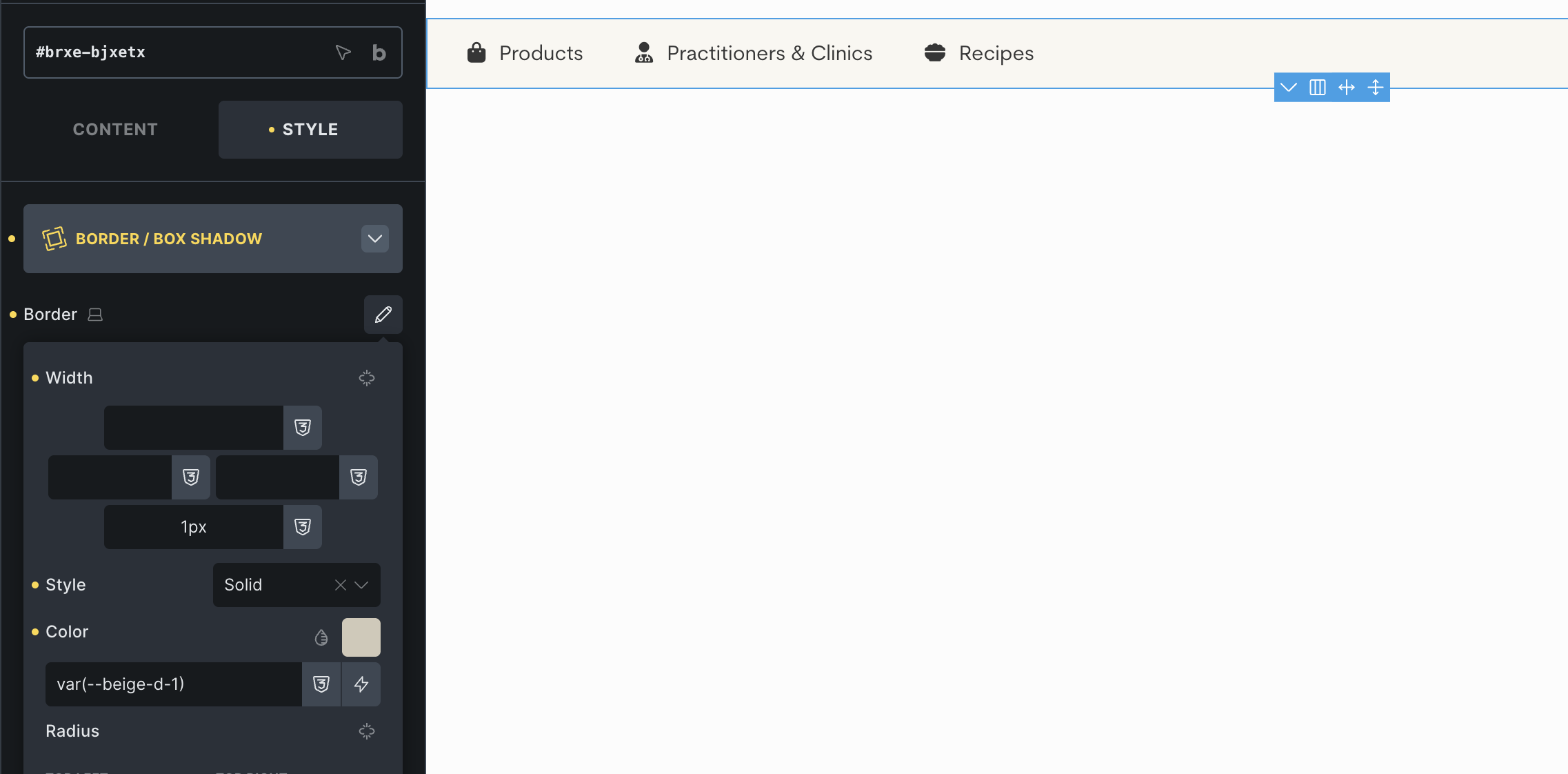
Right now, when styling borders, the blue active-element outline sits directly on top of the actual border, which makes it impossible to preview border colors accurately without constantly switching in and out of preview mode.

As you can see I’m trying to style a beige border, but it looks blue.

A toggle for the selection highlight would make visual styling a lot easier :slight_smile:

Thanks
Alessandro

Hi Alessandro,
Welcome to the forum!

We need to see if this is a real problem for many users.

For now, you could create a custom class and add/remove it, if the outline is in the way.
I just added this to my theme styles » stylesheet CSS, and it works fine as far as I can see.
.hide-outline {
 &.bricks-draggable-item.is-active-element, 
  &[data-id][data-script-id].is-active-element {
    outline: none !important;
  }
}
1 Like

hi @timmse

Thanks, this works nicely as a temporary workaround!

I still hope for a built-in toggle, but this definitely helps for now :slight_smile:

Thank you

1 Like