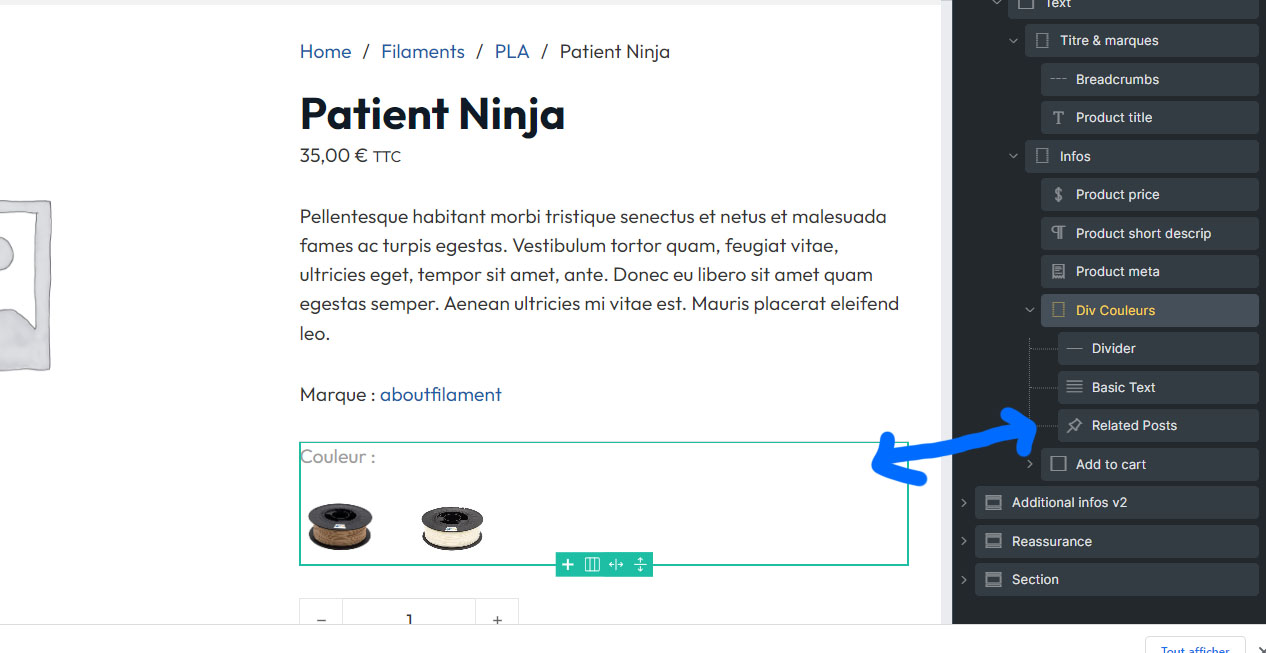
On my single product page, I’ve a div that contains the elements “related posts” and “basic text”.
The “related posts” is a query loop that shows Woocommerce products in a similar category.
How can I hide the div completely if the query returns no products? (It’s about hiding the “Basic text” element as well).
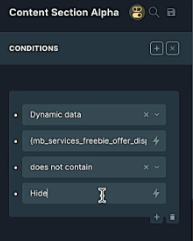
I don’t know if this will help or not, but here is an example from a video (from a membership site).
In this example it is using custom fields to inject dynamic data, and the developer has put “show” and “hide” as radio button options in the custom fields, so that if the user sets a dynamic data entry to “hide,” the entire section will not appear.
Your situation is different as you would seem to need to identify all of your product images with something the condition could look for, and not show the container if that “something” does not appear.
(“hide” here is not a command to hide, but a data field selected by the user that does or does not appear)
I wish we could do the same without the need to hunt down the element’s ID though. It would be nice if we could achieve the same condition via the Conditions Bricks UI by using the dynamic data dropdown and selecting one the ACF repeater fields that we know that if it is empty, then the section, block, div should not render.