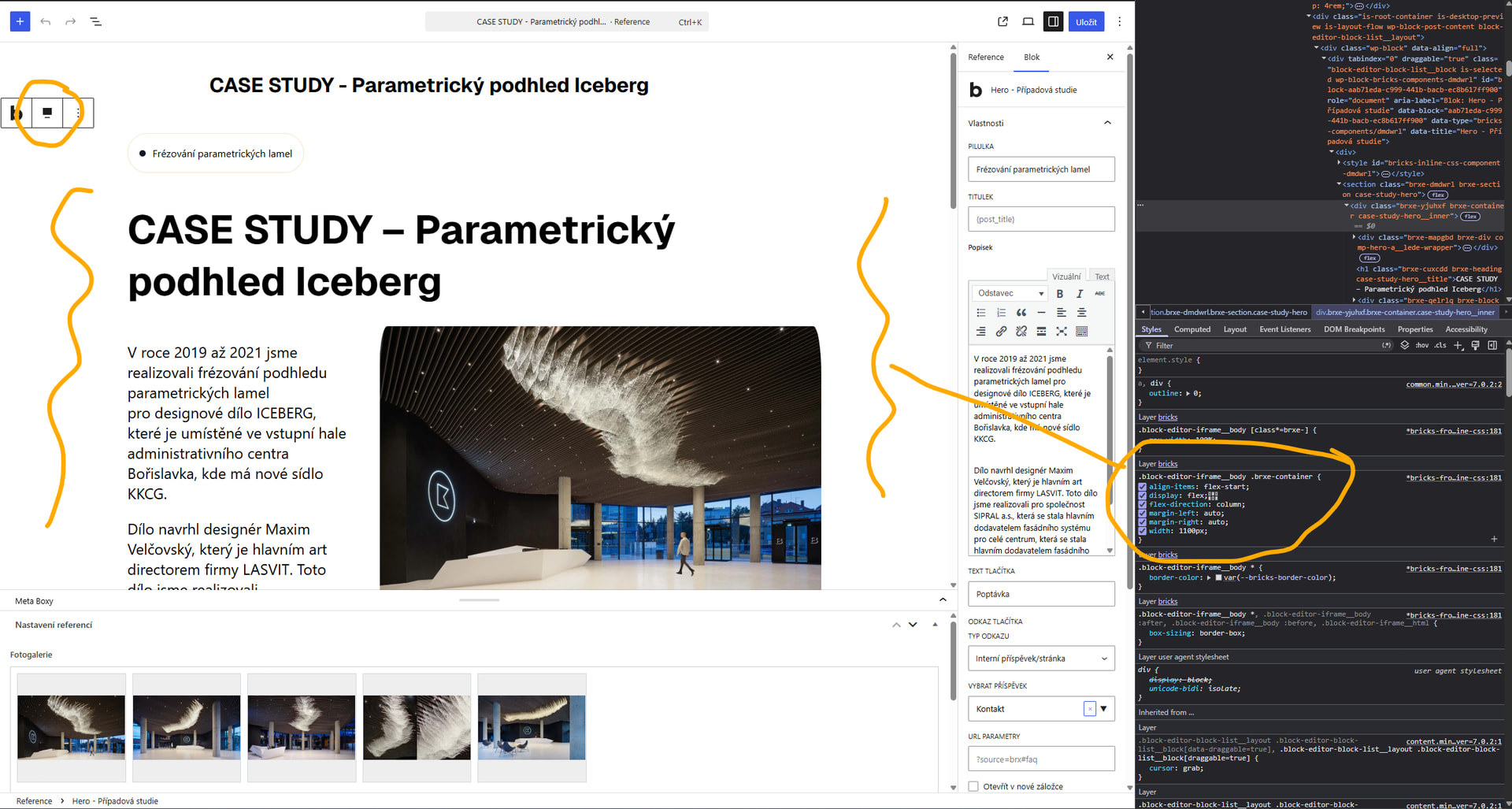
I am using component sections in Gutenberg editor and I am not sure, how to make editor really fullwidth. I can see that it uses 1100px an I have no idea, where to change it to use the same max-width as frontend.
The 1100px you see is most likely the Bricks Container width, not the Gutenberg full-width setting. The Gutenberg Full width alignment wraps the whole section in a div and adds a class of alignfull ; it does not override the width set inside the Bricks component on the container.
Convert the container to a block, for example, and it’ll probably work. If there’s no full-width alignment, it will still be contained within the Gutenberg content width.
Alternatively, add this to Bricks » Settings » Custom CSS: