As described here: SOLVED: Beta bugs and problems
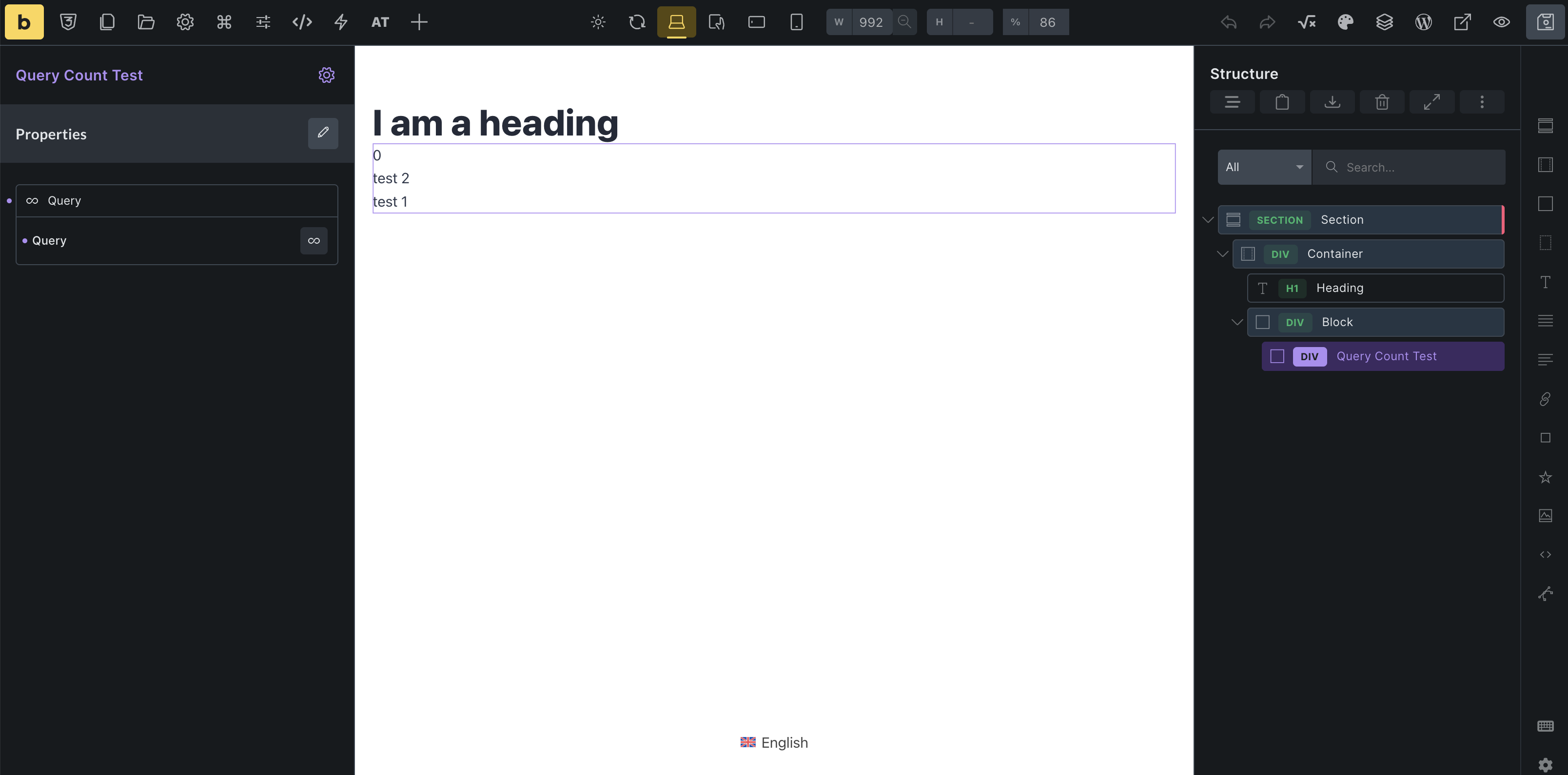
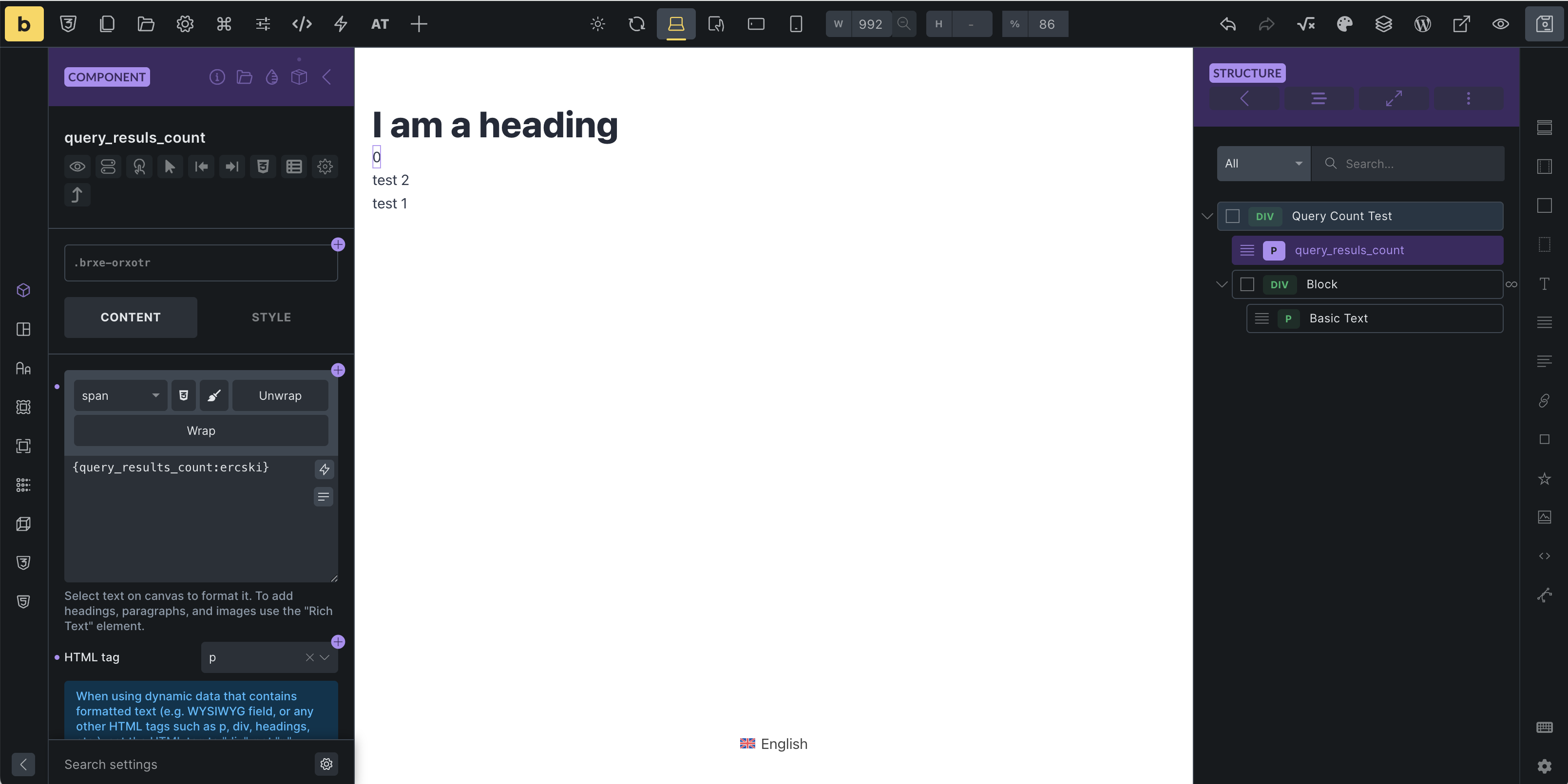
the shortcode {query_results_count:id} does not work inside an component. I checked this on two separat installations. Works as long as I don’t want to display the result inside the component.
As described here: SOLVED: Beta bugs and problems
the shortcode {query_results_count:id} does not work inside an component. I checked this on two separat installations. Works as long as I don’t want to display the result inside the component.
How do you have your component setup? Can you share some screenshots?
Hi @shingen,
sure. I tested on a third installation and there It worked as long as I did not connect the query to the component. Maybe this is the limitation?
I want to set the query via the component settings and in this case the count inside the query stops working.
Thanks for the snapshots and yes, I just tested it too and there is an issue.
The issue I see and not sure if it is the cause, but when you convert the elements into a component it turns the query element from a ID to a class. Even though you are using the ID/class name, I am not sure how the component is setup when calling via the dynamic tag.
I did a little video showing what I found and so hopefully that will point the devs in the right direction.
Video: Watch 2026-06-08 14-37-42 | Streamable
Cheers
Man, thanks a lot for the effort and for confirming my observation!
Not sure if the ID change is the issue. I believe the change itself is expected – similar to the ID change when duplicating queries.
Also for my understanding the query just uses the Bricks ID and not the html ID. Real HTML IDs are never used in queries because if each query item would get the same HTML ID you would run into a conflict.
Lets see what the team says about it. Thanks @shingen!
Sorry I couldn’t be much help, but hopefully they can sort it out.
Cheers
Hi friends,
@jonaswd, Just to be sure, what I took from your screenshots is that you have a query loop in your component and you created a property component for it. Then you want to display the number of query results in the same component, right?
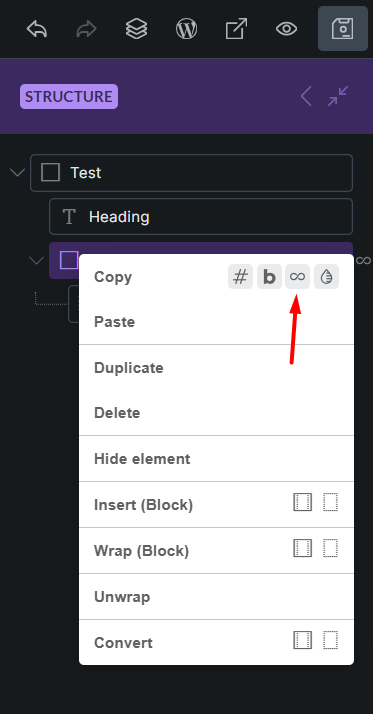
Please make sure that in Dynamic Data you are using query id to display the count. Not Bricks id.
Hi @HOSEIN,
awesome! This is the first time I notice this query id button. This was the solution! Thanks a lot man!
I’m glad your problem was solved. Good luck 
Hi Jonas,
Thanks so much for your report.
The problem has already been reported some time ago:
Thanks to shingen and Hosein for jumping in  I’ll mention the potential solution on the existing task.
Best regards,
timmse