Hi Bricks team,
I know there is already a similar report about memory exhaustion related to dynamic data after the recent update, but in my case the problem is broader, so I want to report it separately.
After updating Bricks, the website started failing with PHP fatal memory errors.
What is different in my case is that this is not happening only when editing a page with Bricks.
The issue occurs:
-
on the entire frontend during normal page loads
-
in the WordPress admin area as well
-
not only inside the Bricks editor
So this seems to affect normal rendering of the site globally, not just a specific edit screen.
The repeated fatal errors in the log point mainly to:
-
wp-content/themes/bricks/includes/integrations/dynamic-data/dynamic-data-parser.php (line 30 and line 57)
-
and then secondarily also WordPress core files like:
-
wp-includes/class-wp-post.php
-
wp-includes/class-wp-object-cache.php
-
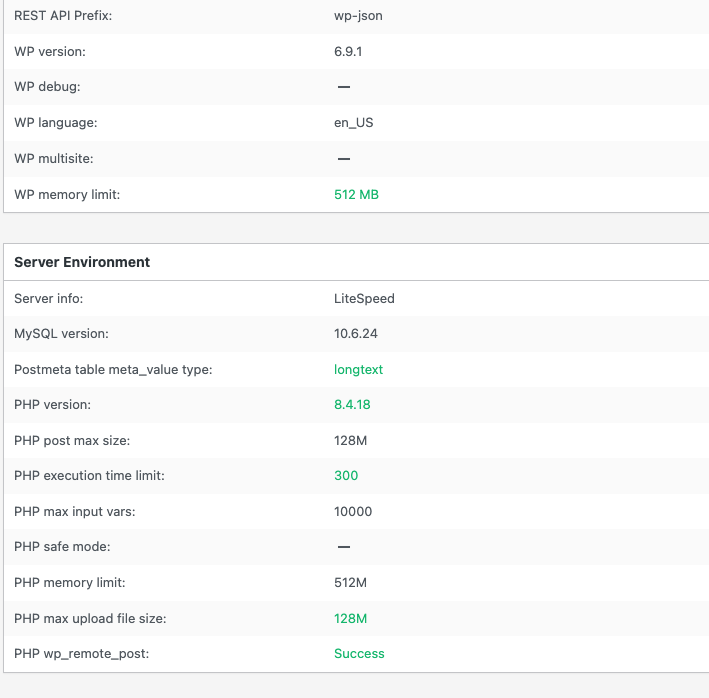
PHP memory limit is 256 MB, and the site keeps crashing with:
Allowed memory size of 268435456 bytes exhausted
Here is a sample from the log:
[05-Mar-2026 15:58:16 UTC] PHP Fatal error: Allowed memory size of 268435456 bytes exhausted (tried to allocate 262144 bytes) in /home2/jlporhdx/public_html/wp-content/themes/bricks/includes/integrations/dynamic-data/dynamic-data-parser.php on line 30
[05-Mar-2026 15:59:51 UTC] PHP Fatal error: Allowed memory size of 268435456 bytes exhausted (tried to allocate 4096 bytes) in /home2/jlporhdx/public_html/wp-includes/class-wp-post.php on line 255
[05-Mar-2026 15:59:52 UTC] PHP Fatal error: Allowed memory size of 268435456 bytes exhausted (tried to allocate 262144 bytes) in /home2/jlporhdx/public_html/wp-content/themes/bricks/includes/integrations/dynamic-data/dynamic-data-parser.php on line 30
[05-Mar-2026 16:13:47 UTC] PHP Fatal error: Allowed memory size of 268435456 bytes exhausted (tried to allocate 4096 bytes) in /home2/jlporhdx/public_html/wp-content/themes/bricks/includes/integrations/dynamic-data/dynamic-data-parser.php on line 57
[05-Mar-2026 17:32:31 UTC] PHP Fatal error: Allowed memory size of 268435456 bytes exhausted (tried to allocate 4096 bytes) in /home2/jlporhdx/public_html/wp-includes/class-wp-object-cache.php on line 379
From the log, the main trigger appears to be the Bricks dynamic data parser, while the WordPress core errors look more like secondary failures after memory is already exhausted.
I understand there is already a related topic, but I want to stress that in this case:
-
it affects the full website frontend
-
I also see errors in wp-admin
-
it is not limited to opening/editing a specific page in Bricks
Please let me know if you want the full log, environment details, or help testing a fix.
Thank you.