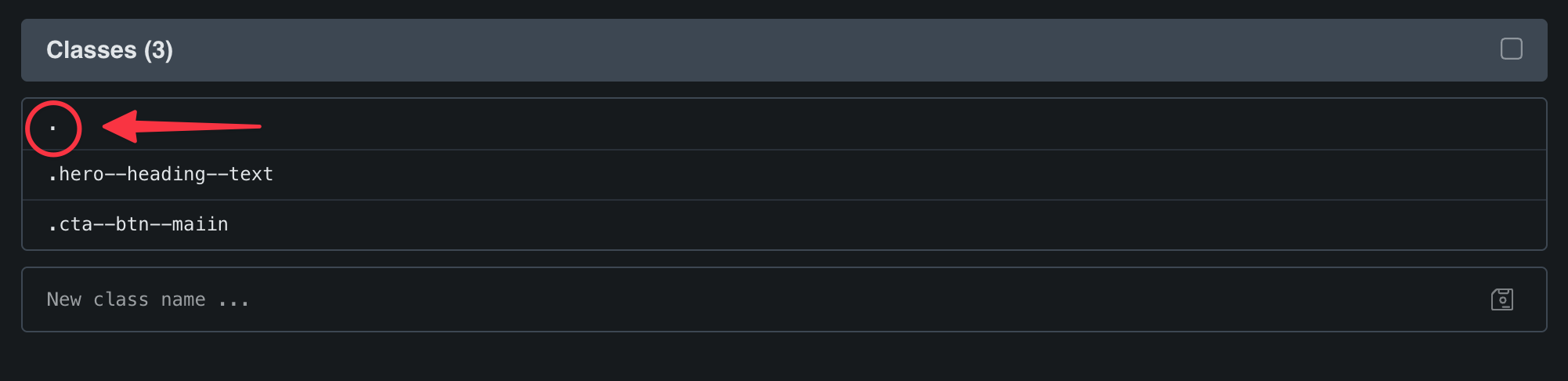
For some inexplicable reason, your classes are being chained with other elements—.hero--heading--text, for example, with .brxe-basic-text, even though it’s actually a heading element. Do you have any idea how to reproduce this?
You can probably solve the problem by disabling class chaining in Bricks » Settings » Performance. Still, it would be good to know how this happens…
P.S.: You should take a look at all your tags (or better remove them)… they all contain invalid syntax.
I have managed to replicate this exactly in a new environment. I created a test environment and have a heading and button with a CSS class which is also not rendering correctly on the front end on the link below
Let me know if you would like some login details see you can have a look around.
I disabled link chaining in settings on the original site in question and this seems to have solved some of the issues, but some of the text colors and nothing in the header seems to be pulling through.
hi @timmse sorry for the follow up message but I think I know what is causing the issue.
When I create a new website I use a blueprint .wpress file which has the bricks plugin including all the plugins I use for a quick setup. This blueprint also saves Bricks settings that I normally switch on.
I have just created a new staging environment without the blueprint file and installed Bricks manually. All the CSS classes are rendering correctly on the front end so it must be to do with this blueprint file. I’m not sure exactly what though…