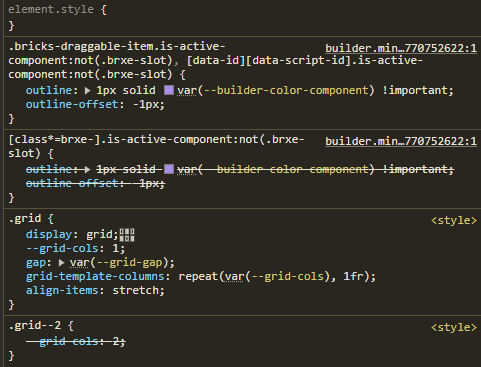
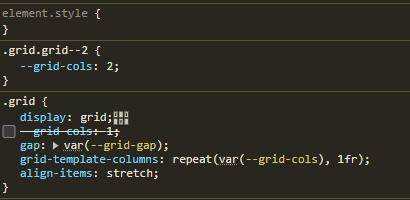
I can’t say for sure what the reason is, but as soon as I work with Bricks in this way, the display in the Builder no longer works properly. I suspect it has to do with how Bricks interprets the CSS code.
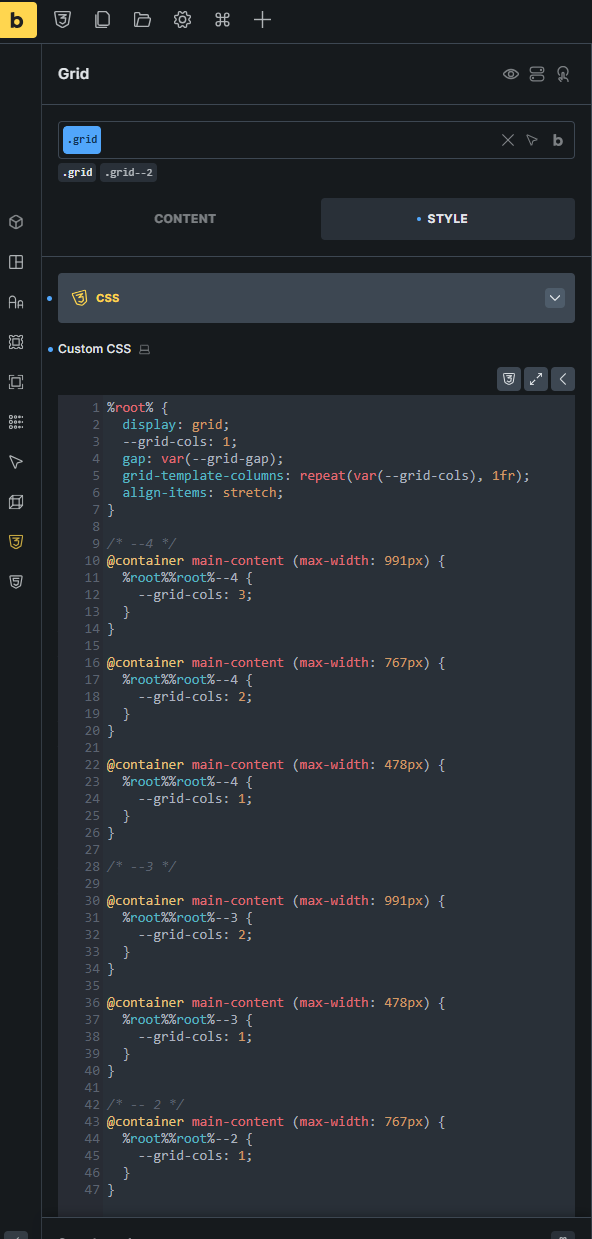
Can you let me know where you put this CSS and how you assign the classes? Looks like the grid-2 has lower specificity than just the grid class, or maybe it comes earlier than the grid class in the CSS, which I am not sure why.
You can also share a link to your website if you want.
Ah, thanks for that. I think I see what is happening.
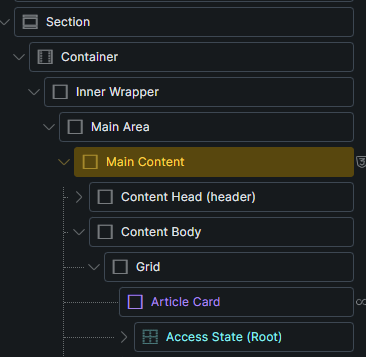
You have .grid and .grid--2 classes defined in a global classes and then you use them on elements.
Because Bricks does not load all classes on every page, but only the ones that are used, it probably happens that .grid--2 class definition is defined later than the .grid, causing it to have a priority over it.
Most of the time this is not an issue, but in your case I suppose this is causing it.
Ideally, we would output the classes in the same order as you have them in the global class manager, but because we output it in the order that they appear on the page, this could happen.
Here is relevant forum topic. We also have a internal task for this and will update the topic below once we implement this.
If you add the class definitions under Theme Styles → stylesheet, then the issue might be solved.
Please let me know, and if that’s the issue, then I will link this topic to our existing tasks.
When I insert the style in Theme Styles > Stylesheet, everything looks fine.
I see that the problem has been around since May 2025.
What is the plan here? Will it be fixed? Otherwise, I’ll have to find another solution.
Theme Styles > Stylesheet is not a solution. I don’t want to maintain my CSS code in different places—I only want one place for my code, and I’ve decided to put the code directly in the classes.