Is there a way to make it so that the Short Description element only renders if it has content. I’ve added a margin on the bottom of the Short Description element so that there is a gap between it and the next content on the page, but this makes for a big unsightly gap if the content is empty. I’ve tried using a condition on the element with {woo_product_excerpt} ‘is not empty’, but this doesn’t work as the {woo_product_excerpt} by default takes the main description if the Short Description is not set. Is there a way to explicitly check if the Short Description field is empty?
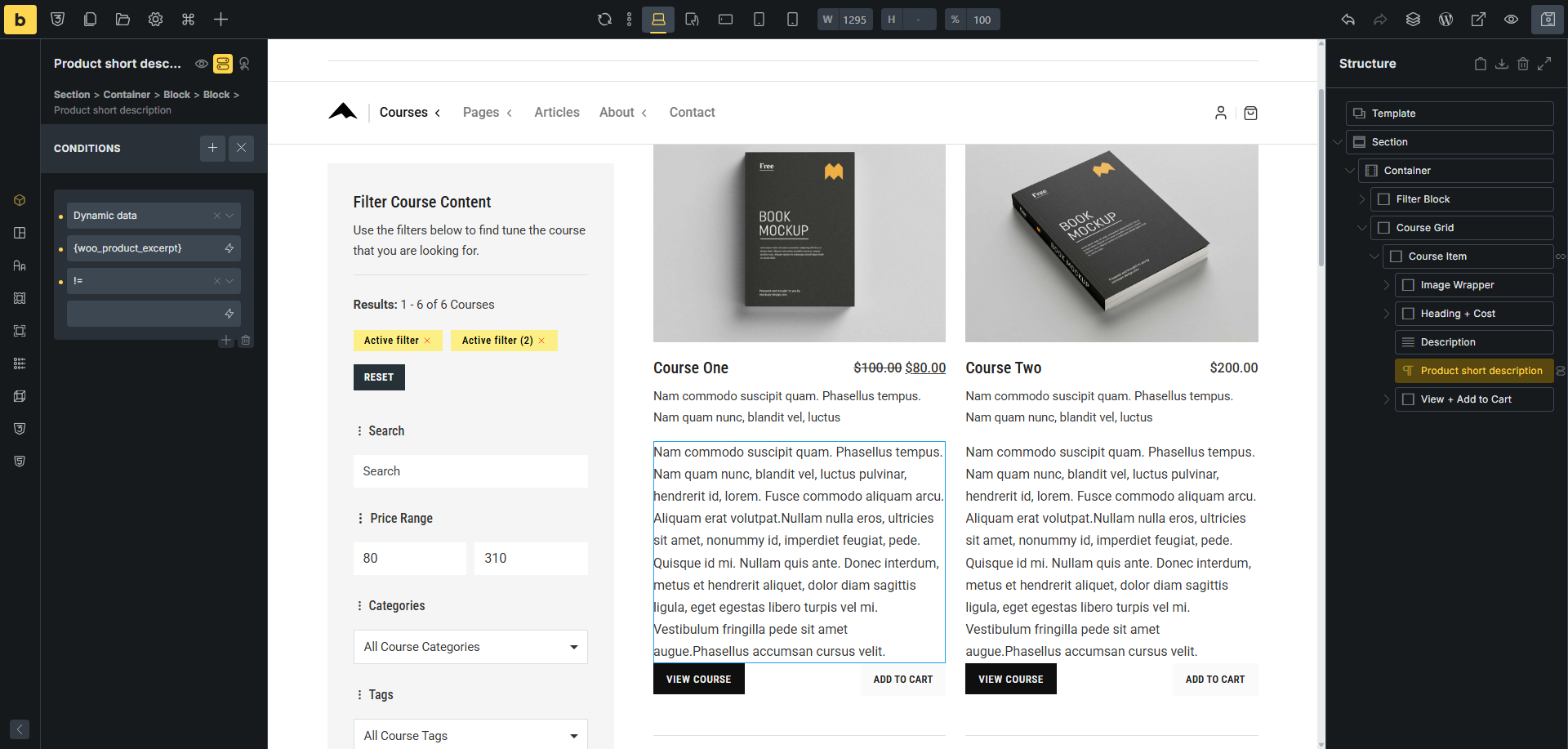
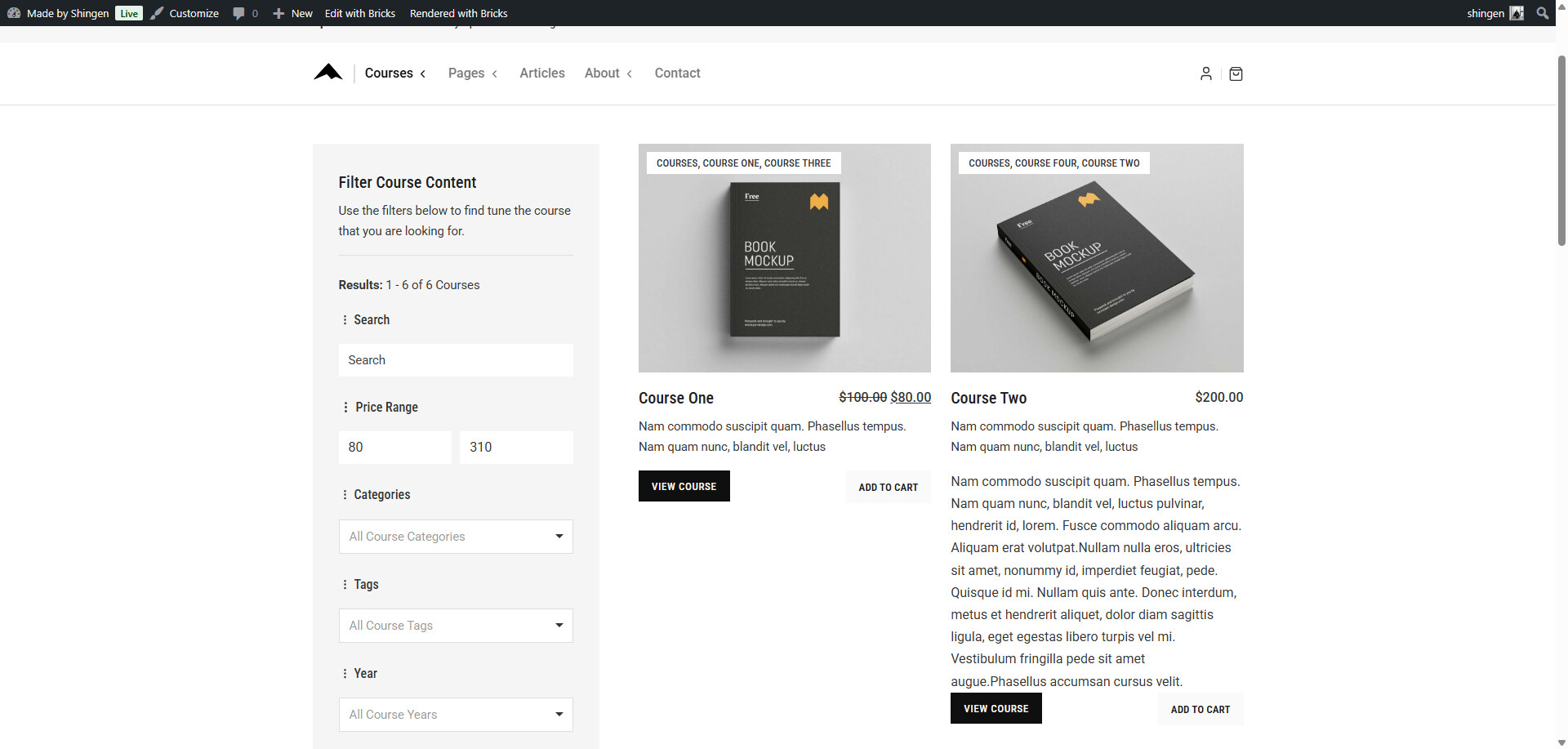
Thanks for replying. However, I did mention in my post that I had tried that, but it doesn’t work. If the short description is empty, then {woo_product_excerpt} is filled with a truncated version of the main description. Therefore, the short description field being empty does not mean that {woo_product_excerpt} is empty, so the element still shows.
Does anyone know a way to make this work?
No it is not – I just showed you that with the short description element is empty, it does not show. Course One had no short description therefore did not show. Course Two beside it, did have a short description so the element was shown.
Maybe give us some screenshots of your setup so we don’t have to guess here.
Update: I re-read your post and that is not what you tried, you tried a different comparison.
I’ve tried using a condition on the element with {woo_product_excerpt} ‘is not empty’
Any event, here is a video showing you that it does work. But more info from you would be helpful for us so we can help.
Thanks for the reply again. I’m not 100% convinced that the element is not displaying on your screenshot. It’s hard to tell as you don’t seem to have a margin or padding set on the short description element anyway. The element would be empty, so it doesn’t look like it’s there, but if you set the margin at, say, 50px top and bottom, does the big gap show even when the short description is empty? I suspect it does.
I certainly should have included some screenshots though to make this clearer. Here you go. I’ve exaggerated the padding on this somewhat to make it clearer, but you can see what I mean. Hope this makes it a bit clearer what is happening.
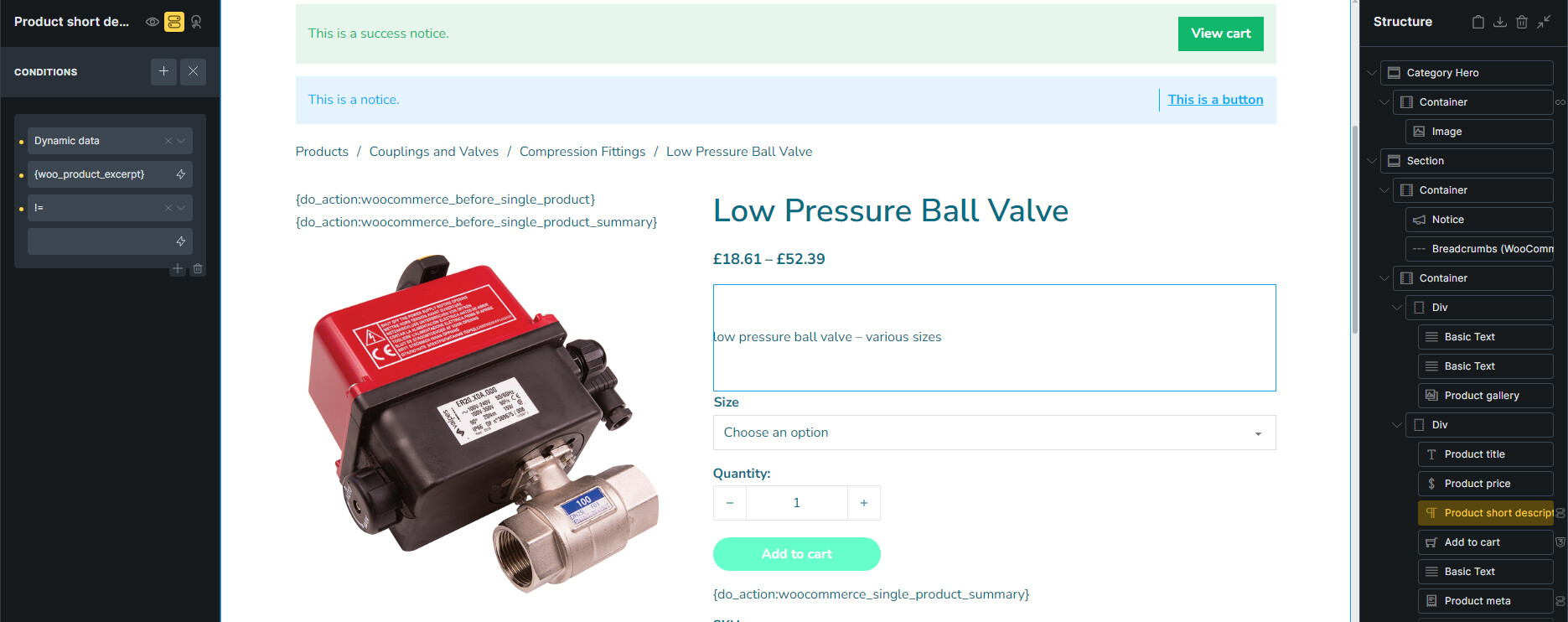
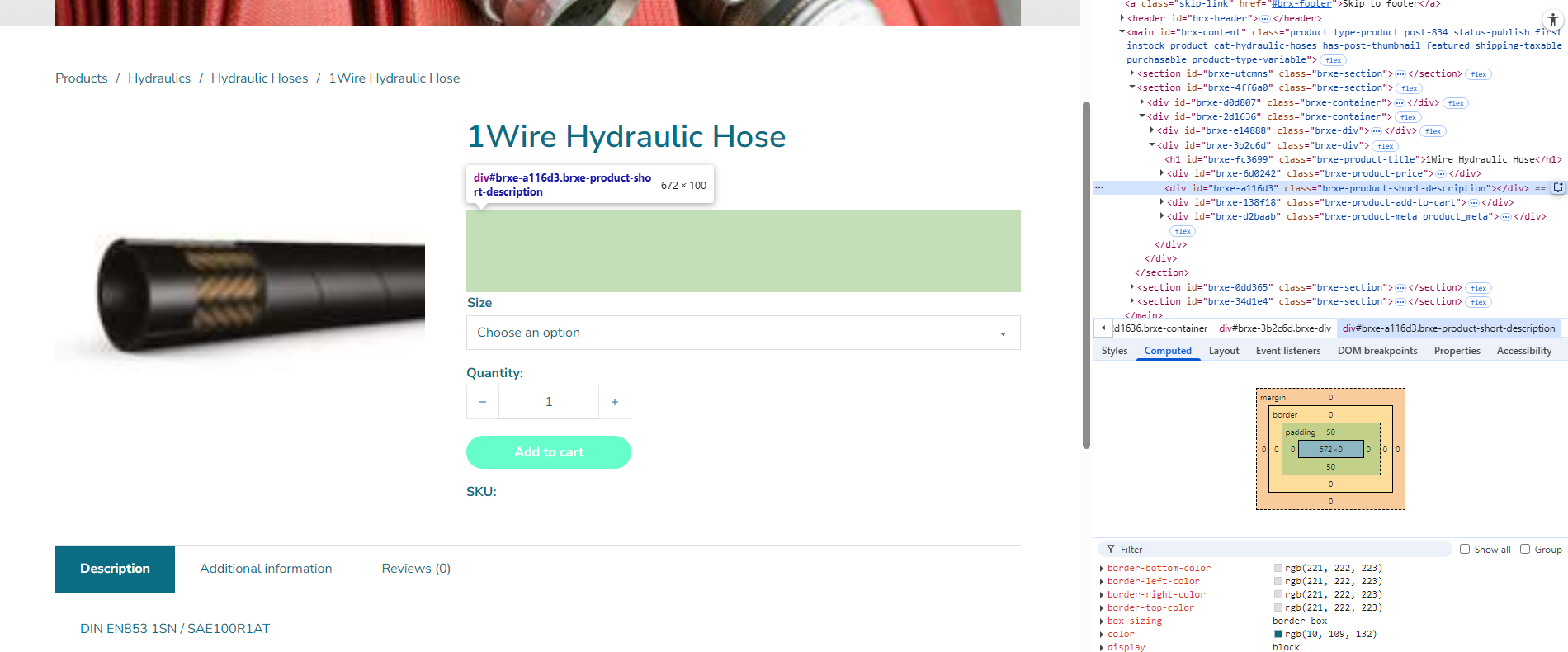
Ok, I see what you are getting at – you are speaking off the div with it’s classes being left behind in the DOM when there is no short description.
I can reproduce that left over DOM entry with the short description element. Now here is the crazy thing, which actually might be a BUG – but try this out. If you add the Basic Text or Rich Text element and then add the {woo_product_excerpt} dynamic tag within you will get the truncation of the main content if there is no short description.
So I am wondering if your question is not a use case, but rather a bug?
I’m glad i’ve managed to make the issue clearer. Yes, i’m referring to the fact that the Short Description element still shows, with it’s margins/padding, even when empty, and there doesn’t seem to be any way to not hide this when empty.
I did allude to the way the main description is rendered by the dynamic tag in my first post…
This is actually standard Woocommerce behaviour. The “get_the_excerpt()” function, which i’m assuming is what {woo_product_excerpt} is calling, shows the truncated main description if the short description is not set. Happily, the ‘Short Description’ Bricks element doesn’t do this, but this behaviour does mean it seems very difficult to hide the short description if it is empty.
I guess it’s not strictly speaking a bug, but more a lack of functionality. It seems there needs to be a way of checking if the short description is empty, without relying on the get_the_excerpt() function.
I’ve come up with a workaround for this, which I’ll put here in case anyone else wants to use it. I just created a custom function to get the short description, and then checked it’s contents using a dynamic tag. So, the function was:
function product_short_description() {
global $product;
if ( ! is_a( $product, ‘WC_Product’ ) ) {
return ‘’;
}
return apply_filters( ‘woocommerce_short_description’, $product->get_short_description() );
}
And then I set the condition to check if {echo:product_short_description} is not empty. Also remembering to allow the function with:
add_filter( ‘bricks/code/echo_function_names’, function() {
return [
‘product_short_description’,
];
} );
Excellent, glad you were able to find a solution.
1 Like