(I’m trying to) build a custom cart page because the WooCommerce cart is so ugly…
First of all, I’m not a developer
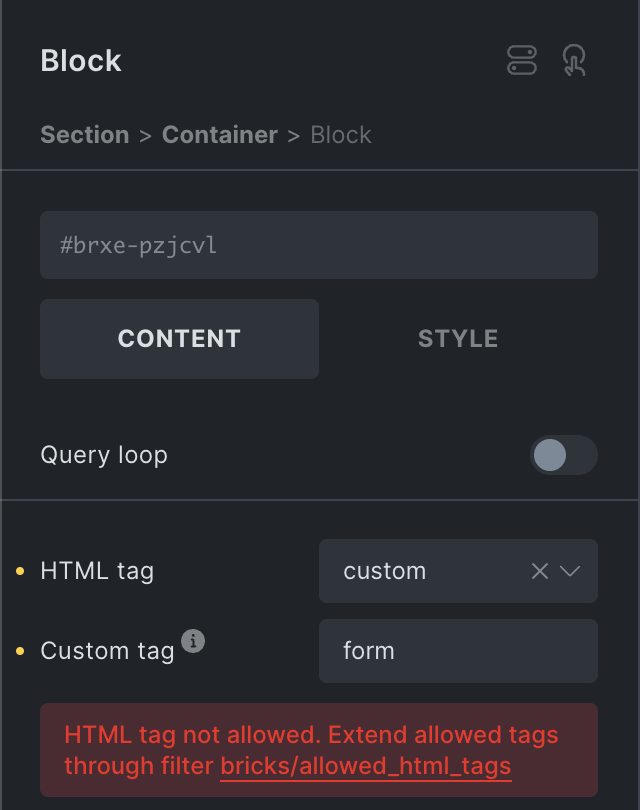
I’ve gotten so far that I can display product (gallery) images, product titles and prices on the page with a query loop. But I don’t know how to display the product quantity and subtotal on the page. I read the bricks.academy instructions and I understood that I use the “form” custom tag and for example {woo_cart_quantity}. Is the use of the custom tag blocked without the code snippet below (bricks.academy / developer: Filter: bricks/allowed_html_tags)?
add_filter( ‘bricks/allowed_html_tags’, function( $allowed_html_tags ) {
// Define the additional tags to be added (e.g. ‘form’ & ‘select’)
$additional_tags = [‘form’, ‘select’];

// Merge additional tags with the existing allowed tags
return array_merge( $allowed_html_tags, $additional_tags );
} );
So where do I put this code snippet that I copied from bricks.academy? In the function.php file of the Bricks builder child theme? Doesn’t that allow the use of the “form” custom tag - if I understood the instructions correctly? I tried putting it in functions.php but nothing happened (other than an error message about the “form” custom tag).
Yes, I have read the instructions but they do not answer all my questions? Especially since the Builder blocks the use of the form custom tag. So I can’t move forward. Maybe I don’t understand something?
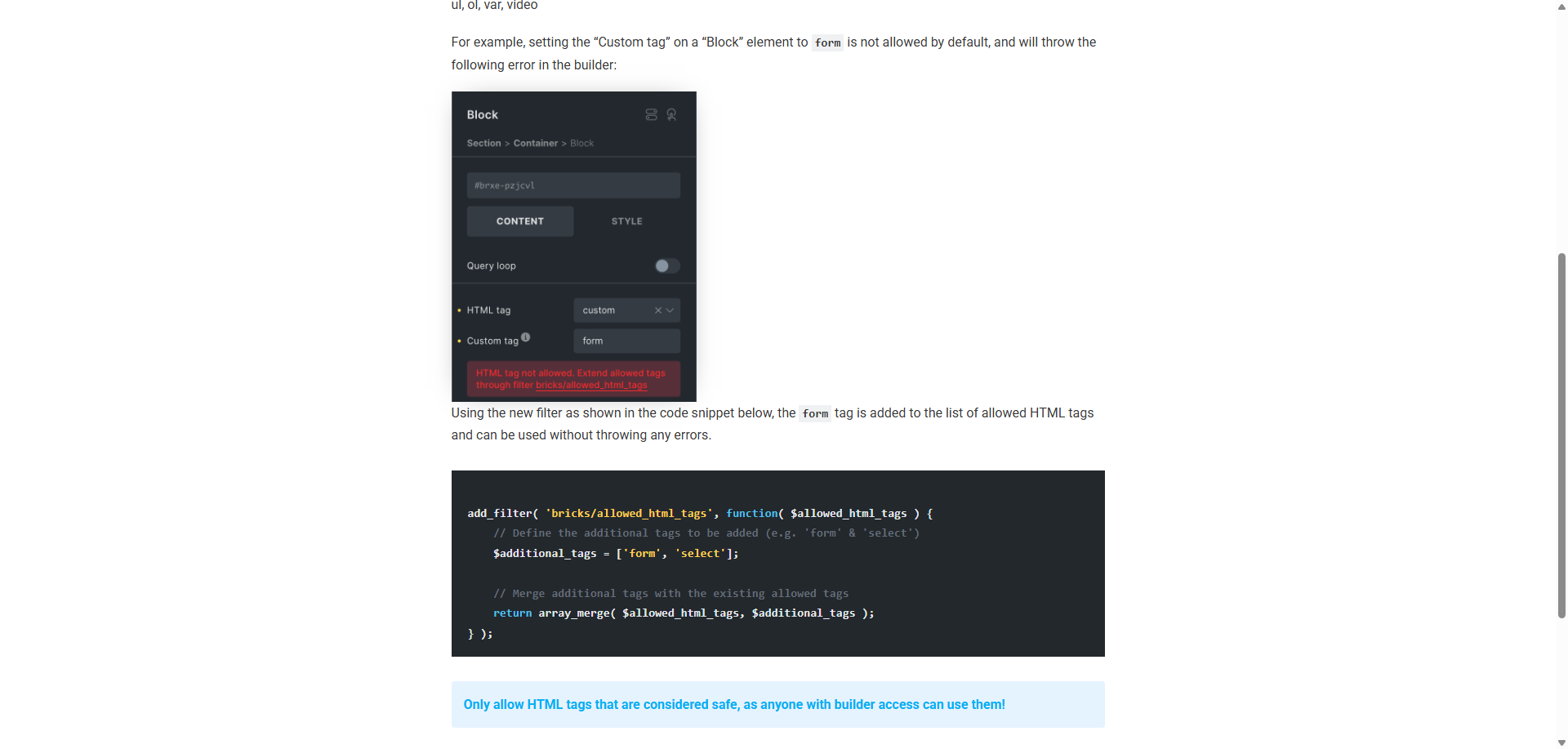
My friend, you need to read the documentation. Why are you giving me the image from the documentation when right below that image it tells you need to add that filter to your functions file.
I get that you are not a developer, but maybe you are working over your skill level? I just say this as I don’t want to see you get into trouble or things to go “crash”.
In order to use custom HTML tags you need to allow them via the Bricks filter. The filter is this.
add_filter( 'bricks/allowed_html_tags', function( $allowed_html_tags ) { // Define the additional tags to be added (e.g. 'form' & 'select') $additional_tags = ['form', 'select'];
// Merge additional tags with the existing allowed tags return array_merge( $allowed_html_tags, $additional_tags ); } );
Be careful though … if you have a comma or single quote out of place it will all break.
My friend, you need to read the documentation. Why are you giving me the image from the documentation when right below that image it tells you need to add that filter to your functions file.
Really?
Why are you giving me the image from the documentation when right below that image it says you need to add that filter to your functions file.
Sorry, I’m blind!
I get that you are not a developer, but maybe you are working over your skill level? I just say this as I don’t want to see you get into trouble or things to go “crash”.
Well, I always make a backup before touching something I don’t fully understand… I’m smart!
In order to use custom HTML tags you need to allow them via the Bricks filter. The filter is this.
I’m blind - again!
Be careful though … if you have a comma or single quote out of place it will all break.
I’m going to copy-paste it, I’m not rewriting it line by line.
Just because someone “doesn’t fully understand something” doesn’t stop others from helping.
If you don’t do it, you won’t learn… or something…
I never said don’t do it — I said be careful. If you never drove a car before or changed the brake pads, do you just say, “Screw it and just do it”? No! I am trying to help you here, but I am also giving some caution – which is also a form of help.
As for the image … not sure why you said, “Really?” This is right from the docs … does the image there look familiar to the image you shared?
Ok, sorry that my helping direct you to the docs that addressed your exact question was not helpful. Seems you are struggling with more then just understanding development.
Thank you for your feedback; in the future I will ensure I do not share and help you in any queries you may have.
No, your interpretation is deflectory. You feel he didn’t help you because the help he offered demands learning and understanding what you are doing. Solmething you obviously don’t want to do. He literally pointed you in the right direction.
It is very clear that you expected someone to do the part that you are supposed to do yourself.